[BUG REPORT] Engine DJ 5.0.1 – Severe Sync Manager Slowdown, Library Performance Issues & SC5000 Freezes

Hello everyone,

I have already reported some of these issues in a previous thread on this forum. I am now reposting in a more structured and detailed format, hoping that this report can reach the Engine DJ development team directly and be taken into consideration for future fixes or optimizations

-– System & Setup Info —

• Computer: MacBook Pro 2021 – Apple M1

• Engine DJ version: 5.0.1

• Hardware: Denon DJ SC5000 + Denon DJ SC6000M

• Library: approx. 6,700 tracks / Engine Library database approx. 1.91 GB

-–

ISSUE #1 – Sync Manager extreme slowdown

Since updating to version 5.0.1, the Sync Manager now takes approximately 18 minutes to open after connecting a USB drive. With previous versions of the software, the waiting time was around 90 seconds.

I would like to understand:

• why this is happening,

• whether this behavior is expected,

• and if there are possible solutions or optimizations I can try.

Please do not suggest the “Clean Up” function, as I have already tested it multiple times and unfortunately it does not appear to provide any significant improvement.

-–

ISSUE #2 – Application crash / force quit after USB ejection

After completing a library sync and removing the USB drive, Engine DJ becomes completely unresponsive. The application freezes and the only way to exit is via a forced quit (Force Quit on macOS). This happens consistently after every sync session and makes the entire USB workflow feel unreliable.

This issue combined with the 18-minute Sync Manager load time makes routine library updates extremely time-consuming and frustrating.

--

ISSUE #3 – General software responsiveness

In general, the software also feels noticeably less responsive than previous releases, even during normal browsing and library operations unrelated to USB management.

-–

ISSUE #4 – SC5000 freeze during intensive dual-layer use

Another critical issue concerns intensive dual-layer usage on the SC5000 units. During prolonged use, the system progressively slows down until the device becomes almost completely unresponsive. The screen freezes and the only solution is to reboot the player.

-–

Now some of my thoughts

I genuinely believe Engine DJ has some fantastic and very intuitive features, and when paired with the device OS it offers a great overall experience. However, in my opinion, one of the core structural weaknesses appears to be the library/database architecture itself, which currently feels fragile and unreliable under heavier workloads.

Hopefully the collaboration/fusion with Native Instruments will eventually lead to a more solid and reactive database system — for example one capable of dynamically updating folders based on the actual files present, and not only through software-managed imports.

I would also like to mention that, after nearly 7 years, the “Relocate” function still seems far from truly functional. Maybe I am doing something wrong, but so far I have never been able to successfully relocate files in an effective and reliable way.

Thank you in advance for any feedback or support.
What OS is on your Mac?

I use a 2023 MacBook Pro M2 and I haven’t had any crashes!

The OS on my Mac is still Sonoma 14.7.2.

I have a music library that I’ve reduced to 8,892 tracks (instead of almost 30,000).

I use Samsung internal storage (a 512GB Rane System One 850 Pro Series and a 500GB Prime 4+ 860 Evo) formatted as exFAT. My external storage is a 128GB SanDisk Extreme Pro (for backup) and a 128GB Sony M Tough SD card for my Prime Go.

As for the sync function, I don’t use it; I only use drag and drop.

Importing my entire library takes less than 3 minutes and exporting it takes around 5 minutes; analyzing the music takes less than 15 minutes. (Without Stems)

Your setup is almost identical to mine, even down to the amount of tracks in the library.

Have you formatted your performance drive and done a clean fresh install? How are you connecting the drive to your M1 Macbook? is the drive a USB 3.2 with good data speeds?

Ive done full exports using sync manager to both an internal SSD and a USB drive and it took no time at all (less than 20 minutes) and library updates take seconds.

I will redo the USB flash drive test tonight and time it.

Hi @Pillola , thank you for taking the time to provide this detail. The complexities of this are a little more nuanced.

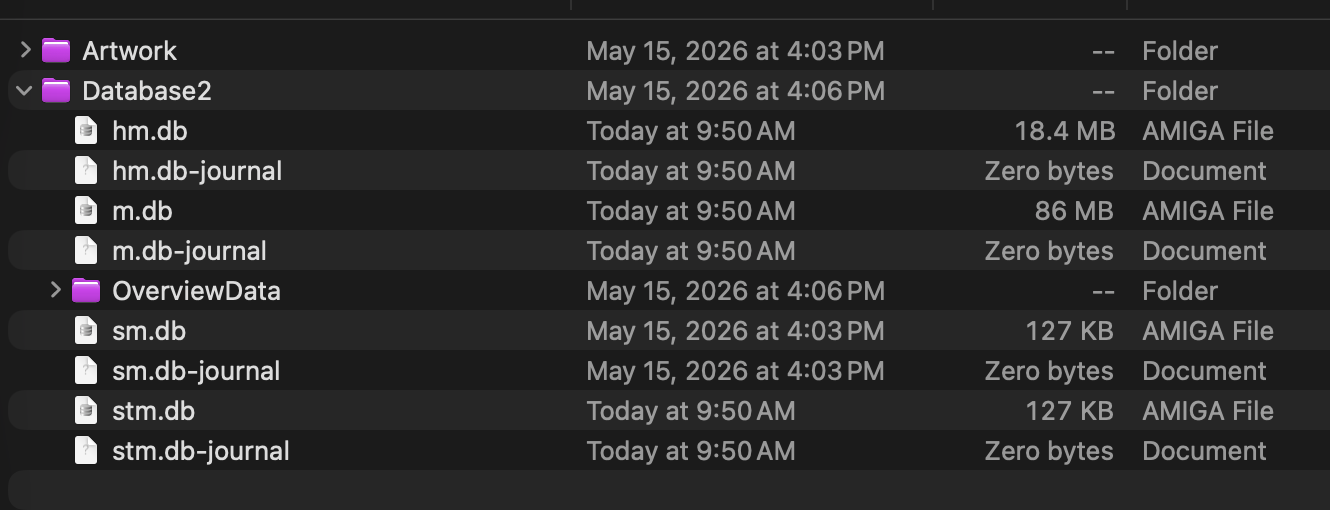
I’d love to learn more about your DB situation as this doesn’t seem normal at all. I have >15K registered songs in my environment and my main database (m.db) is only 86MB (to be expected), and the Artwork Folder is ~74MB.

For you to have a DB folder of 1.91GB, that tells me that Engine did not properly clean up the database or perhaps it’s your history database (hm.db) that is bloated?

thank you for you answer @DjMell26 and @STU-C . On my MAC OS is Thaoe 26.1

I normally use Usb Sandisk good quality and speed and SD card SANDISK Extreme 128GB SD Micro 190 MB/s… EXFAT

…but issues come not from the storage device but from software that apparently has to prepare the library before any kind of export… and it take around 20 minutes to get ready to export…the writing process on the storage device is fast as usual

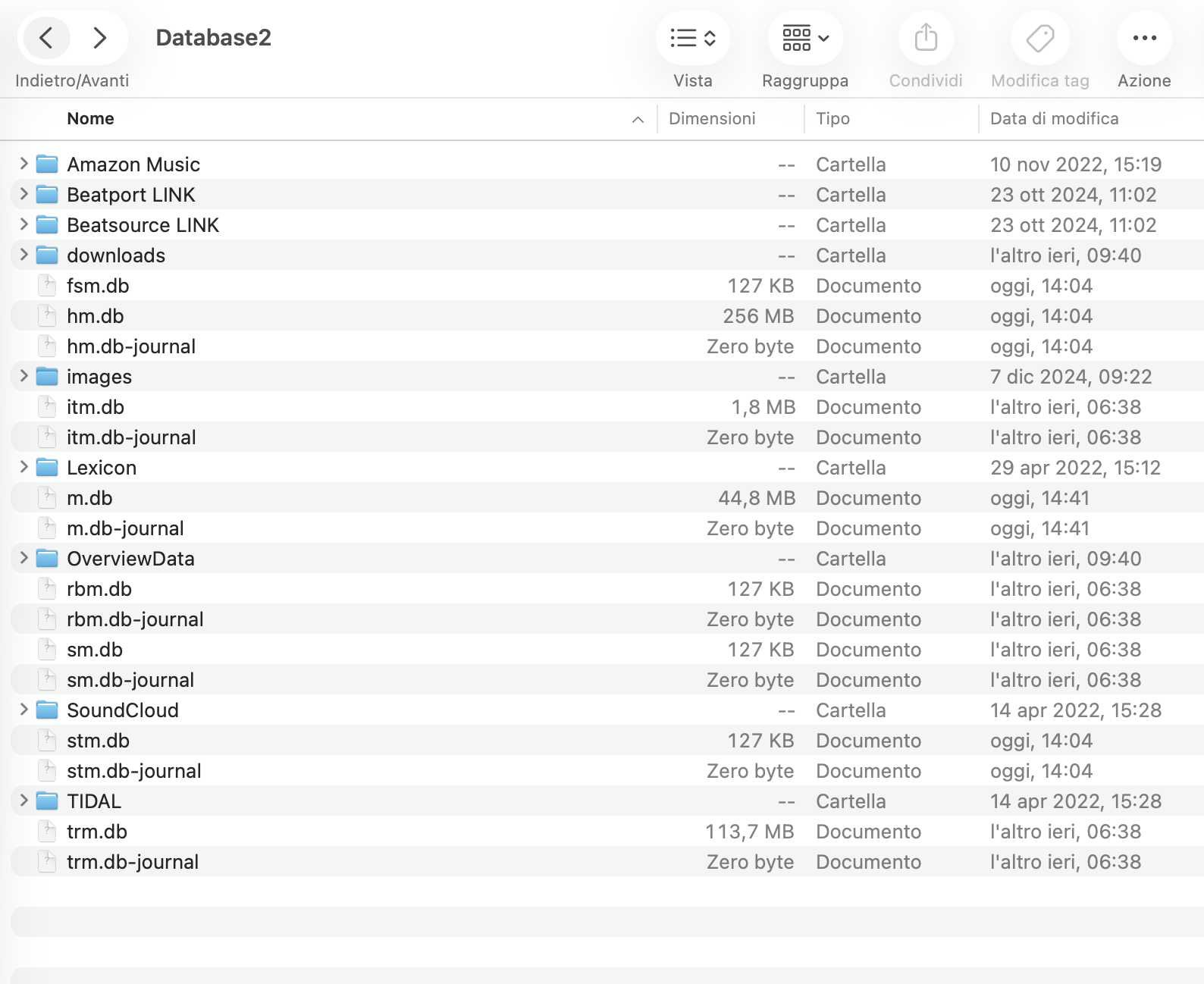
these is mi database2 file…is it corect?

artwork folder is about 30mb

@djliquidice thanks for answring

Sorry @djliquidice… I used the wrong term in my post. When I mentioned the database, I wasn’t referring to the DB file itself, but to the overall size of the entire ‘Engine Library’ folder."

OK, so your HM.db is way larger because engine currently keeps the binary artwork files inside of it.

Looking at the size of trm.db (tidal?) i’m wondering if that’s the case there too.

Given that you have multiple sources for music, I’m starting to wonder if this is why things are so slow for you?

Would you be willing to zip :clamp: up your Engine Library :open_file_folder: and share it?

…just to explain…all my library is in my MacBook …i used Tidal till price raised up, so now i m not using different sources…every file i export is coming from my library on my Macbook hard drive.

where i can share my zipped library? @djliquidice

We transfer or google Drive will work

here is my library:

Lovely. I won’t be able to look at this for another 24-36 hours. Hope that’s ok

OK, so I lied.

I was able to replicate the issues and distill it down to the parsing and aggregation of the history DB.

I did 3 tests using my M4Max machine:

  • Fresh DB : 1.5 second launch
  • My Databases: 2 seconds launch
  • @Pillola’s databases: 43 seconds to launch, with a fully-blocked (beachball) UI.

Demo:

Removing hm.db from the equation, it took ~3Seconds to launch.

@djliquidice … first of all, thank you so much for your time and your work — it’s truly appreciated.

Once we’ve established that the issue is related to the m.db file, what can I actually do about it?

Should I manually edit the file? Should I clear its contents? And if I simply delete it, will Engine DJ still work properly — or will it break something?

Your hm.db is safe to rename (like I did in the video) and try to use Engine as usual.

Here’s what I would do:

  • zip up Engine Library on your computer
  • Open Engine Library/Database2/:open_file_folder:
  • rename hm.db to hm.db.old (for safe keeping). You may need to do the same on your performance volume.
  • Use engine as usual.

Please report back when you can.

If you want to keep your history, there is likely a way to prune some of the data, though I do want to “run this issue up the flag pole.” (Report it as a proper bug / issue).

@djliquidice …i have two gigs friday and saturday… so i had a try on a backup pc just to try this solution… I took my hm.db file, fed it to Claude.ai and asked it to reduce the file size while preserving all data and functionality — for example by removing all sessions with fewer than 10 tracks played. Here are the results after the first cleanup:

Before / After • File size: 256 MB → 202 MB • Sessions: 124,382 → 12,192 • History rows: 1,227,796 → 521,911 • Integrity check: :white_check_mark: OK

At that point I told Claude: something still seems off — there’s no way I’ve actually done 12,192 sessions since 2018. There must still be duplicate sessions in there. So I asked it to identify and remove duplicate sessions, keeping only one version of each.

The result was a new hm.db file of 188 MB. I replaced the old file in the Engine DJ software folder and — like magic — everything suddenly feels fast. Engine opens in a matter of seconds and the Sync Manager loads immediately.

I still need to run proper tests, but the early signs are very promising. I will also test it on my Mac tomorrow and report back.

I did think it was strange that you had loads of entries that seemed like test playlists where 1 or 2 songs were played per history playlist.

Glad you were able to get some traction :slight_smile:

Amazing teamwork on this one!