what do these markers really mean when you can set the pitch range anyway? one press on the sync button, and the markers are worth jack squat 
Well, how often do you really look at the lines? Don’t you match the tracks on the screen? Faders is just for muscle memory.
I really liked @NoiseRiser idea of endless rotary instead of Pitch fader. Then you can turn the knob slowly for small steps and fast for radical steps with no need to choose +8% or +50%.
When you’re bumping BPM you can use the markers to know exactly how to shift the BPM by say 1 or 2 etc, its how i learnt the old skool way and i still use it now.
Also when you want to quickly move a track up to the same BPM its useful for that, when you know exactly how far you need to move it to get it there.
there is literally no valid reason to remove them, outside of admitting that all new DJs are just going to use sync… ie the death of DJing.
I agree, and it’s what Steve (DJ Lab) was saying in his video. They may be useful when you’re playing vinyl on turntables, but for people playing back perfectly beatgridded EDM and using the sync button, they’re irrelevant. The pitch fader doesn’t get touched.
When I’m doing my Twitch streams, I can go a whole 3 hours without my hand going anywhere near the pitch faders. The sync button is just a tool that enables me to instantly set the BPM to exactly the same as the other deck, rather than trying to move it slowly enough to equal the other deck’s BPM with any degree of accuracy.
No, i use my ears and feel on the pitch fader to move it up to a certain level, using the BPM reading to confirm afterwards. Knowing how far to move the fader using the markers gets you very close to where you need to be, removing that visual aide to me is completely wrong, there is no valid reason to remove it.
Well Stu, if you think that Tempo matching is what DJ’ing is all about, then you’ve haven’t invested enough knowledge in the craft.
It’s like saying kicking the ball perfectly is everything in football.
You can listen to my DJ mixes and decide for yourself if i have enough knowledge of the craft or not… unlike most people on here (who seem to do lots of talking) i share my mixes for people to listen to, rather than being a keyboard expert.
Tempo matching is a fundamental skill of DJing that every single DJ worth his salt should be able to do with little effort, relying on a computer to do it is poor form, regardless of the excuses and mental gymnastics surrounding the subject.
Edit: apologies for the harsh tone, i just get annoyed when i see the fundamentals being dismissed in place of tech, there is only one way the industry is going if this trend continues and i dont think its a positive direction.
its so much more than just ‘tempo matching’ its learning structure of music, getting a feel for the music, becoming more involved in it, having a backup if things go wrong or the situation doesnt allow for using the tech. You are subconsciously learning so many other things when you learn to accurately beat match, and often when i see people struggling with thingsl ike phrasing, its because they’ve skipped these important first steps and tried to jump straight to step 8.
I suggested something similar for the prepare way back in time. When the new request section was introduced something similar was posted also, but things like this won’t get the votes. My original request can’t even be read anymore
Are you one of those DJs who just mix by looking at the screen?
I think before any of that, we need an actual offline locker as a starter for 10. Once that is there, this caching system will be great.
I wonder if they update the Opus and AZ to do it.
I was half joking. XD
12’s used as instruments – yes! That required incredible skill to pull off!

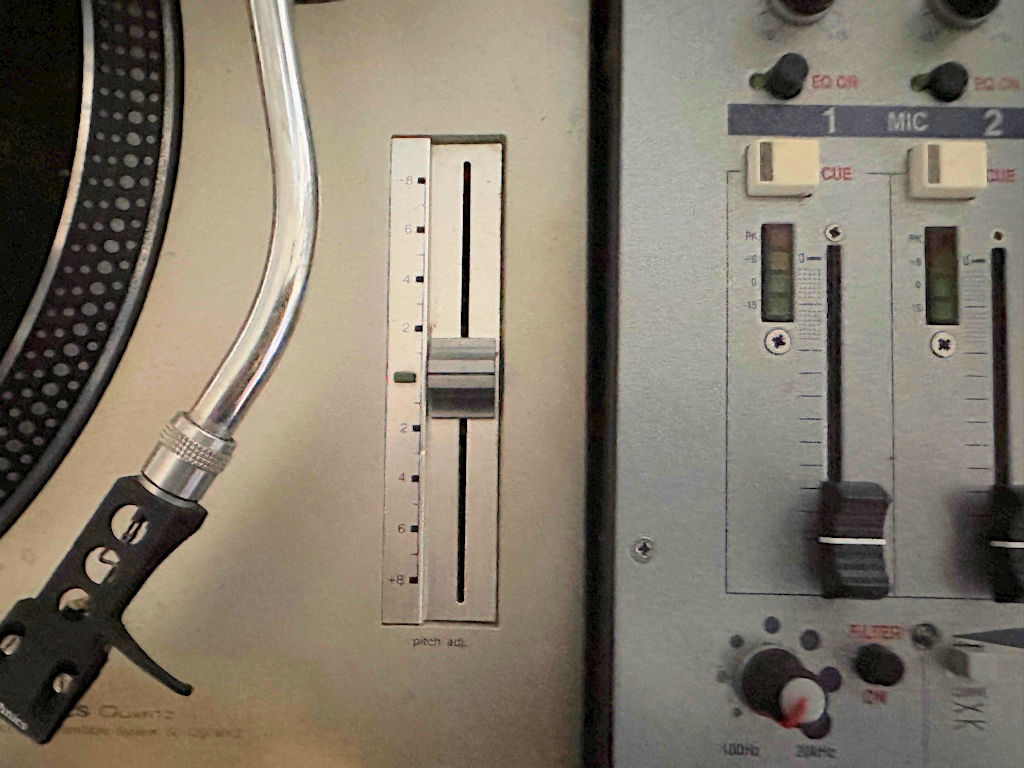
No, I use my ears as well. But yes, after I chosen a song on the screen, I set the tempo to match before I mix. I don’t really need the headphones if I’ve prepared the tracks right and know them by heart. A also use Slip & CUE points a lot for my transitions.
Come on, thats being disingenuous, the numbered percentages are plain as day for you to see, and do the exact job im referring to. The CDJ effort is poor.
Anyway, ill never be buying this CDJ so it matters not, we’re all too broke to afford them according to trolls on Youtube, and thats why we’re here buying InMusic products.
I was wondering if that was an issue with wifi.
Even Mojaxx stated that it didn’t feel as if there was any major performance improvements.
It would not be a surprise if they kept the same MPU or used a tiny incremental updated one for cost.
….but they can’t put a percentage on modern pitch faders because the range can be switched.
Agreed but some clear markers can be used for the same purpose, eg on my Prime 2 i can set it to 8% and then know exactly how far i need to move it for 1bpm.
it just seems like a stupid thing to remove in the name of aesthetics, too many people treating these things like fashion accessories and not tools.
As a benchmark using VDJ the Macbook air M4 calculates stems realtime around 21x (using the on-chip GPU) and that’s an acceptable speed. Around 10 seconds to fully create the stems file on the fly for an average track. My Windows laptop with a mobile RTX4080 does them at 42x. Anything over 15x is where standalone units should roughly be for a smooth experience but Denon aren’t going to achieve that with the chips they currently use. Also bear in mind VDJ stems are far better quality than the current Denon offering.
This is gonna be another thread with more comments than an actual InMusic release isnt it.. massive facepalm.
Yeah, I would never buy it either. But not because I can’t afford it, but for the lack of features and support for STEMS and all the gold I get from RANE Performer/Four that is just fenomenal players. I really holding my fingers crossed for the next Denon player to really take over.