Just wondering if anyone has been able to get a Mac Sequoia to recognise an X1800?
I recently made the switch of my 14 year old studio PC to a Mac M4 mini. It took a bit of courage and checked it could still run all my required studio programs and vsts etc. Unfortunately I made the blunder of not checking the X1800 compatibility
Denon Hardware supports states…
The product may have passed testing showing support for connection and MIDI communication, but firmware update software or other utilities may not have been tested or are found to be not supported.*
Sadly the mac detects nothing! I do have vmware to run windows for a couple of programs that are not on mac, i thought i may be able to trick it but no joy!
Just wondering if anyone has a workaround? I’m very happy with the X1800, the x1850 is supported. I genuinely thought these mixers were pretty much identical but it seems not
Hoping you guys can help? Otherwise it’s upgrade time I suppose !
What exactly do you need it to connect to? Have you tried for example, running Serato and seeing if it’s recognised?
There’s also security prompts that pop up on Mac os now and unless you allow access you won’t be able to connect. You may need to reboot and ensure you allow it.
Just tested my x1800 with VDJ and DJAY on a McBook Air M2 (Sequoia 15.5. All good (midi and audio). Only thing the USB needed t o be plugged in directly, so far I did not get it to work via a docking station.
Hi Stu, thanks for the reply. It’s just to record my sets really. I previously had the x1800 connected to the PC and would record vinyl / sets with Sound Forge.
The x1800 and 2 x sc6000m are connected to a powered Dlink hub. Serato doesn’t work and just hangs in pc mode, but the 2 x s6000m recognise the mac as a device
Wonder if it’s a hub issue but strange the sc6000s are recognised but the x1800 isn’t
Hi Smao, thanks for that. I wonder in that case it is a hub issue
The problem is the Mac is set up the opposite end of the room. I’ll see if I can get a usb lead long enough from somewhere
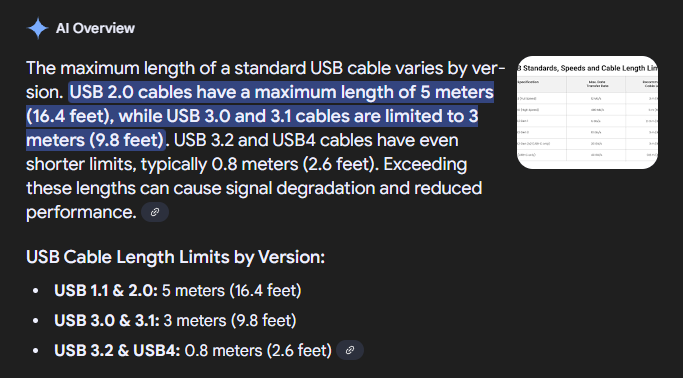
So the x1800 and sc6000m are connected to a powered D-link usb 3 hub. The hub is then connected via a very long usb 3 lead (5m).
I found an old long usb 2 extension (with repeater). Plugged this direct to the Mac and the X1800 was recognised
Unfortunately the audio is glitching but suspect it’s the old usb 2 extension. I have a better usb 3 extension at work so will test out later.
Thanks for your help Stu and Smao - we have progress

 Wonder if it’s a hub issue but strange the sc6000s are recognised but the x1800 isn’t

 Unfortunately the audio is glitching but suspect it’s the old usb 2 extension. I have a better usb 3 extension at work so will test out later.
Thanks for your help Stu and Smao - we have progress
Unfortunately the audio is glitching but suspect it’s the old usb 2 extension. I have a better usb 3 extension at work so will test out later.
Thanks for your help Stu and Smao - we have progress