Vibes, a visual library manager with Engine DJ export (built by a DJ, launched last week)

Hi all,

My name is Ben and I’ve spent about the last year building a DJ library manager called Vibes. I’m a DJ from Cologne, UX designer and developer by trade, and I use it for my own sets.

You tag your tracks by vibe, energy and mood, build sets visually on a canvas, and export that whole structure straight into Engine DJ. It does Rekordbox, Serato and Traktor as well, on macOS and Windows.

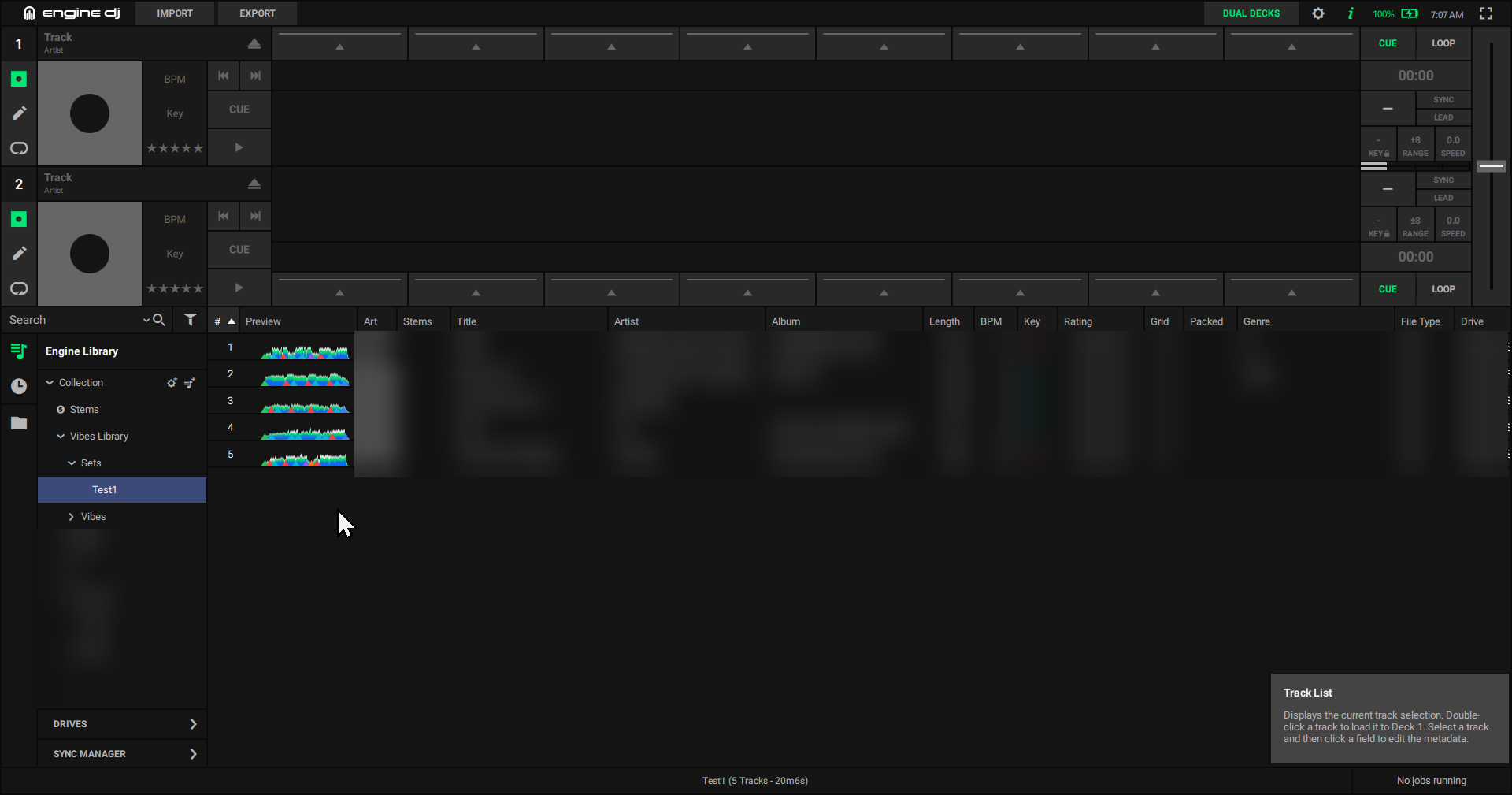
On the Engine side it exports to Engine 5.0 and below and your playlist order stays intact. It warns you when tracks sit on a different drive than your Engine library, and it never touches your ratings, comments or cues. Engine libraries on an external drive get detected automatically.

I launched it a week ago at 1.0 and it’s already on 1.2.6. Almost every one of those updates came from someone writing in, things like analysis crashes on Apple Silicon, imports that skipped tracks, and export bugs across all four apps. It should run stable now, but if it doesn’t on your setup I’d like to hear about it. That’s how the whole week went and I don’t plan on stopping.

You can download it here, there’s a 14 day trial and you don’t need an account. It’s 49 dollars one time, no subscription.

Everything else: vibesdj.io

Also, what’s your biggest library pain with Engine DJ, import, cleanup, prep? That’s what shapes what I build next.

Happy to answer anything in here.

Does it actually do sound analysis or is it using existing tags/user input (ie LLM processing)

Yes, real sound analysis. Every track is decoded and analysed locally: BPM, beatgrid, key, structure, cue points, waveform. No tags or metadata used, except when you import from your DJ software.

For the Auto-tagging feature vibes uses audio too, not an LLM. CLAP audio embeddings plus a small model trained on the tracks you tagged yourself, so it learns your vocabulary. All on-device.

IMHO this is SPAM. The MOD team should add a place for people pedal their vibe coded slop so we don’t have to be exposed to it.

Just because it’s called Vibes doesn’t make it vibe coded :smiley:

Anything particular that makes you feel it’s slop?

It is SPAM as your trying to sell a product, but since the first 10 forum members to react to this post will get a free lifetime license - i’ll approve :wink:

Ha, good try :smiley: The 14 day trial needs no account, so that part is already free for everyone here.

What I would actually trade a license for: put your real library through it and tell me what breaks. That is worth more to me than a sale right now. Just send me a DM.

I´m giving it a try now (the free version at first)… Analyzing tracks - should be done in around 18 hours according to the info :slight_smile:

All previous topics like these were flagged as spam indeed. Contemplating…

all of these are useless for stem users if you cant export STEM info, we are still stuck using EDJ

What would make a software supporting STEM info useful for you, what would that need to look like in a software like vibes?

EDJ imports, analyzes and allows you to create stems to export to a drive to play on a SYSTEM ONE device. and program that exports tracks to USB should be able to do the same or we still need to use EDJ, not Vibes

Vibes Software 1.2.6 with Engine DJ

Let me start by saying that I like the core idea behind Vibes. Software that helps DJs organise their libraries, explore relationships between tracks and prepare sets has a lot of potential.

I tested Vibes with an Engine DJ library containing nearly 2,000 tracks. Analysing the entire library took approximately ten hours on a regular laptop.

User interface

Visually, the software makes a good first impression, but the interface still feels immature and inconsistent in places.

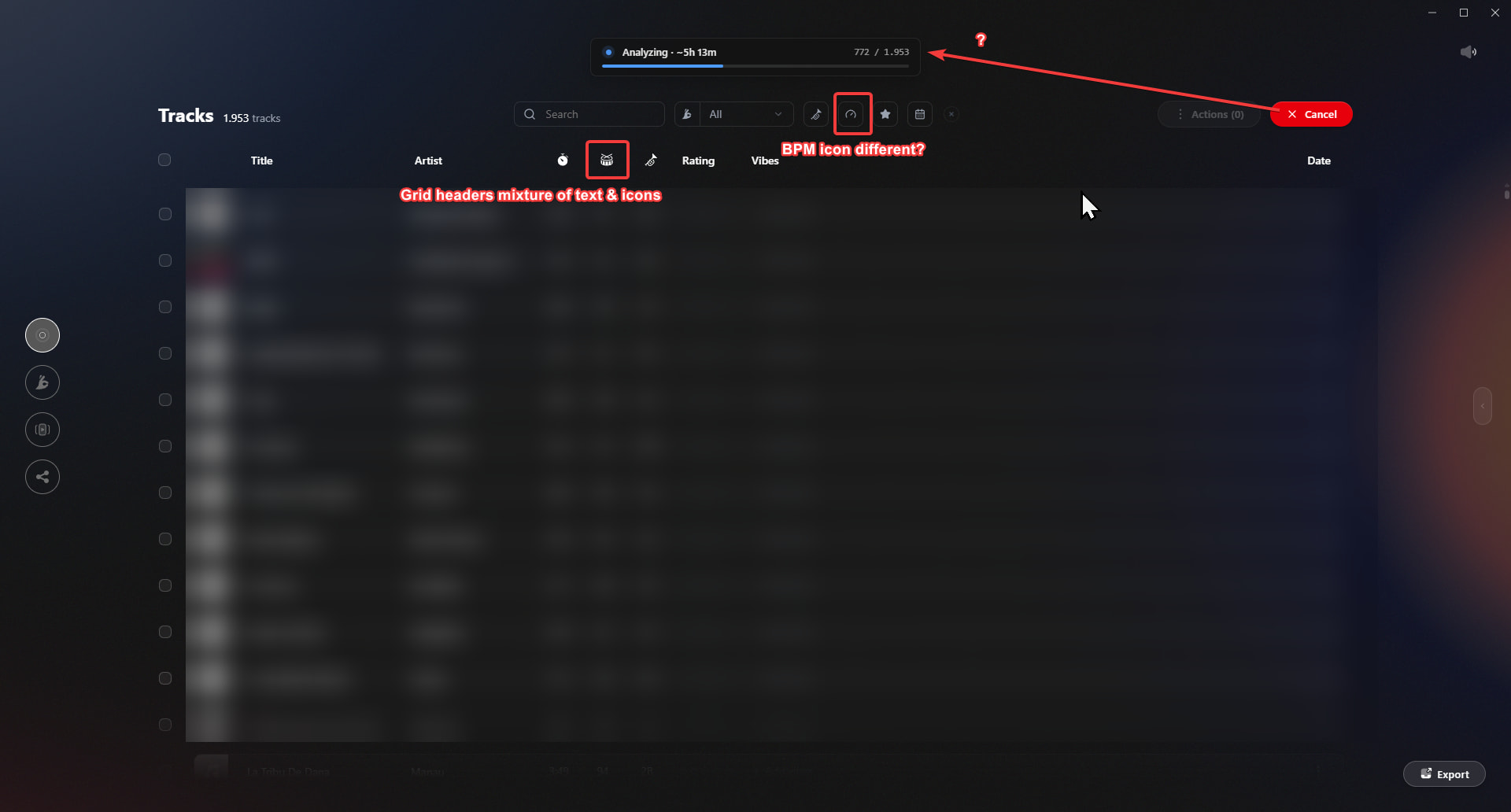
For example, the grid headers use a mixture of text labels and icons. The icons themselves are not always consistent either: the BPM icon used in the grid header differs from the one used in the filter section. Alignment also varies throughout the interface.

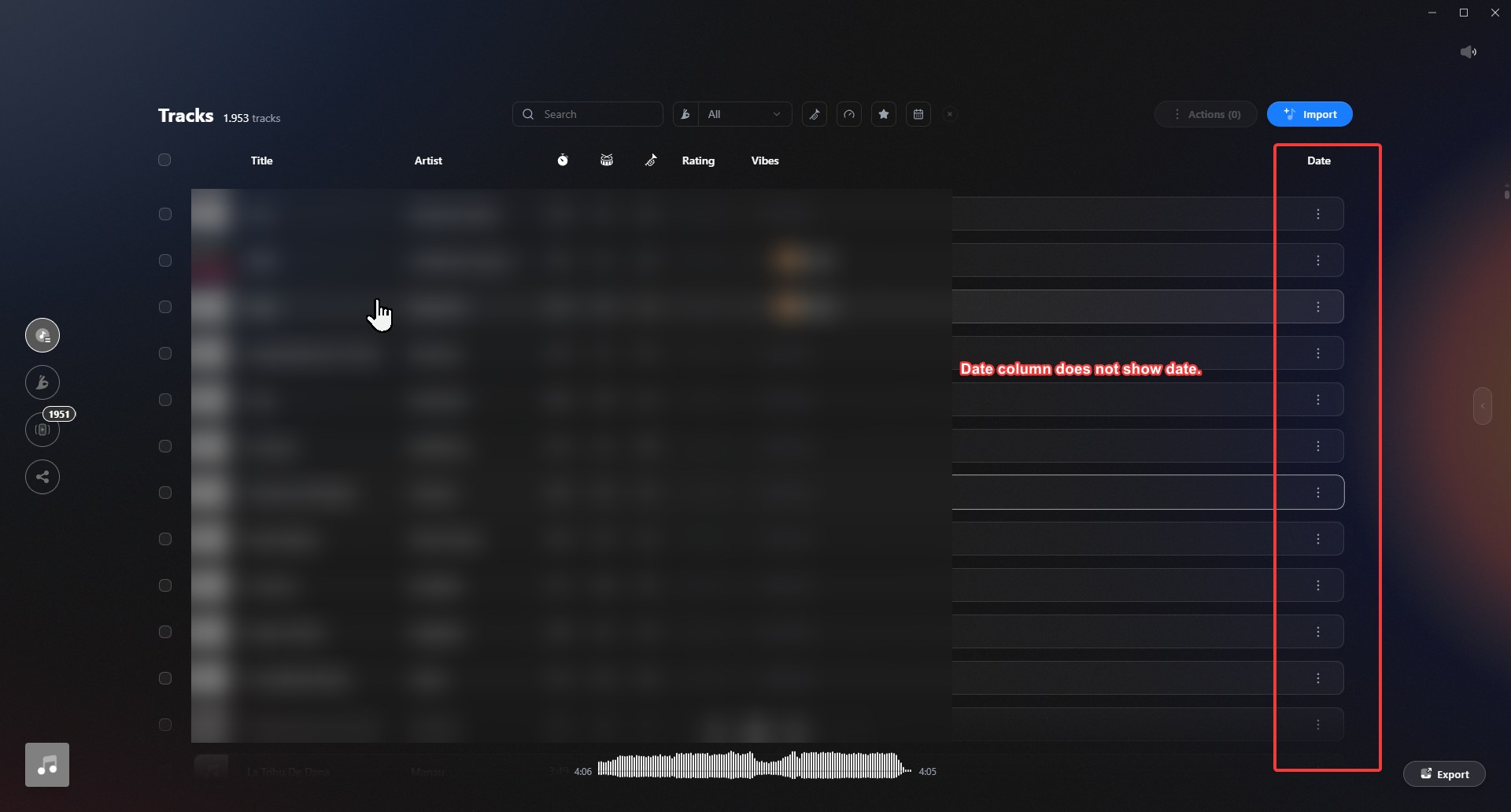
The date column currently displays three dots instead of the actual dates, which makes the column effectively unusable.

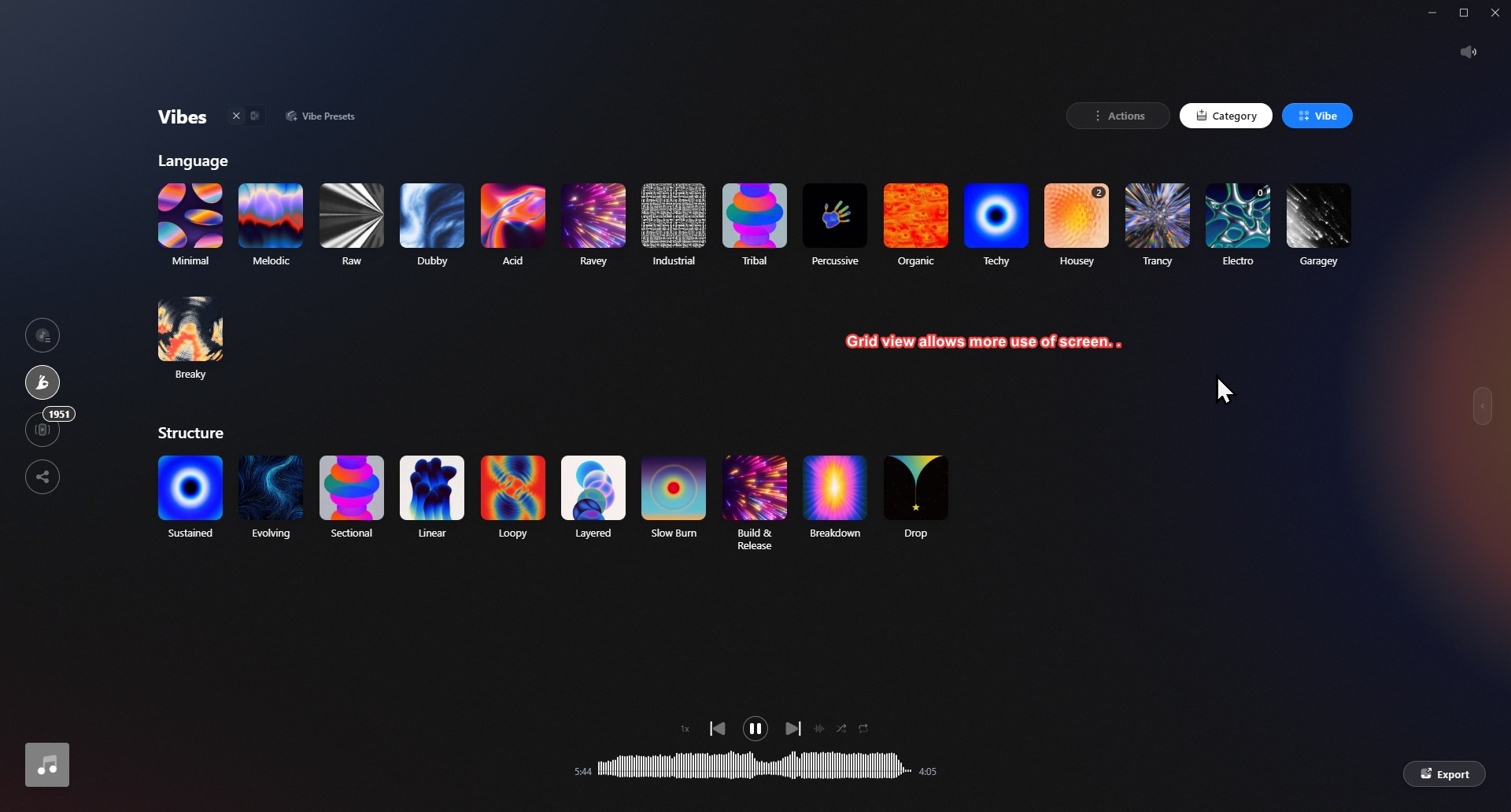
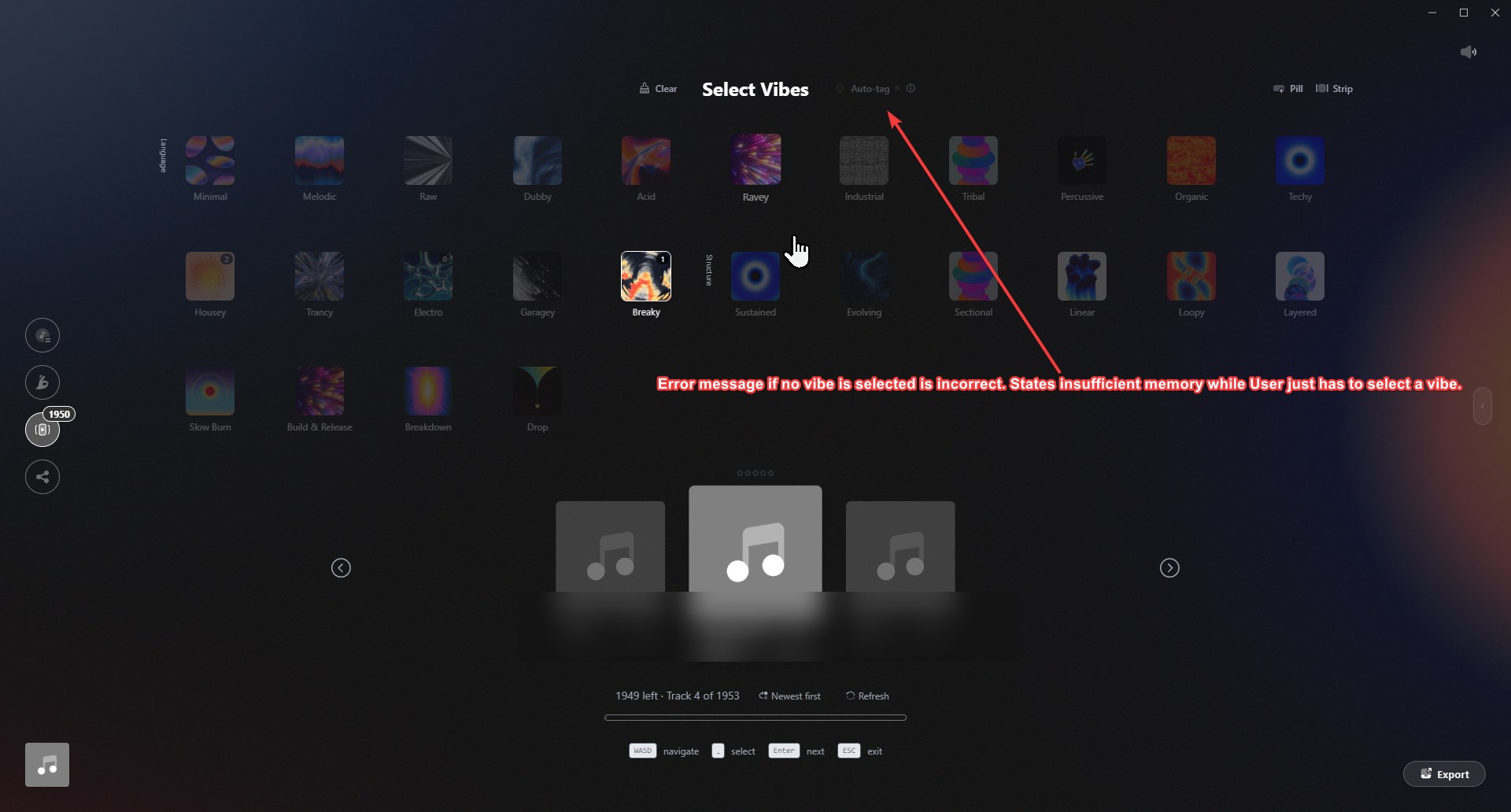
The preset Vibes are useful for getting started. The visually focused tiles look attractive, but I would also like to see a more compact, minimalist grid or list layout. After adding only a third Vibe category, I already needed to scroll to see the Vibes I actively use. This does not feel like an efficient use of the available screen space.

Vibe Sort

The keyboard shortcuts in Vibe Sort are useful, and the different screen layouts are a welcome addition.

The Auto-tag feature is less clear. It is not immediately obvious what it does, how the tags are determined or how the results should be used. This feature would benefit from a clearer explanation and more visible feedback.

Set Builder

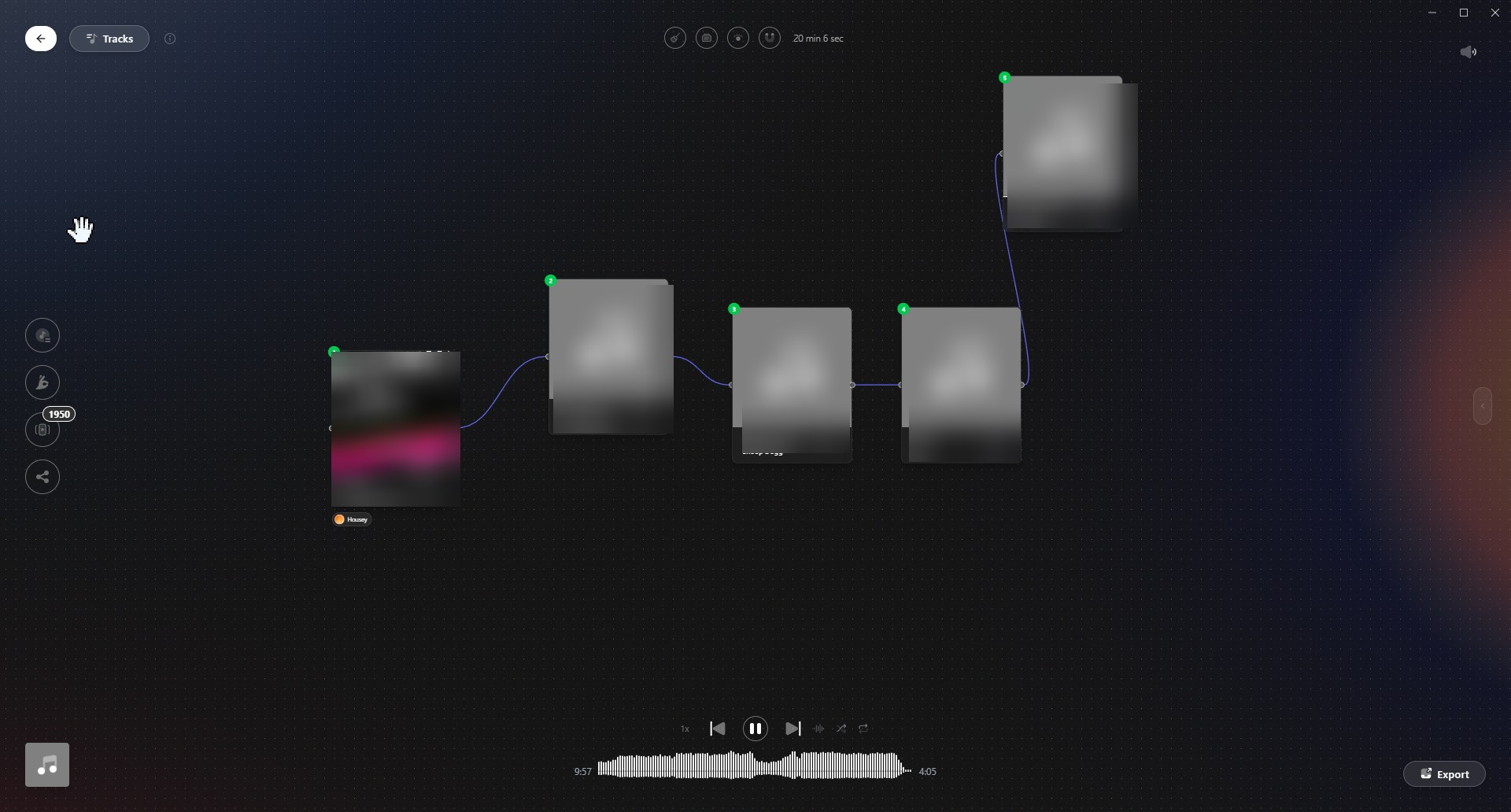
The Set Builder is decent and visually appealing. However, because it only supports a single linear sequence, the visual node-based presentation does not currently add much functionality. In its present form, a simple ordered list could achieve almost the same result while using less screen space.

The feature would become much more useful if it supported alternative routes, optional tracks or multiple possible transitions. That would justify the visual approach and better reflect how DJs actually prepare and adapt their sets.

Suggested direction: Performance Mode

Rather than treating the Set Builder as a completely separate preparation tool, I think Vibes should explore ways to connect it to the actual performance workflow.

One possible solution would be a Performance Mode within the Set Builder.

During a performance, Vibes could listen through the laptop’s microphone and identify the currently playing track from the prepared set, using an approach similar to music-recognition applications such as Shazam.

Once the current track has been recognised:

  • If a next track or node exists, Vibes could display the notes for that transition.

  • Users should be able to attach notes to every transition, such as mixing instructions, cue points, loop suggestions or reminders.

  • If no next node exists, Vibes could automatically open the Track Finder and suggest suitable follow-up tracks.

  • The DJ could select the next track manually in Vibes or simply find and play it on the Engine DJ device.

  • Vibes could then recognise the newly selected track through the microphone and continue following the set.

This would allow DJs to use Vibes not only to prepare a set, but also as an enhanced version of Engine DJ’s Match functionality during an actual performance.

The main limitation is that the suggested track would still need to be located manually on the Engine DJ device. A deeper integration with Engine DJ would therefore be ideal, but even microphone-based recognition could already create a useful connection between preparation and performance.

Conclusion

Vibes has a strong core concept and some promising ideas. The current release looks good and offers useful tools, but the interface needs more consistency and several features require further explanation or development.

The biggest opportunity is to connect set preparation with live performance. A Performance Mode with track recognition, transition notes and intelligent next-track suggestions could turn Vibes from an attractive library tool into a genuinely useful DJ performance companion.

I actually think everyone would benefit from independent developers creating tools for the Engine DJ ecosystem. I use Lexicon DJ, which adds some really useful features to my library. I also used DJ.Studio for a while (before it became too GPU-dependent), and I really liked how well it integrated with the Engine library.

Thanks for taking the time to run 2,000 tracks through it and write this up.

The date column will be added. I had left the values out to keep horizontal space in the list, since the dates were still there for filtering and sorting, but if it reads as broken then that trade was wrong.

The two BPM icons were deliberate: the filter one is a speedometer because that is where you set a tempo, and the column one is a drum because it shows the actual number. But your point stands that one consistent icon is easier to read, so I will consolidate them.

Auto-tag has a full explanation behind the “i” right next to it, covering how the tags are derived and what to do with them. Worth knowing that you missed it.

Set Builder: multiple lanes are planned, so alternative routes are coming. I would push back a little on the rest though. Seeing a set laid out visually is the point for me, not just decoration on top of a list.

A compact list layout for the vibes is fair, that goes on the list.

Performance Mode with track recognition is a good idea and honestly too big for me to take on right now. I would rather say that than pretend otherwise.