Hi guys,
So, I have bought some new LED Bars, and I’m unsure if it is possible to make the light “run” from one end to the other (a pattern), and how to do so with the settings in SS.
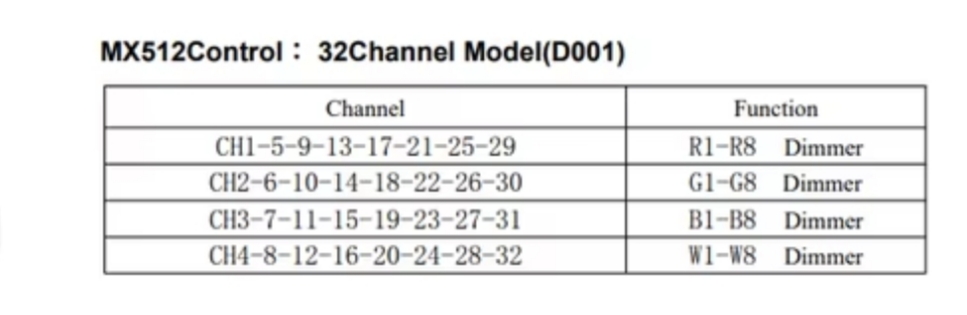
The DMX chart is as follows:
Anyone with experience in this area?
In “normal” mode (12ch) its the full bar that lights up. (And normally follows the scripted track)
EDIT:
I have narrowed it down to… not possible in 32 channel mode as I have to manually do each adress within the 32 channels… and there is no Run Function.
In the 12 channel mode, there is a “work-around” BUT its not optimal.
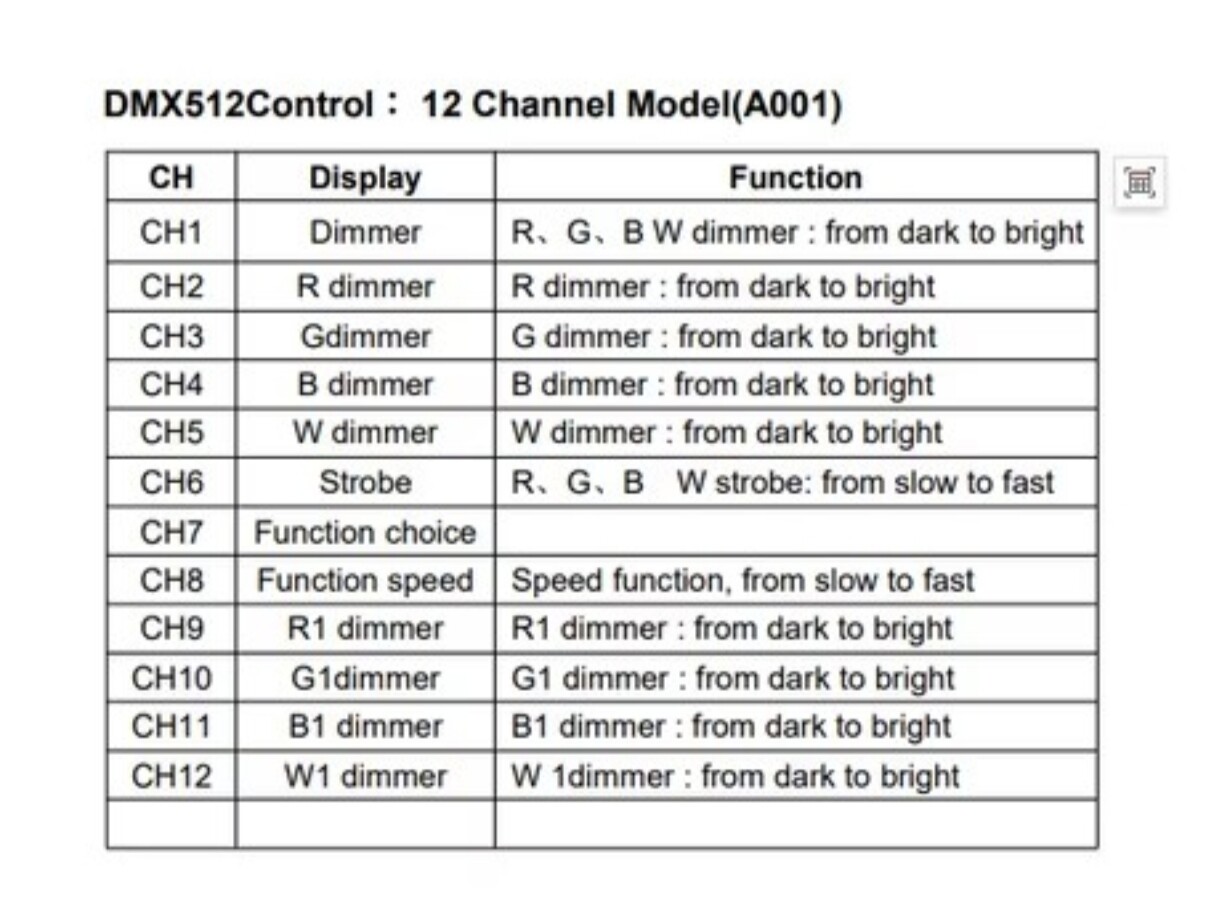
If I go to Static Looks I can manually choose Function Choice and choose some of the patterns, but it will change colour after one or 2 cycles. Its not possible to also pick only one colour…unless I also do a Colour Override.
But that opens up to a new issue.. the Colour Override will also affect all other fixtures. 
I would like my movers and uplights to stay on the scripted data, but be able to get the bars to do a pattern in a fixed color.
All inputs are welcome