Hello this is my first post and sorry to be asking such an obvious question but the manual doesn’t explain it very well and I’ve only found a post that hints what’s going but need confirming.
Newly installed engine DJ, My entire music collection is structured as DJ Music\artist folder\album folder. I am trying to do the simple task of dragging all my songs into the collection to be analyzed, however it won’t let me. I can drag over an album folder, but there are two MASSIVE ISSUES 1) i would have to do this one by one for my entire collection which would take a silly amount of time which i’m not going to do 2) each album folder added creates a separate playlist in the collection WHICH IS ABSOLUTELY NUTS!
With Mixed In Key, you select the top folder and drag it in and it will be able to read the subfolders to find the songs - Engine DJ can’t seen to do this which as someone who works in software development seems an unforgivable oversight. If this is is true it presents HUGE friction for the customer in adding their music libraries. I am hoping i have misunderstood all this.
The only reason i am doing this is for MIK analyized songs to appear correctly in engine dj i first have to analyze them here.
Any help appreciated.
Good mornin @VespasianSG ,
I’m not really sure, what you are trying to achieve or doin. I found a screenshot on their website, they are showing “playlists”.
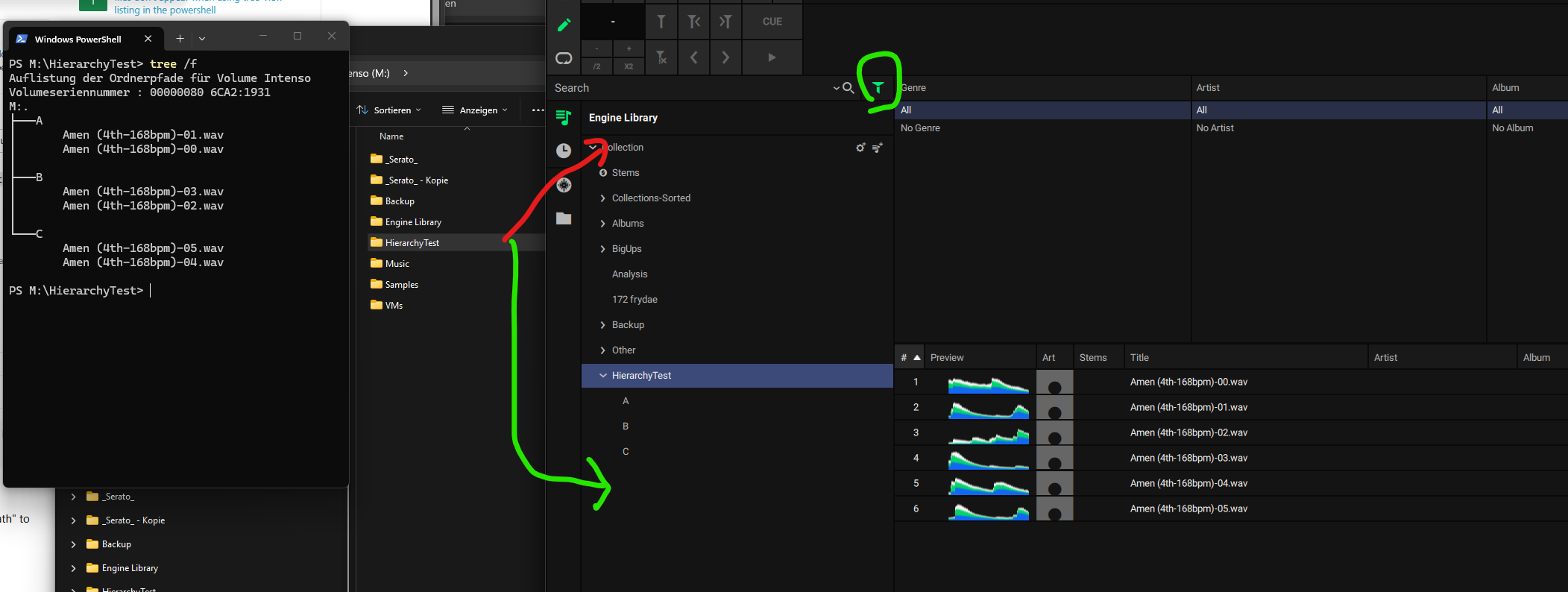
Ntl I tried to replicate what you are describing. If you drag’n’drop your “master”-folder at the green arrow (no item in tree), hierarchical playlist will be created…
I haven’t used the “red arrow”, but i suspsect all tracks will result in the “Collection” without any playlist created. A more skilled user may tell you more about.
So maybe it’s about the area, where you drop your files from the file-system..
Hi florian,
Thanks for taking the time to reply. I was simply dragging the DJ Music folder which then contains artistfolder\albumfolder under that it would give me the error icon no matter where i would drag it. When I added a folder through the built in file browser, it wouldn’t let me add the DJ Music folder but only add album folders. Really annoying.
Anyway i found a workaround by scanning entire collection in mp3 tag and dragging and dropping that list into it instead
Sweet, you found your way 
But keep in mind, enginedj 5.0.x has introduced another “data scheme”. 3rd-Party tools won’t probably do the image-conversion to 256x256px.
Have a nice day 
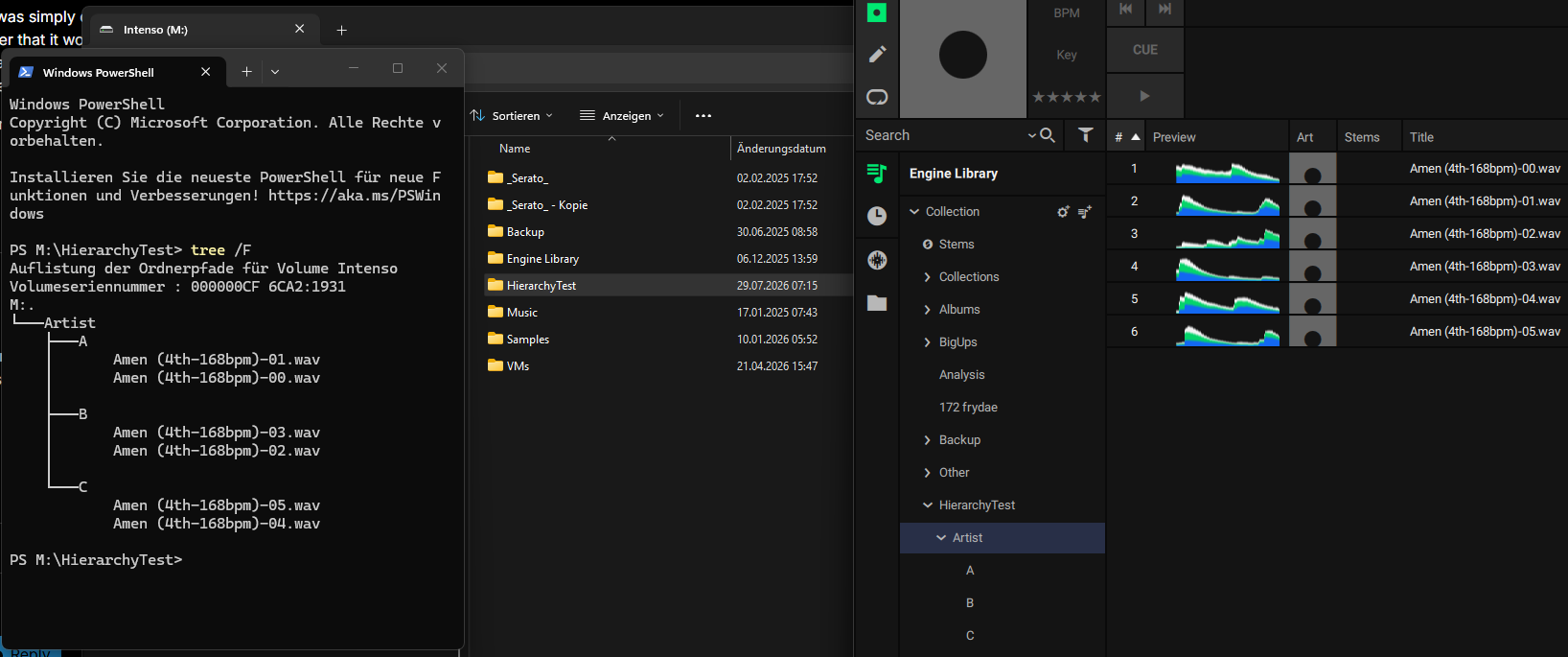
P.S.: The test didn’t match the condition… 1 level was missing. I’m wondering why your system acts different.