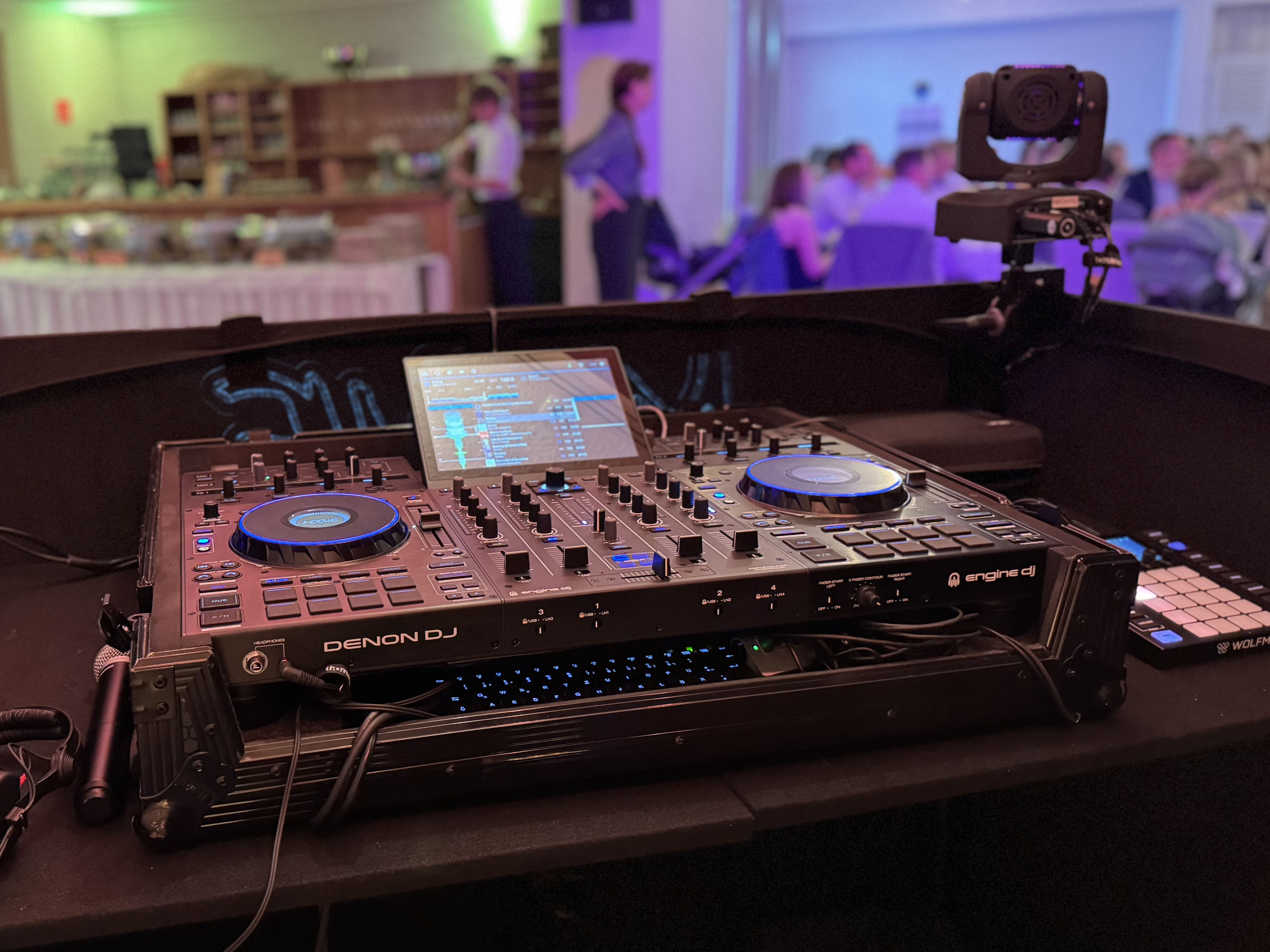
The Wolfmix Experience [VS. Soundswitch]

Hey everyone,

I recently got curious about the Wolfmix and ordered one to test. The idea of a hands-on, standalone lighting controller really appealed to me — and I have to say, the hardware feels fantastic.

I’ve been using the SoundSwitch Control One for a while. While I appreciate the workflow and especially the strength of Auto mode, I sometimes miss a more tactile live interactionbeyond just hitting the strobe button. The Control One, in my opinion, feels a bit cramped and not super intuitive when you want to engage with your lights creatively in the moment.

Now, I fully understand that SoundSwitch is built around pre-programming, while Wolfmix is designed for live control — so no need for a debate on which approach is better. I just enjoy experimenting with both styles and seeing what works best for different gigs.

So my question:

Has anyone here successfully integrated a Wolfmix into their DJ setup?

Is there any way to sync it to a Prime 4+ via Ableton Link or MIDI clock?

Would love to hear if anyone has experience running the two side by side — or if you’ve developed a hybrid setup.

Cheers,

Moritz // MOEWE
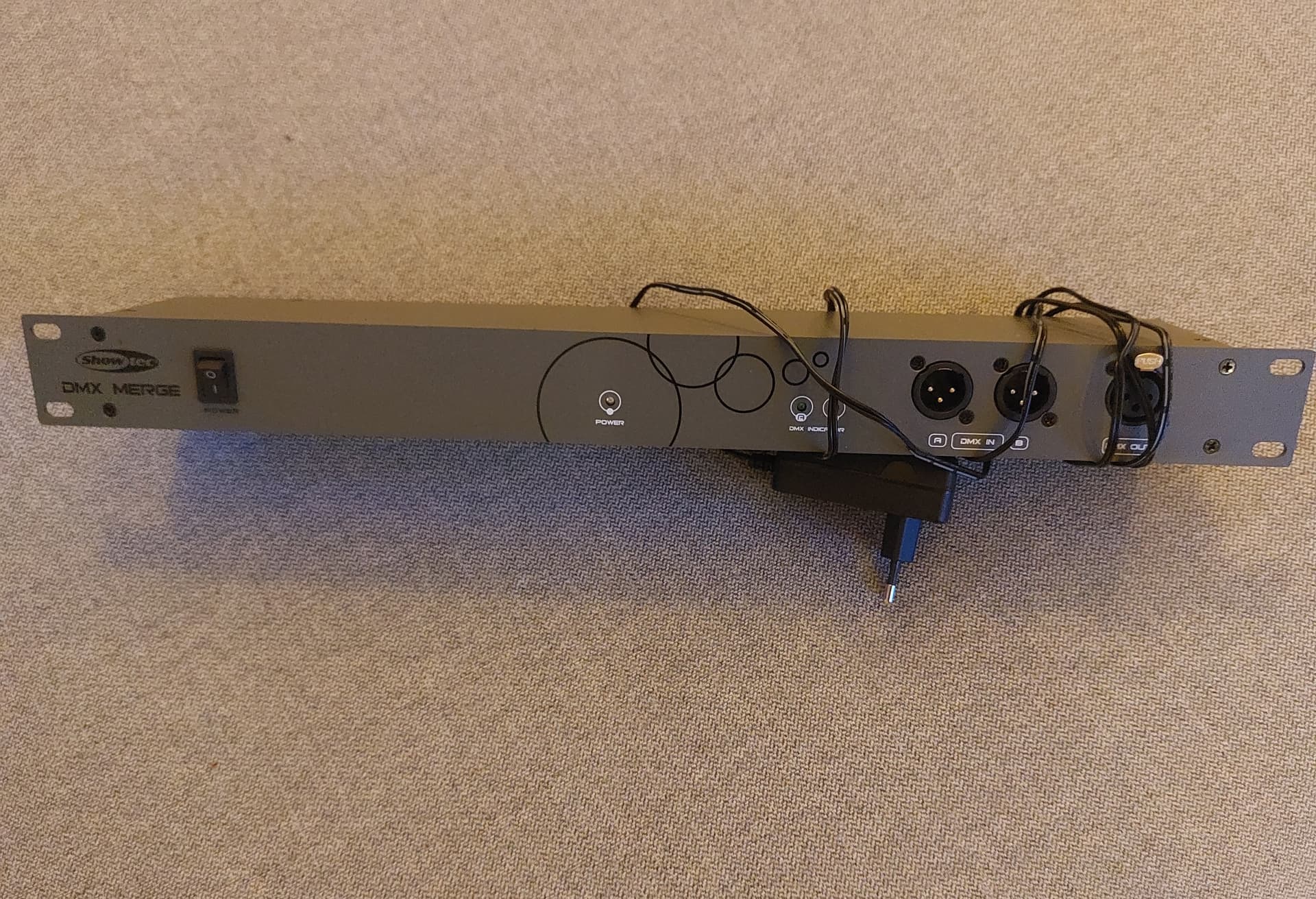
I have had an idea for some time to add Wolfmix and connect it to my DMX merger. And thus benefit from both soundswitch and Wolfmix.

However, the economy has not allowed such extravagances yet.

1 Like

Now we’re talking!

That sounds exactly like the hybrid workflow I’ve been imagining. Just to make sure I understand you correctly:

Are you saying it’s possible to merge two DMX sources — for example, one coming from SoundSwitch (Prime 4+) and the other from Wolfmix — into a single lighting stream?

So you’d let SoundSwitch handle the auto loops and general flow, but jump in with the Wolfmix for more performative or expressive lighting moments on specific songs?

That sounds super exciting.

What kind of DMX merger or setup would you need to pull this off? Something like this?

Would love to try it out myself and share some feedback if I can get it working.

Yes, I use simple dmx mixer for band or dinner sessions when I am not playing on my Prime players. Using a dmx merger.

1 Like

Last week I had my first real Wolfmix experience, and I have to say… halfway through the gig, I switched back to SoundSwitch.

I’m definitely going to give it another shot next week, but here’s my initial impression:

While DJing, I’ve already got way too much going on to also dive into submenus for Beam FX, Movement, or Color changes.

I only used the Presets feature (with the latest firmware), but honestly, it didn’t click.

I had even set up the fixtures properly in advance and used the EasyView visualizer app for testing, which I’ll now simply keep using for SoundSwitch :grinning_face_with_smiling_eyes:

SoundSwitch’s auto loops and its ability to detect build-ups, drops, etc., just make things so much easier and more seamless during a gig.

I also watched a bunch of YouTube tutorials, but somehow I still haven’t found the right one that really clicked for me.

If anyone has a good recommendation, I’d really appreciate it!

That said, I actually wish I could use the Wolfmix instead of the SoundSwitch Control One .

The hardware feels amazing, the display and UI are top notch — it’s much more fun to use than the cramped Control One interface.

Fixture setup on the Wolfmix was also a dream… once I finally found the right ones in the (admittedly painful) search interface. Full-text search doesn’t really work there at all.

Anyway, the journey continues and I’ll keep you all posted.

1 Like

I had a lot more faith in Wolfmix products before American DJ jumped on the Wolfmix bandwagon and got involved.

1 Like

I know I am a little late to the party but you can absolutely use your wolf mix and control one together and you don’t need a DMX merger. You can only use 1 at a time and the switch back and forth between them is very quick and easy and only takes a second to second or two. Run a DMX cable from your wolf mix into your control one instead of to the lights. Then the DMX out on the control one goes to your lights like normal. Set all the lights at the same addresses on both devices. Start soundswitch and the wolfmix abd start DJing like normal. When you’re ready to use the wolf mix all you have to do is go into the settings portion on the control one and to the section where it’ll give you the option for DMX through. Just push the encoder to select dmx through and everything immediately jumps over and is controlled by the wolf mix. When you’re ready to go back to sound switch you just push the encoder again and you’re right back into sound switch. When you switch from the control one to the wolf mix it’s good to have a preset already chosen so when it switches it’s directly into what you want. The wolf mix is good for slow songs because you can set a preset and forget it or certain songs that you didn’t have time to manually script but you want to give the maximum impact and switch between 4 or 5 presets on the wolf mix. It works really well and will give a huge boost to the way your show looks. You can really run anything along soundswitch with that dmx through button. I run Sunlite 3 or showxpress with soundswitch sometimes. It’s much easier to create a scripted show for a song using Sunlite 3 then it is soundswitch but when songs aren’t scripted its nice to use soundswitch.

1 Like

I have had quite good experiences with this merger. Simple, cheap and does what it is supposed to do

2 Likes