Oooh link link link
Actually, we want do want to hear criticism, as long as it’s constructive. There’s definitely some fanboyism that we need to contend with (looks over at @Pasha  ) but Denon wants to hear what people are saying about their experiences. We don’t censor people unless they are violating our community standards and are being abusive.
So I’m not clear on what you mean by “getting very far” to be honest.
I too would like to see this. If Denon was giving the wrong impression here, I want to know about it.
5 Likes
[attempts to comment but is silenced by TPTB]
@PKtheDJ - I PM’d you and asked if you wouldn’t mind letting someone else (namely @DJNightmre and @Jerome_Mathues) continue the conversation.
There’s no need to manufacture drama here.
Here is the original post.
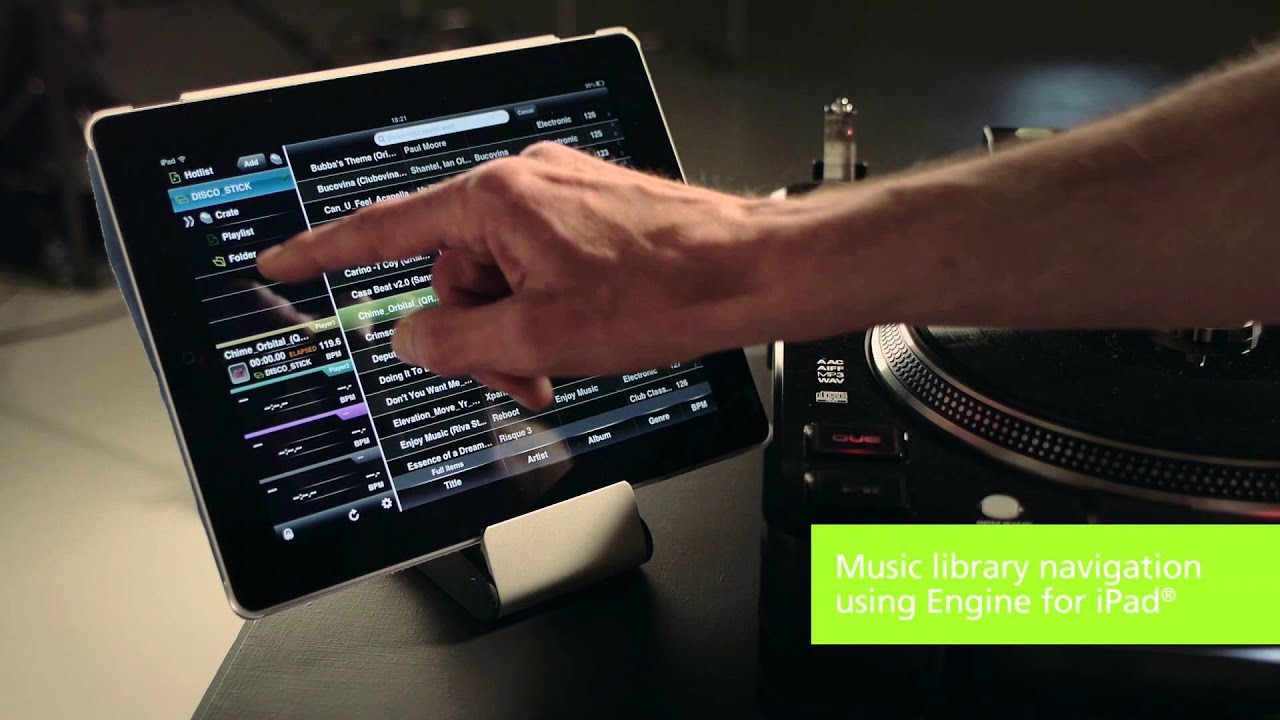
If I remember correctly, the first appearance of Engine software was as an accompaniment to the SC3900 and SC2900 decks - and the manuals for both of those describe it as “music management software”.
I found a YouTube video from 2013 which also calls it music management software.
With respect, those are not the words you used, and it didn’t read to me as if you were asking nicely - more as if I was being told off.
1 Like
That Beat the Street edit on the video 
The iPad integration is interesting, very similar to the XDJ-R1 options, back in the days of primitive screens on devices.
It’s an interesting historical curiosity indeed. However the existence of this video doesn’t necessarily disprove DJNightmre’s claim. I was hoping he’d link the video, more out of curiosity than anything else. I personally don’t think it matters on the topic at hand because these are all library/collection focused features anyway.
At any rate, I’m going to stop trying to wrangle the thread back on topic and let it take it’s course.
1 Like
Not being one to defend those two, especially when they get going  …i will say that as far as first posts on the forum go, posting a title ‘The basics options are not there in engine DJ desktop!’ isn’t really the best way of endearing oneself to the community, the OP doesn’t even say hello, i hope they dont walk into a room in person and do that.
That could explain some of the reason why its gone off topic.
There is a point to be made about comments like this too:
In my opinion, all 3 of those things are far more important to the ecosystem than star ratings being written back to file metadata, which at this point you have to ask, why does the OP think their version of events is the status quo… this is bound to get people’s backs up.
Finally ending the comment with this:
Pretty much ensures the destruction of the thread as a serious discussion.
1 Like
I agree Stu, but unfortunately posts like this are commonplace on other forums I frequent too.
Typically, a first time poster, straight in with full on criticism and negativity. I see it so often, and this is not the worst place for it, by a long chalk.
It ssems to be just the “the way of the internet” now. Social media too.
1 Like
It was ■■■■. iPad kept searching for wifi with better signal, you needed to force it to stop doing that.
Much better option was using a win7 netbook connected over LAN.
Anyway, just because you could load tracks to decks using the Engine 1.0 does not make it a performance software.
2 Likes
Some of the old school Denon guys might remember this from way back.
I told the story four years ago here:
Correct. And to be honest all of -this- OPs requests (remember they’re requests, not demands) could get added … and a week later someone else new to the Engine ecosystem, who doesn’t realise how much the ecosystem has already benefited from user requests and InMusic ingenuity already, will then make the very same observation of "I need 5 or 6 things added right now and all the things I’m demanding are so so basic, so so essential…
DJ software will most likely never work directly with file tags, and if they are able to read some tags from a file, they are usually limited to several fields (comment, key, genre, artist, title). The company doesn’t want to bother itself with this. They just create their own database and work with it. It is reliable and less costly economically. You can safely use programs such as mp3tagger, AIMP, and so on to manage tags. Mixed in Key to determine the key. Spotify for music search.
The workflow consists of a specific set of tools. And I’ll assume that every DJ has a different one. And so, do not look for the perfect all-in-one solution, this has never happened and will never happen. Just calm down) Just use a few tools for your own purposes.
Of course, we all want to have a Swiss knife that will have exactly the set of functions that we need, but in reality this never happens, in any product and industry.
2 Likes
I must apologize I get too “unreasonable” whenever I post something here. I speak of my experience for the most part it’s a big reason why I’m not more active. As far as linking a video I don’t have a clue as to how I would do it.
Ctrl+C in the URL of the video, Ctrl+V in the comment section here usually works for me.
Hello.
1- WRITE IN FILES METADATA (TAG): Yes, EDJ write in ARTIST, SONG, LABEL, COMMENTS, etc fields (excluded RATINGS stars) in metadata. BUT… music cannot be loaded in deck or other media player opening file, otherwise, data is not written. The best practices is do all changes in external software like MP3-Tag and after, import to EDJ.
2- COLOR COLUMN: this is something that is being requested (I was the author of the post). However, there is a LABEL column that you can use to distinguish the type of music, such as: TOP, MIDDLE, LOW, BAD, etc. I use it this way.
3- IMPORTING RATING: Each software, including media players, has its own way of interpreting the rating. EDJ does not import this column from any software, you are right. Even VDJ and Traktor don’t read RATING from other software. From the tests I did here: when I adjust the rating in TAG editing software, EDJ doesn’t recognize it, because it doesn’t read this column. Likewise, if I modify the RATING within EDJ, the TAG editing software does not recognize this change, as the modification is in the EDJ database and not in the file’s TAG.
VirtualDJ is pioneering software. EDJ no, but it is evolving. There are priorities and line-ups that developers need to follow to deliver the best to the end user. EDJ is not a performance software (but there are rumors that indicate that it could be in the future) but rather a library and preparation organizer, very good if not the best. Rekordbox has stupid flaws such as, for example, it is not possible to organize the list of songs alphabetically using more than one column, for example, artist + song and this has already been requested a lot by users and even though it is in version 7.0.1 nothing has been done .
In version 3.0 of EDJ, many requests were accepted such as the possibility of finding lost files (in an automatic and somewhat rudimentary way, but it is there) which was much requested in the past.
The way you organize your playlists is personal. Software cannot meet just one expectation. It has to be something more globalized. Yes, you can organize it the way you want, but within the limitations of the software.
An alternative for you is to use Lexicon. This software is a powerful library organizer and exporter. You can even export your playlists and songs directly from it to an external device that will be used in EngineOS without going through EDJ! However, it is paid by subscription. But it’s worth testing. It is multiplatform, that is, it can convert from Lexicon to Serato, rb, Engine, VirtualDJ and between them too! For those who use multiple devices, it’s wonderful. Furthermore, it has features to find duplicate files, remove special characters, organize tags, etc… but be aware that this software also does not write metadata to TAGs by default: you need to activate the feature that does this manually.
Check if your files is not read only or when you editing metadata in EDJ, track is not loaded in deck.
1 Like
This feature is half-baked for sure.
2 Likes
I feel desktop needs some more development time.
it should be the ultimate libarian leveraging some of the new computational tech available today.
3 Likes
A lot of dev time for sure.
1 Like
Yes, a lot needs to be improved and implemented in the Desktop version and even in EOS.
For example: how do we identify files in the collection that are missing? If we don’t scroll through the list and see if there is a song marked in red, we will never know, as there is no way to group “missing” songs in the collection. Yesterday I ended up finding a “missing” song and all I had to do was click on it and choose the “automatically relocate” option which it already found and adjusted, but if I didn’t see it there, it would look like “missing”.
Another option that is sorely missed is the color column, present in almost all DJ software.
I had an idea to meet this need: I created several 200x200 square figures in Paint, one of each solid color (red, yellow, green, orange, blue…). When I see that a song should get the color classification, I separate it and in In Tag editing software like MediaMonkey, I insert the square in the desired color as a cover… then in Engine I select the option “load file information” and the image is loaded, so the colors appear in EOS. As I don’t use covers in any of my songs, this is the way I found to do it. It takes some work, but in the end, it helps me a lot.
Soon I will make a tutorial here explaining how to do this in a relatively easy way. It should help a lot of people. Until the developers decide to insert this color column and make it editable in real time, even on the device.
1 Like