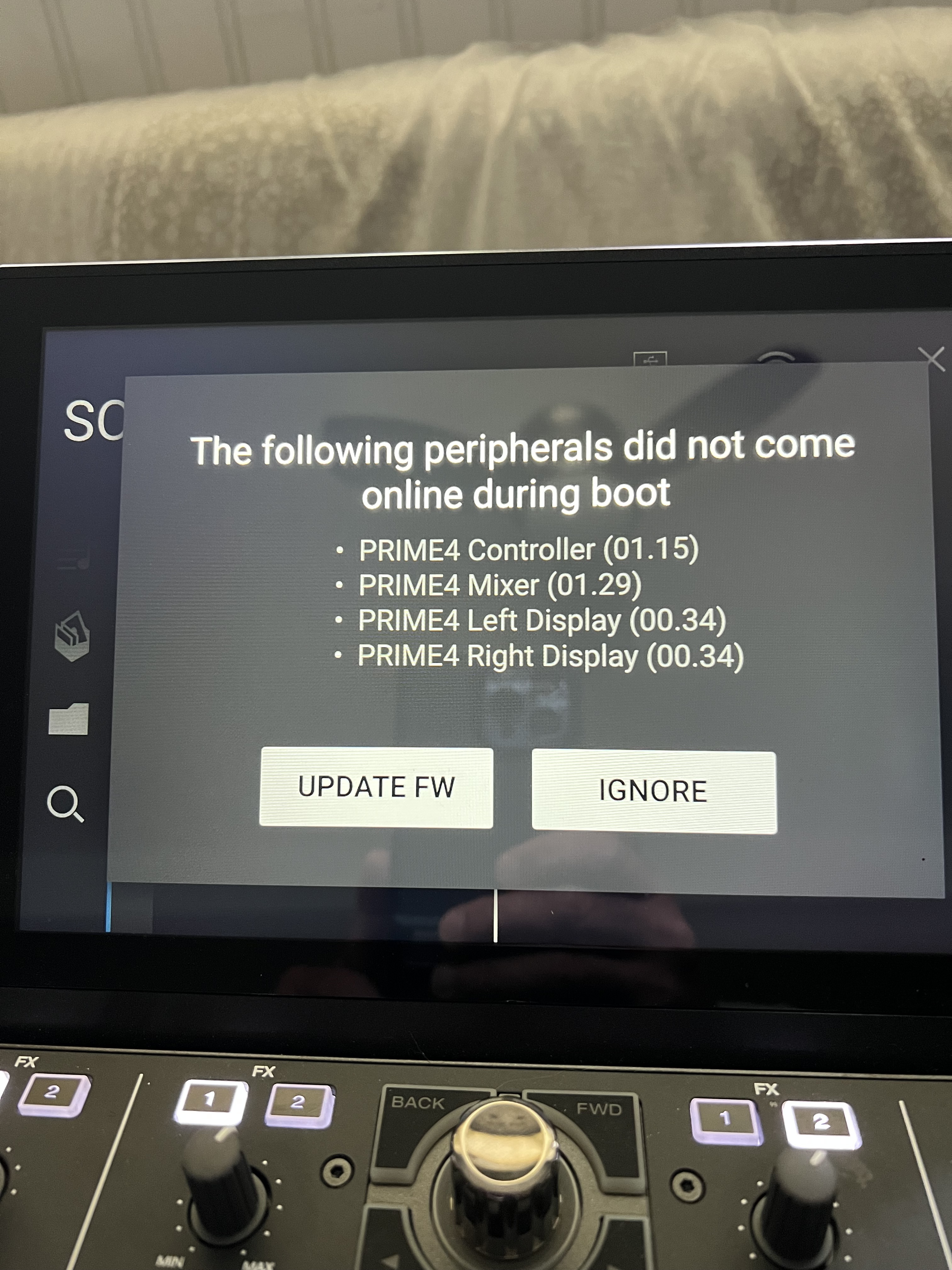
Hi. I currently own the Denon Prime 4 controller and have tried hitting eject and power to update the firmware. Unfortunately, nothing happens when I try that. I am also now receiving an error message that says, “The following peripherals did not come online during boot…”
When I try and connect the device to my laptop, the device isn’t being recognized. The unit was working fine up until a few days ago. Right now, all I see is the image of the chip on the Denon DJ PRIME 4 boot up screen. I appreciate any help on this as the unit is under 2 years old. Thank you.
I let it do its thing and then error messages show up and it never reboots properly. I was going to reach out to denon support tomorrow. I just hope that it can be fixed. It really seems to be an issue with the software.
Sorry to hear of you issue. Did you try rolling it back to an earlier firmware, then re-introducing it to the latest? Older versions are available on the Engine DJ website (I’ve included a link below). If you scroll down on the page, most of the previous firmware versions are still available. My recommendation is to roll back to either the last WORKING version installed on your P4 or to the previous version. Not sure it this will resolve your issue. Good luck!
Thanks for your note. The system won’t even let me get that far. It won’t recognize my mac or even let me past the start up screen that shows the semiconductor icon. Thanks again.
And when I click on update, it doesn’t solve the issue. I am really stuck here and think that it may need to be sent out. Does anyone know of any service areas in Massachusetts or New England? Thanks everyone. I appreciate all of the support. I really have to believe that it’s still a working unit, just caught up with SW/firmware issues that I haven’t been able to resolve.
please dont cuss me out if you already did this, but i cant tell based on what you said.
so there is a way to download the installer to your computer. when you see the microchip and arrow, that means its expecting you to connect it to the computer to complete the download.
whilst i did not see your specific error screen, i did update the 4+ to 3.2.2 (or whatever the current firmware is) from 3.1. i told the 4+ to update via wifi. when it restarted after downloading, something got tangled and the microchip came up. because I own other Inmusic products that use this similar method of updating (akai MPC) i downloaded the installer you would use to update via the file from the computer. i plugged up the 4+ direct to the computer using a usb cable, ran the computer installer, and boom goes the dynamite, the install started working.
again im sorry if you have already done this. I could not tell based on what I read here and just wanted to share my data point when i recently updated the firmware on my 4+.
Hi. Thank you for your email. I have reached out and nothing back. I am very concerned and appreciate any help. Very expensive piece of equipment that can’t be used. I’ve tried everthing in the support pages. Thanks again.
Hi. I am not sure how to do this. I do know that when I put a usb stick in with music, it doesn’t even read it. I am willing to pay you to help me with this. You don’t know how much you’d be helping me. My cell is 555-555-5555. I truly would be forever grateful. Thanks.
I’m so sorry for just seeing this. When I plug the USB cable into my laptop, it doesn’t even recognize or allow me any option to perform an update. I think there was one time where the computer gave me the option and I clicked perform upgrade, but even after trying several USB cables, the computer said device couldn’t be found or something along those lines. When the P4 was able to get past the boot up screen, I received a message saying that the peripherals on the unit couldn’t be found. I am stuck and hate and really think the mother board is damaged. When I hood the eject and power button down, I can’t seem to get past the start up screen and again, when I try and connect the P4, the max won’t even recognize it. Thanks.
Hey Russ, I’ve obfuscated your phone number, as it is public and searchable on the web. If you want to reach out to other people to talk thing through, private message is the way to go.
If you are receiving the “devices could not be found” continually, your unit may need to be sent in for repair.