Hi All, I am using Soundswitch with EngineOS (denon Sc live4) and I have two questions : 1/ each time I load a project into the denon the Group intensity faders stay to my preferences but it is like it is always 100% at start and I have to click each group to get my value. 2/ I use autoscripts and so far the only one that provide to me quick move with my two Scans (Dynamo scan boometoneDJ) is Techno V2 presets. Problem : there is too much Strobe and if I disable / not apply them I lost too much energy. I would like to have something like a merge between strobe of house&techno v2 with techno v2 or use the move of technov2 into the other presets. Is it possible? I have tried all profils and only techno v2 move the scan quickely. (I tried change&hold but this is not what I want and I am talking about the speed of the mirror to reach the next position that are too slow in presets except technov2). Thanks for help
I use Light Rider (you need to buy enough DMX channel licenses via DMX shop). It had a bunch of live presets and only needs a tablet to setup (DMX controller can be added via DMX in licenses). All presets for commonly used DMX lights are included in the software. You can add Art Net licenses to use it with engine lightning (network setup tbd in hardware manager software). Art Net can be added in engine lightning setup as DMX controller. Intensity depends as far as I know in channel volume/fader combination. Hope that helps.
Hi, Yes, that may be the case, unfortunately it can’t be changed because they are default values. Our programmer colleagues could probably change it, but it doesn’t seem to bother many people. By the way, why is this important to you? I only change things here if I have to and want to. Regarding 2, it is possible to intervene in the scripts in many ways. This includes the speed. And speed and strobe are not linked. So they can be controlled separately from each other. Watch the video and experiment a little. (I highly recommend testing the static color settings, especially with black).
But, in my experience, it’s usually due to incorrect fixture selection. Have you checked if there are others for your devices? If something is wrong here, you won’t get a good result. Use the fixture manager here to view the DMX channel assignment and, if in doubt, build your own.
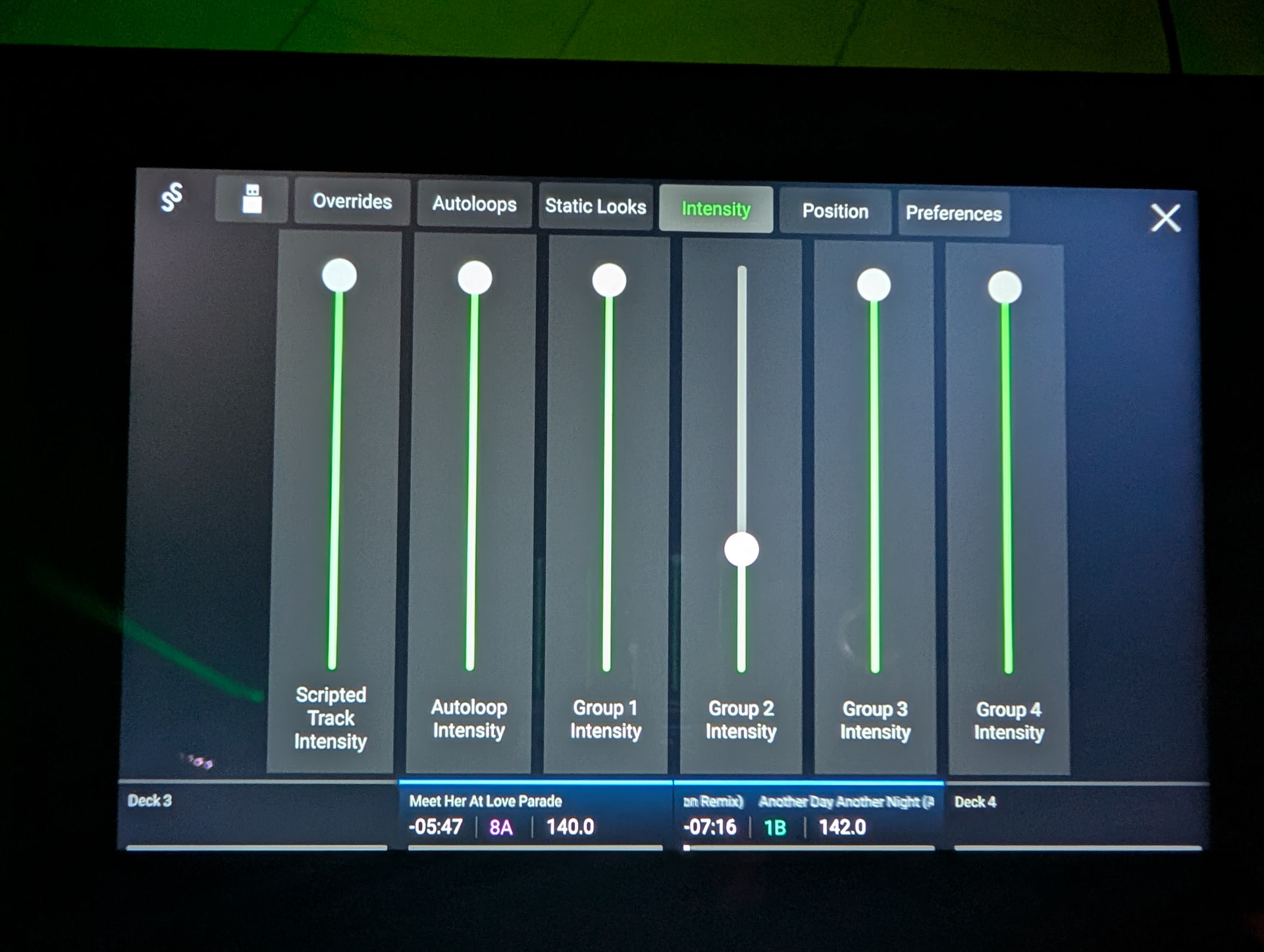
can someone with a SoundSwitch Control One and using it with denon light engine (no pc) could confirm if Dimmers (intensity) are keep after a restart/fresh start of if we have also to set /click again even if the “display” show the value we want ?
no control one does not change the start values. It is 100 percent as well, have to change that at the beginning every time i start. Not my main issue but i have to decrease it every time. I think in the SS user community the group feature (incl. dimmer) is not used that much. I also wished there are more groups available to further customize my lights. I use static screnes to create some additinal gorups to turn off certain lights.
thank you , and does control one is easier to set the groups dimmer ? I mean is there some kind of real value on the lcd screen or looks like there is 10 led touch virtual dimmer. The idea: be able to put my value even if I have to do each time but to be honest the Denon screen is laggy for that specific screen and I dont like it (at least they could add the dimm value as information on bottom of each dimmer)
No the dimmer option is actually a little bit worse. You only have two physical dimmer strips and you have to hit Shift + Group to get to the other dimmers layers. They are layered on two strips. At the beginning of a session i set the dimmers up on the screen of my sc6000. If somebody else is playing i use the control one to not disturbe the djs, but the prefered way is the sc6000 screen.