Soundswich does not analyze the phrases correctly

soundswich does not analyze the phrases correctly

I use the latest version,

I have reanalyzed the songs, in engine and soundswich, I can’t get it to analyze the songs correctly, which causes the lights to not go to the rhythm of the phrases, they only work to the beat.

I explain:

In the photo you can see how the wave of the song is different from how soundswich analyzes the phrases.

This happens to me with many songs, I know that you can manually modify the sections of the phrases, but using the autoscript for almost 6000 songs it is impossible, is there something I am doing wrong?

If my memory serves me correctly, before they implemented the phrase editing function, this worked better, now I have most of the songs where the lights do not go with the different areas of the song.

I have tried all the autoscripts, but it only changes the lines of the lights, it does not change the analysis of the phrases, so they are still wrong, thanks
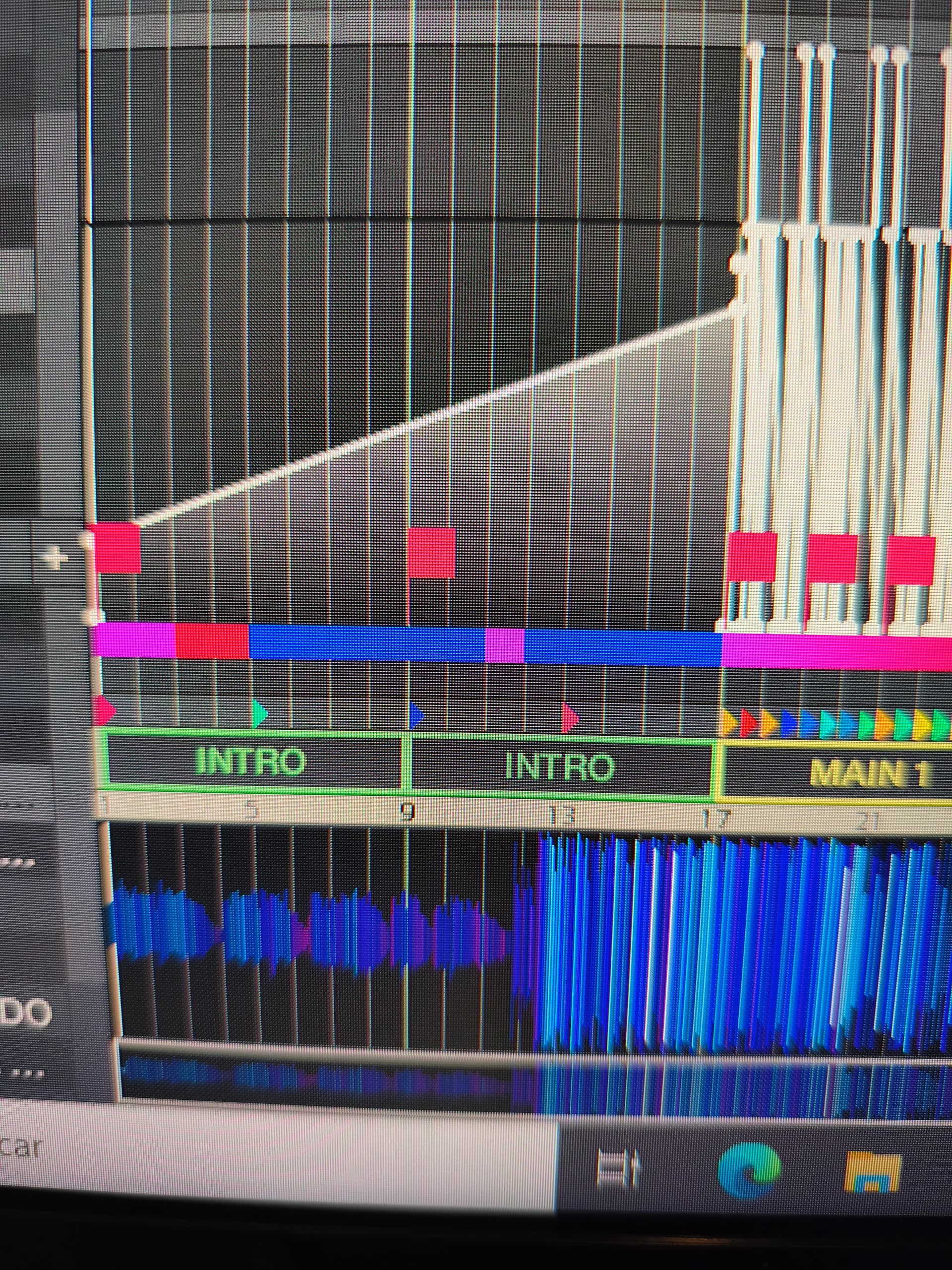
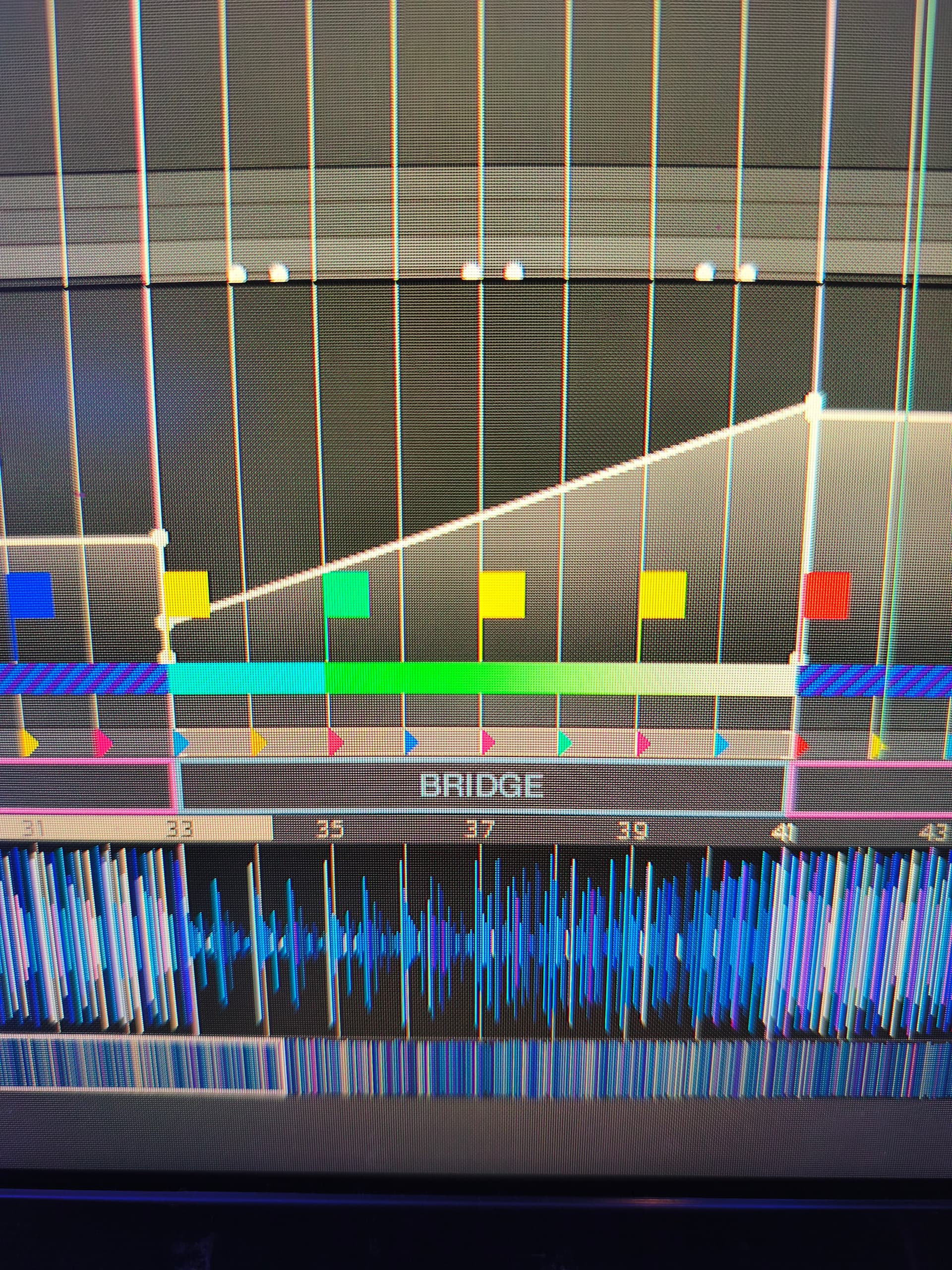
same problem by my system.

There seems to be a problem with the latest versions of Soundwich and the way they analyze songs. It’s frustrating how the lights work poorly when they don’t match the rhythm of the phrases.

Let’s see if anyone knows how to fix it, thanks

Some songs are analyzed well…but there are more that are analyzed poorly.

To rule out errors of any kind in my system, could forum users check if this is also happening to them?

What proportion of errors are observed in the sentence analysis? A little…a lot?..

Thanks for your collaboration.

Has anyone found a solution for this? @soundswich, do you know why this is happening?

It’s not analyzing the intros, bridges, etc., correctly in many songs. All the songs are original copies, and the autoscript function works more or less, but when configuring things like laser entry into the bridge, it often doesn’t align. It can be done manually, but with a library of over 5000 songs, that would be impossible.

Is there any way to get it to analyze the phrases correctly? Thanks.

That’s why I manually review and correct virtually every track before applying a preset automatically.

I’ve already reported the phrase detection issue to support, along with several preset-related bugs. Some presets don’t save correctly, while others fail to retain certain attributes or fixture positions.

Even worse, some presets occasionally inherit position cues that weren’t selected at all. This has also been reported.

I strongly recommend choosing colors manually rather than relying on automatic color generation. Otherwise, SoundSwitch often ends up using excessive amounts of white. Understanding complementary colors as well as primary, secondary, and tertiary color relationships makes a huge difference.

SoundSwitch is a great piece of software overall, but many of its automated features still need improvement.

Anyone who relies entirely on automatic scripting will almost certainly find phrase detection errors in a significant number of tracks. Once you know what to look for, they’re often quite visible.

I don’t use the “Apply Strobe” option at all. In my experience, it tends to place strobes in random locations, while sections where a strobe would actually make sense often end up with static lighting instead. Here again, manual work produces much better results.

I still like SoundSwitch because of its tight integration, and when I’m on the road it’s the better solution for me. It’s just not quite as automatic as it initially appears.

When I use VirtualDJ, SoundSwitch runs on the same computer alongside GrandMA3, which acts as the lighting master. That setup allows for much more sophisticated light shows, but in practice I often don’t have the time to program everything manually.

Moin @U-w-B ,

this procedure sounds professionally and I act as well.

Most of the time I need for preparing / amending the tracks and I always wish to use this time better for training on the gear :speak_no_evil_monkey::hear_no_evil_monkey::see_no_evil_monkey:

Keep on dropping anchor in the beatgrid tool and have plenty of successes

Brgds BeatMaster