I’m having an issue with Engine DJ Desktop and could really use some help.
For some reason, all of my playlists have disappeared from my Engine DJ Desktop library. I’m not sure how this happened. The strange part is that all my playlists are still on my USB flash drive and working fine there.
However, I can’t figure out how to import or restore these playlists back into my desktop library. I’ve tried exporting in formats like M3U, CSV, and JSON, but I don’t see a proper way to import them back into Engine DJ.
Is there any way to rebuild or sync my library using the playlists from the USB drive?
Do you have all playlists on your Sc6000? If so, make backup of your library somewhere on drive on Mac (copy everything) > then delete engine dj folders and try again. Maybe some error with library database
Yes, because it’s looking for changes to the tag info. It doesn’t look for files, because it’s not possible to add or delete files on the standalone systems.
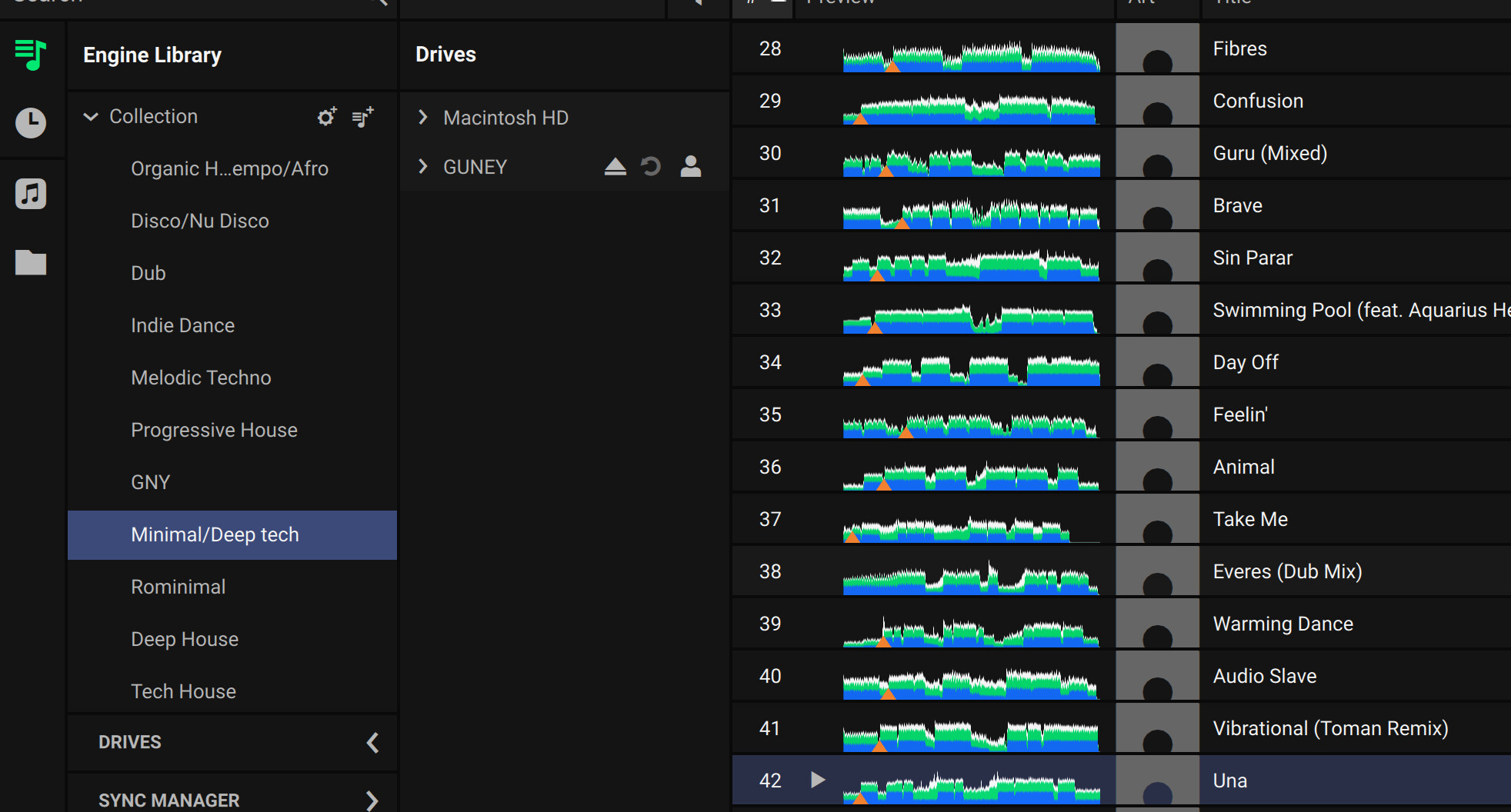
As shown in the screenshot, all playlists and hot cues are intact on my USB drive and function correctly on the device. However, once I unplug the drive, they are no longer visible in my Engine DJ desktop library. Is there a proper way to import them back into the main collection, or is rebuilding them from scratch the only option?
I’ve already deleted the Engine Library and Engine Library Backup folders, rebuilt my collection from scratch, and synced again via Sync Manager, but unfortunately the issue still persists. Nothing seems to change.
I also tried Lexicon, but unfortunately it didn’t solve my issue. I’ve decided to give up and rebuild my playlists and hot cues from scratch. Thanks everyone for your help.
I imported the Engine Library folder from my USB drive directly into Lexicon. It analyzed all the tracks, but my playlists and hot cues did not show up.