Even if I have owned the Prime 4+ for one year now, I still struggle to do such simple things.
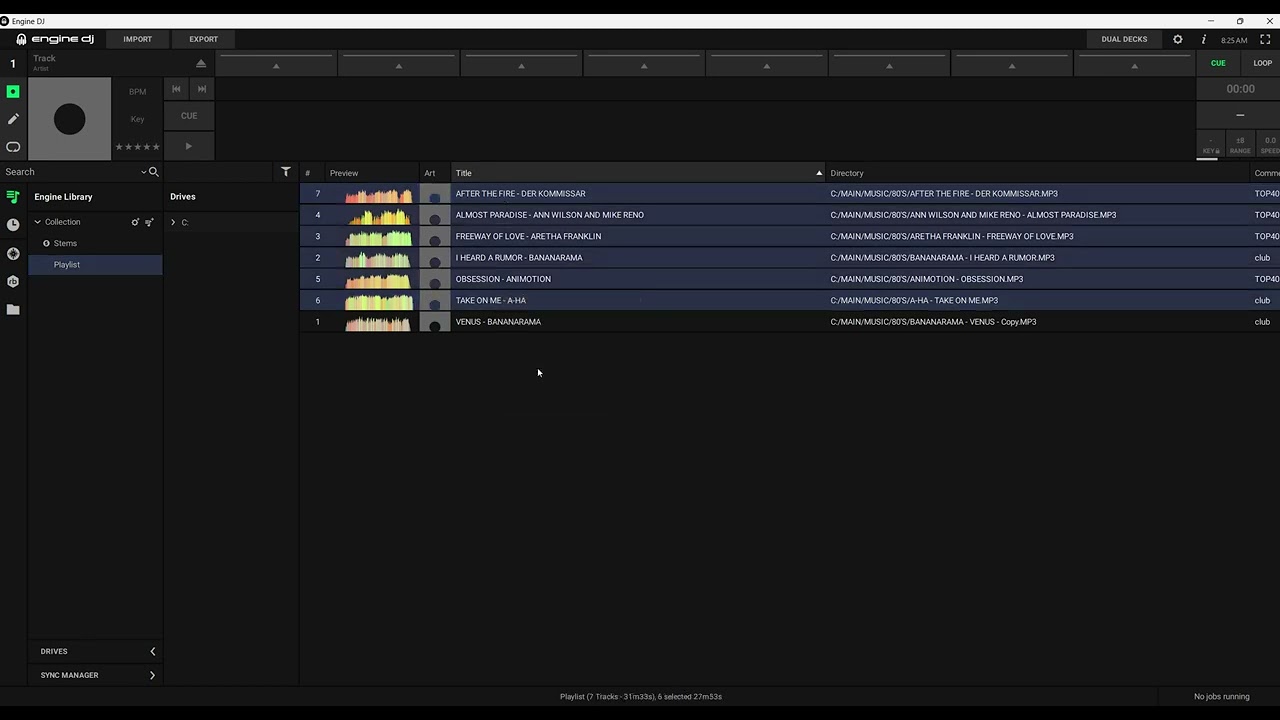
I have a “PLAYLIST A” already synced to my Prime. I run Enging DJ (without the Prime connected to it) to add and remove songs from that playlist. I then connect the Prime and export the playlist (which is already ticked, by the way). Now, the Prime contains all the newly added songs, which is cool, but it also retains the songs that I removed from Engine DJ. Worse than that. Engine DJ now retrieve the removed songs of “PLAYLIST A”, as if I never deleted them!
So I tried another method. I remove the “PLAYLIST A” itself from the Drive THEN I hit the export button. I tick the checkbox of the playlist from the left column (since it’s no longer available in the Prime drive). I run the sync, but the result is… THE SAME.
I don’t know what to do.
How can you proceed to sync playlists from Engine DJ to your Prime (or any other external drive)?
Unfortunately, I cannot upvote because it says that I used all my 10 votes (although I haven’t voted a FR for months…).
I managed to use a workaround: remove the songs from Playlist A in Engine OS, plug the Drive, remove Playlist A from the Drive, close Engine OS, eject the Drive, replug the Drive, SYNC the Playlist.
It’s a pain to do this, but it seems to work. Can you try on your side, please?
I’m sure it’s a bug because even deleting a Playlist from the Drive doesn’t solve the issue.
Another method would consist of renaming the updated Playlist. For example, Playlist A becomes Playlist A+, then it syncs to the Drive, then we can remove Playlist A from the Drive (and from Engine OS if it repopulates!).
I would be happy to hear thoughts from you guys. The more we are, the more we can hope for a consistent way of syncing playlists.
Regarding your votes: you can remove votes from other feature requests to vote for another one. It always baffles me things like streaming get all the votes, but the small missing features get no traction. But hey, this is democracy
There are a couple of workarounds:
When I really want to delete stuff, I make sure my drive is plugged into my laptop, so deletes happen on the laptop and drive at the same time.
A couple of people (even more than a couple) on this forum just use their drive as their main collection, and have no collection on their laptop. Yes you can do this, and yes, make sure you backup your external drive. But this way you won’t have to sync deletes…
Thanks. So the forum works with a fixed amount of votes. I will unvote one FR to upvote yours.
For the 1st workaround, it’s not convenient for me because I prefer to be mobile, not next to my Prime 4+ for every playlist edit. The second one, neither. I find it too risky given the risk of corruption. In addition, I will probably get a backup Prime Go+, so I need a “master library”
Well, regarding being next to a Prime 4+ for edits: personally I think the internal drive is a bit of an oxymoron. Ofcourse, it’s nice to take an all-in-one unit out of its case, and not have to connect anything extra. But OTOH, you need to take your laptop to your Prime 4+ or vice verse to do edits. I use a USB SSD harddrive which I take with my headphone into my house, while my flightcases with my SC6000 can stay in storage if I don’t need them… The internal drive is connected with a SATA to USB converter to the USB controller anyway…
I follow you on the second solution being risky given the risk of coruption. Well, your laptop drive can corrup too, but a backup solution like time machine doesn’t automatically backup external drives
And yes, all are workarounds for something that wasn’t thought through: if you let people delete stuff on EngineOS AND Engine DJ, syncing isn’t optional, it’s mandatory by design…
yes this is such a disaster in managing playlists, i cant believe EDJ makes the external drives a master and puts all the tracks BACK to the library locally
this makes it impossible to even have a backup drive or connect my RANE system one internal to EDJ without constantly having to format the drive first
This past week i simply wen in to a top 40 playlist and remove like 3 tracks WITH my main flash drive plugged in but now i know i cant plug in my backup flash drive becuase it will just add those 3 tracks back automatically. this needs to be fixed for sync to work properly
and manually managing the playlists doesnt help either, if i delete a track, it still auto puts it back
this is a test demo video I made to show them months ago but nothing is fixed
plug in a drive, copy files, unplug drive
go to local playlist and remove a few tracks u dont need in that playlist anymore
plug flash drive in and the tracks are copied back to the local library after removing them.
it’s a consequence of being able to add tracks to a playlist on Engine OS: how would those tracks otherwise get into your main library? And then InMusic decided to implement the syncing behavior for this very half baken, crippling delete functionality.
the same way they do cue points and so on, u CHOOSE to sync from flash drive BACK to local to save new cues added on jobs, it doesnt just do it as soon as you plug a drive in
Pioneer has the same functionality of adding tracks to lists on players but RB has no issues
It’s surprising that such childhood problems still exist in the program, even though they’re critical issues that should have been addressed years ago. I feel like the head of development needs to be replaced. He may know what he’s doing, but he’s doing a terrible job.
Yes, but this is partially up to ourselves. We have a voting system in the feature reauest section. As long as we keep voting for cool new features like coloured waveforms, instead of pointing out the smaller bugs and annoyances, InMusic will for sure keep adding half baken features.
If we want to change this we must sound unisono, but we don’t…
Its also very complex system, and I am sure most of the users of this forum do not use the platform to its full potential, and thus are not confronted with all shortcomings… Including myself, because I for example dont use samples…