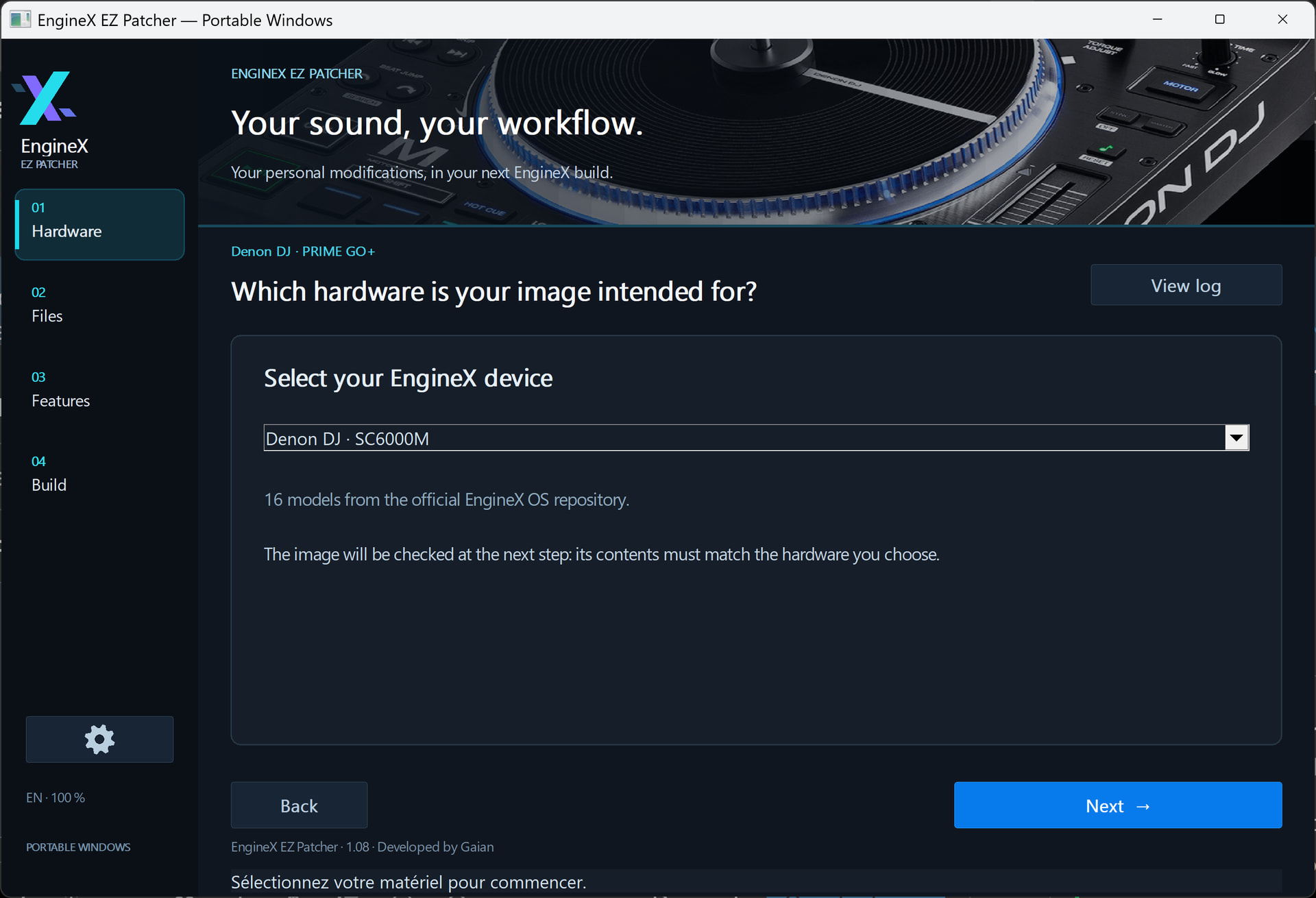
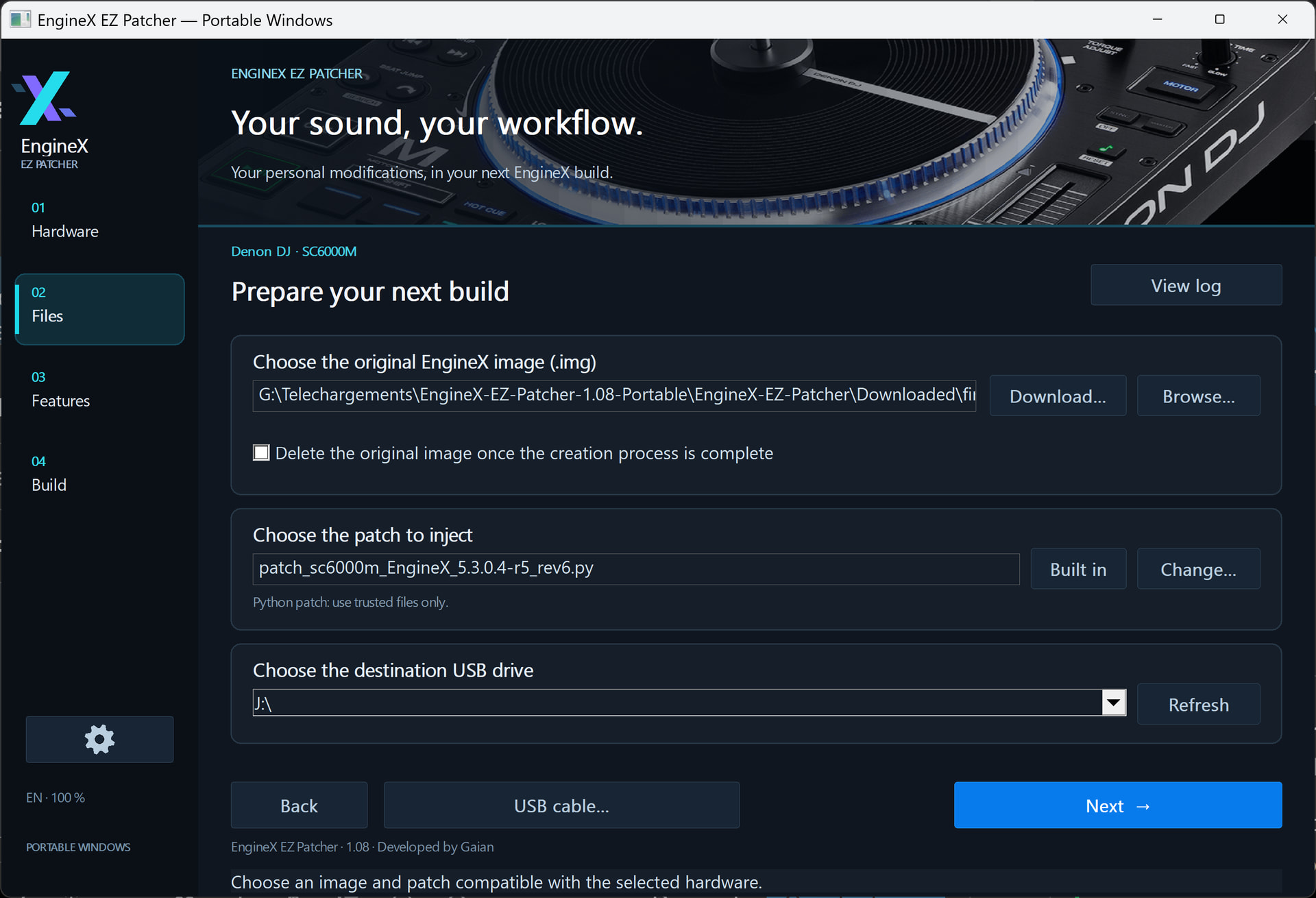
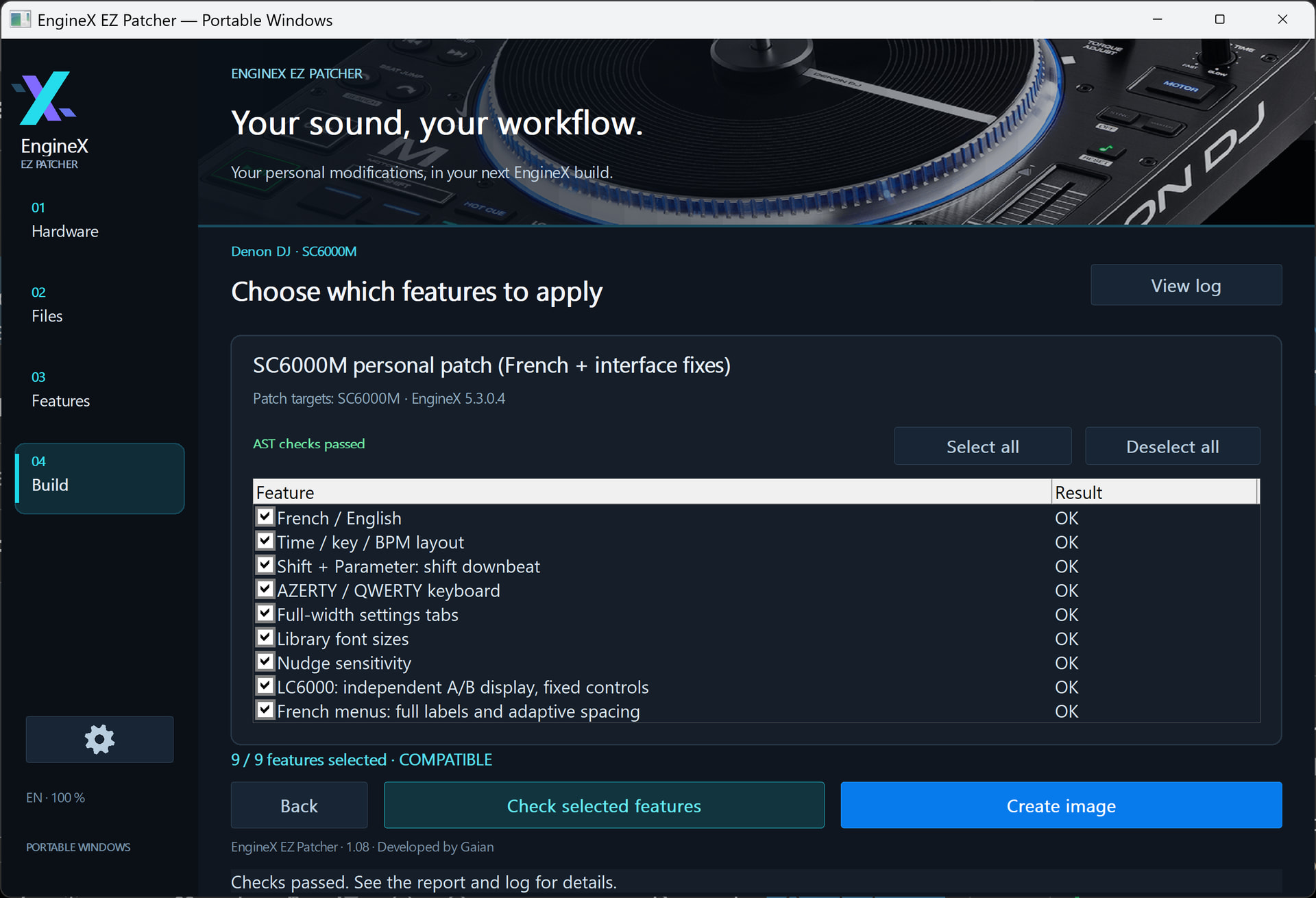
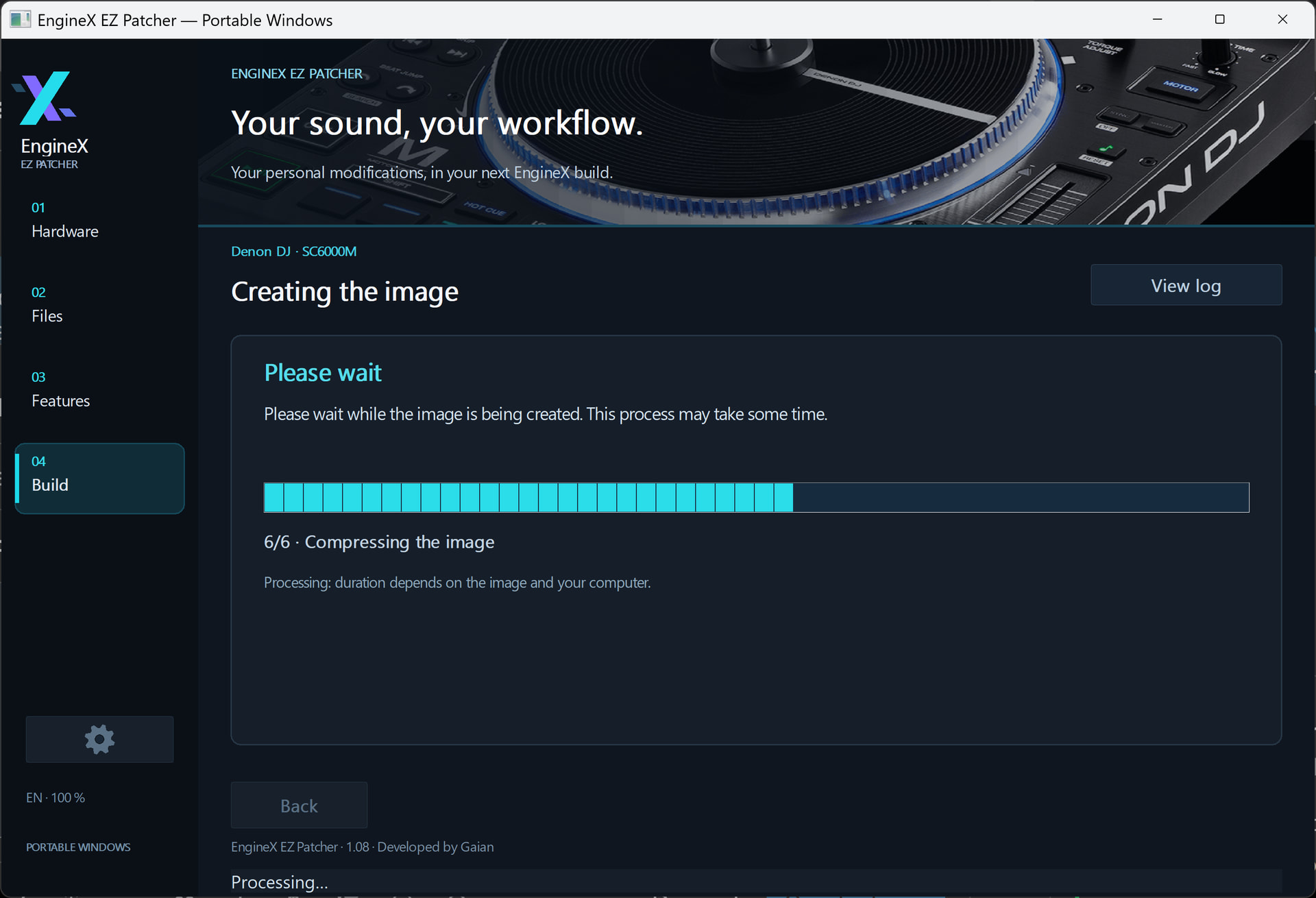
EngineX EZ Patcher

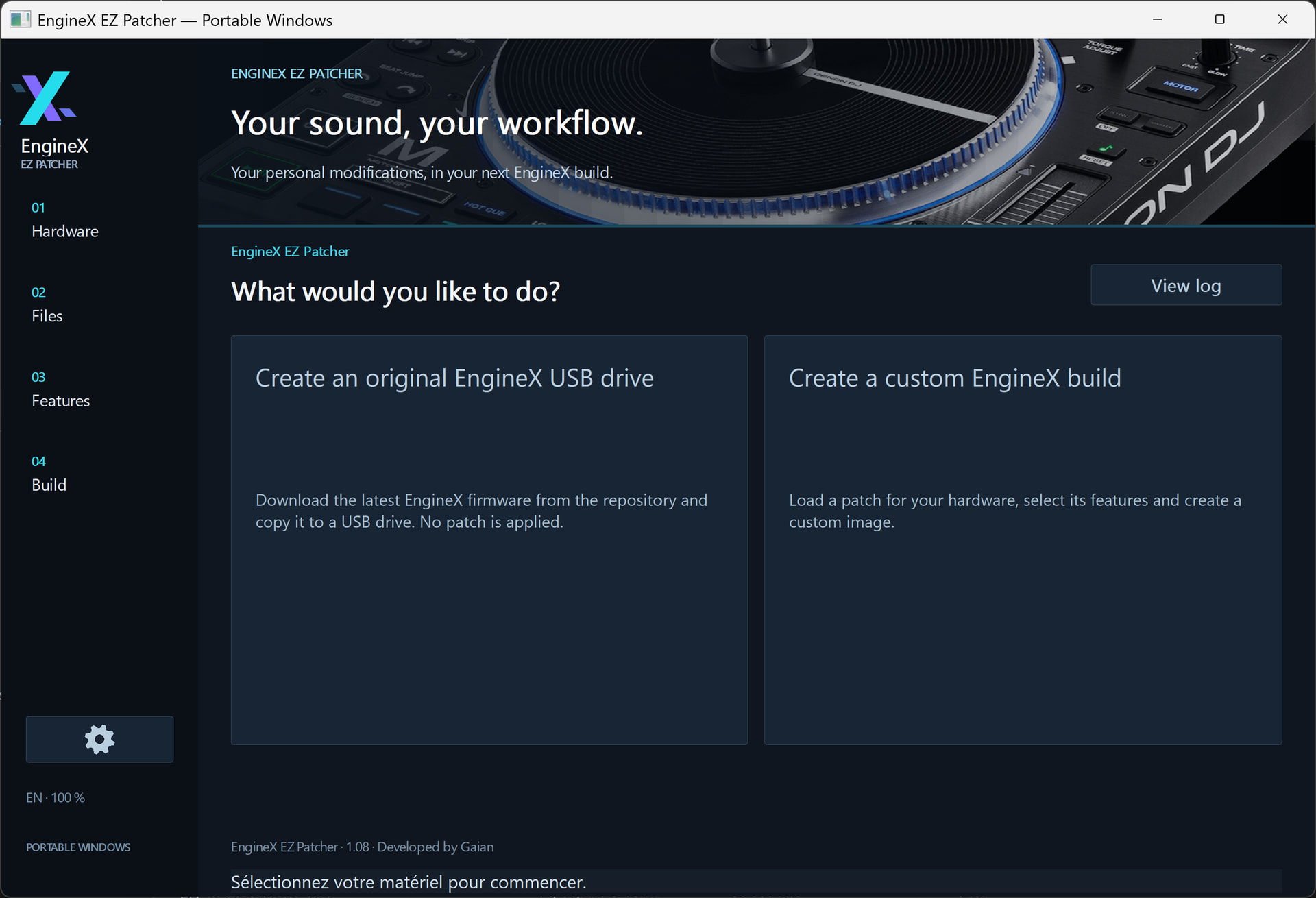
I am currently developing a tool called “EngineX EZ Patcher,” which allows you to add your own custom Python-based patches to an EngineX image in just four steps.

This is a portable piece of software that requires no installation and offers several features:

  • The ability to download the latest released version of EngineX from its official GitHub repository and create a bootable USB drive containing it.

  • The ability to apply your own Python patches to an existing EngineX image.

  • The ability to flash an EngineX image (whether patched or unpatched) directly onto the device via a USB cable.

  • The program verifies that patches are compatible with the loaded EngineX image, and that the image itself is compatible with your hardware.

  • A robust patch-checking system designed to prevent the inclusion of any malicious code.

  • The program ensures that the original firmware remains untouched. Installation takes place on a partition within the internal memory—specifically /data/EngineX—which is separate from the original firmware partition. Consequently, the original firmware is never overwritten. The /data partition is typically reserved for user data and settings; it is wiped whenever a factory reset is performed.

  • Python patches can encompass all your personal interface modifications, as well as the addition of new features.

  • If you have developed custom patches for a specific build and an EngineX update becomes available, you can easily import your modifications into the new build with just a few clicks.

  • Before importing, you can choose which specific modifications to include or exclude.

  • If you have developed a modification or feature in your patch, and EngineX EZ Patcher detects that it is already natively included in a newer EngineX image, that specific change will be automatically skipped.

  • The application features a resizable interface and is available in both French and English. - The program has been successfully tested on the SC6000M, both for creating USB media and via a direct wired connection.

The following AZ01-platform devices should work perfectly for creating images on USB media, as they all operate on the same principle:

  • Denon DJ SC5000 Prime JP07
  • Denon DJ SC5000M Prime JP08
  • Denon DJ SC6000 Prime JP13
  • Denon DJ SC6000M Prime JP14
  • Denon DJ PRIME 4 JC11
  • Denon DJ PRIME 2 JC16
  • Denon DJ PRIME GO JP11
  • Numark Mixstream Pro NH08

The following models—based on the AZ05 platform or higher—are also supported, but they require a direct USB cable connection to install the EngineX image. You must enter “Computer Update” mode by holding down the “Media Eject,” “Source,” and “Layer” buttons while powering on your device.

Although I have not been able to conduct tests on this family of units, the EngineX EZ Patcher performs several integrity checks to ensure everything is ready for a smooth installation. The program will notify you and ask for confirmation before proceeding with the installation.

  • Denon DJ SC LIVE 4 JP21
  • Denon DJ SC LIVE 2 JP20
  • Denon DJ PRIME 4+ JC11S
  • Denon DJ PRIME GO+ JP11S
  • Numark Mixstream Pro+ NH08S
  • Numark Mixstream Pro Go NH10
  • Denon DJ PRIME 4 G2 JP24
  • Rane SYSTEM ONE RMZ2

The program is still being improved and currently only runs on Windows.
I’m writing this here, tongue-in-cheek: I find it strange that a certain user on this forum hasn’t told you yet that you can’t do that—that modifying the firmware is forbidden!

That ship has sailed

YARN | That ship has sailed. | The Simpsons (1989) - S16E18 Comedy | Video  gifs by quotes | e6f97349 | 紗

So do these Python patches let you add even more features to the EngineX firmware, or does it let you disable certain features added by EngineX?

I would be more interested in a patcher for the original firmware where you can pick your own mods, as EngineX comes with a lot of stuff that not everyone wants.

Both, captain!

You can add features you’ve thought of that aren’t yet implemented in EngineX, and you can hide, modify, remove, or rearrange any or all of the elements currently added by EngineX.

This allows you to customize EngineX exactly the way you want it for your own workflow.

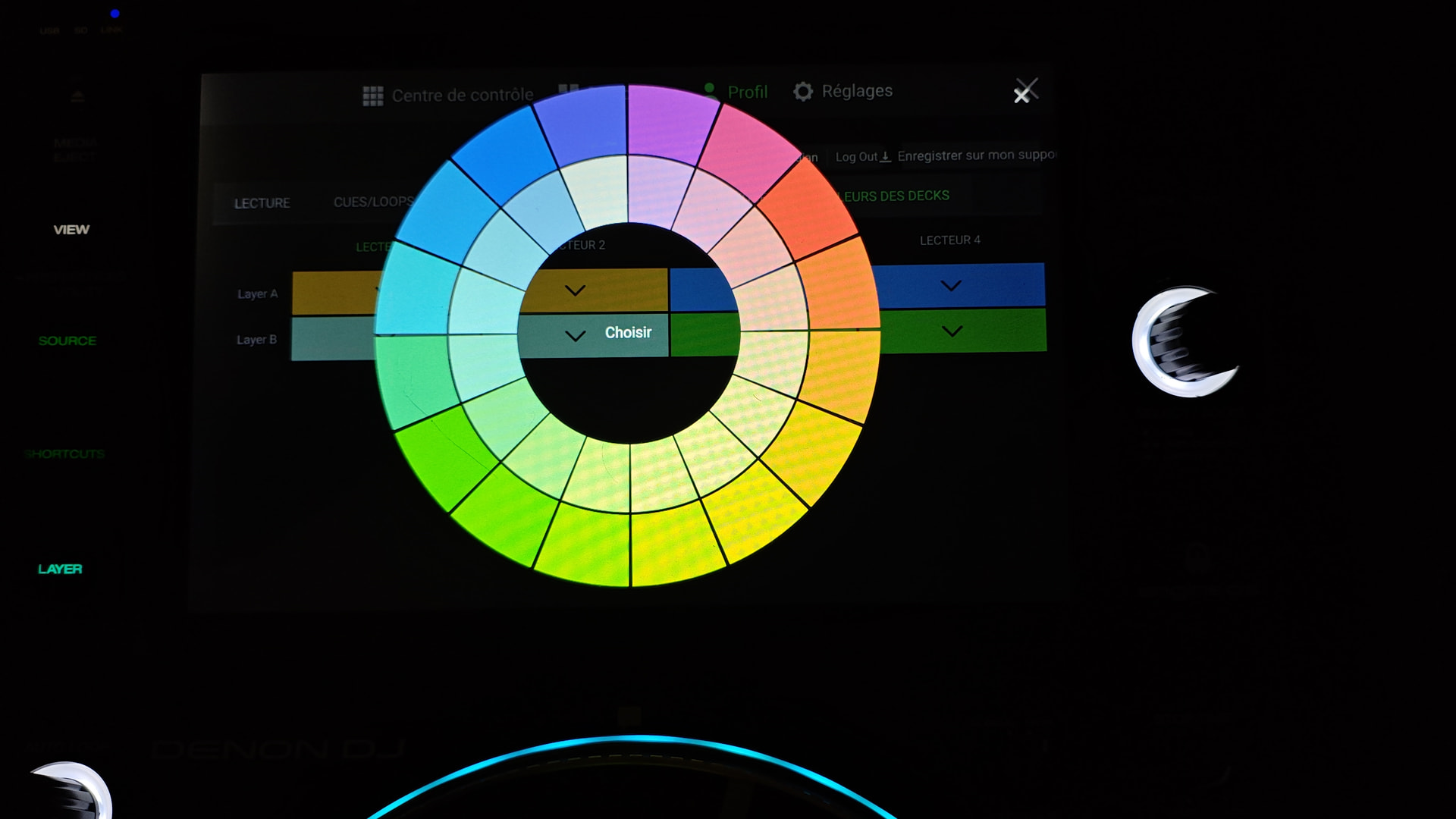
For example, I modified the deck color selection wheel—which originally only offered 8 shades—so that it now provides 32 different colors! :slight_smile:

Sure, it might not serve a practical purpose, but it goes to show that anything is possible! :smiley:

I was also able to create a mode where a connected LC6000 doesn’t force the display into “dual-layer” view. I own an SC6000M, and sometimes I just want to use my LC6000s on their own, with the feel of a static jog wheel. In this mode, the SC6000M retains control of Layer A, and the connected LC6000 controls Layer B—but you can keep a “single-deck” view, featuring a scrolling waveform alongside a smaller, static waveform for the background layer.

From there, I can simply switch layers using the “Layer” button on the SC6000M.

I also added a touch-based way to switch layer focus: you can simply tap the colored waveform headers (1A, 1B, 2A, 2B) instead of using the physical “Layer” button.

As long as you have a patch coded in Python, anything is possible.

And if you don’t know how to code in Python, just send the link for the latest EngineX build to Claude, and ask it to generate a patch containing the modifications you’d like.

Then, simply import that patch into the EngineX EZ Patcher and apply it to your image! :slight_smile:

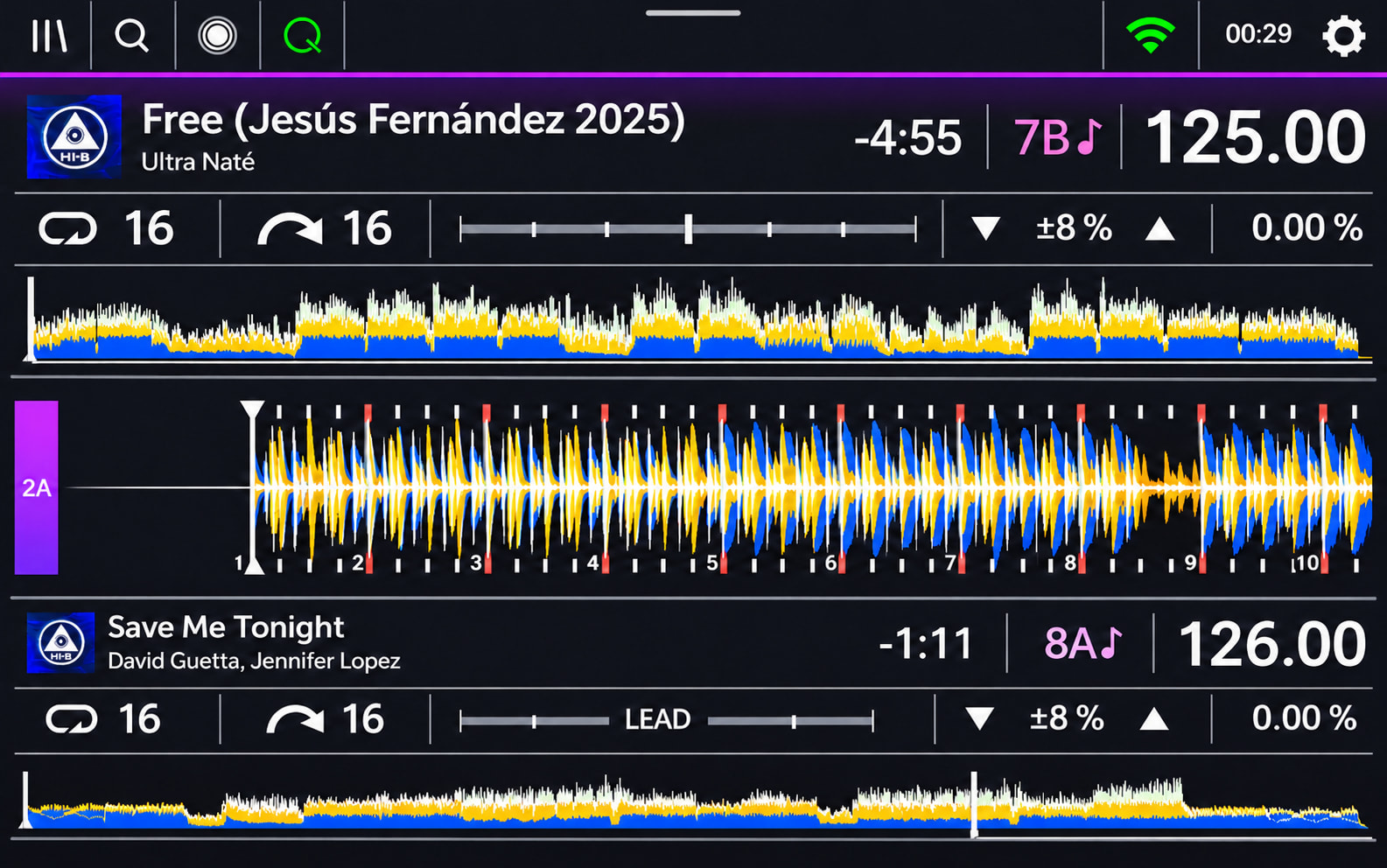
New, optimized UI design—shown here in single-layer mode with a secondary-layer “minideck.”

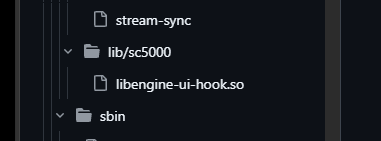
On first glance, it doesn’t look the “firmware” is touched at all, (as mentioned in the introduction).

The “engine”-Application is a propriotary binary which seems not to be touched. There’s rather a “hook” (QtQuick?) implemented.

I’m wondering, why it’s in a binary format within the repo.

Changes to systemd and underlyin linux are absolutly legit according GNU.

The only obvious disadvantage seems to be voiding the “warranty/guarantee”, you can’t expect inMusic to fix sideeffects for free if you change their architeture.

Hey @Gaian , I guess your “additions” won’t deny a rollback to the “native” system architecture by using the the regular update mechanix?

And I’m really curious on how long you expect to keep the project alive? I’m wildly guessing that you were using some of the recent uboot-signing-flaws.

NTL impressive work…

Hey @Florian_Kunz !

The original firmware remains untouched; Engine X utilizes a “hook.”

You can revert to the original firmware at any time using the official Denon updater or by following the official USB-drive update procedure.

Also, note that if for any reason “Engine X” fails to boot, the device will automatically boot into the official firmware.

I also plan to include a “Recovery” mode in EZ Patcher. This will allow you to automatically download the latest official Engine OS update from within the application, install it, and perform a factory reset via USB cable (which essentially involves deleting the /data partition).

This is intended for extreme cases—such as modifications to the user interface that might cause a black screen or result in the device getting stuck on the boot screen. In such a scenario, you would simply need to put the device into “computer update” mode and run the Recovery process within EZ Patcher.

For now, the software has not yet been released, as I want to ensure that all possible user scenarios—including the Recovery mode—are covered. The source code will also be released at the same time, as the application is completely free.

At some point, I will also need a few testers with hardware based on the AZ05 platform to verify that everything is working as expected.

Rest assured that I will continue development to ensure ongoing compatibility with future builds of Engine X.

I agree, More deck color choices would be nice to have. I’m surprised this hasn’t been automatically implemented already? It’s a nice subtle way of bringing some extra freshness to the latest builds. :blush:

Yes, this is one of those little “features” that are incredibly simple and quick to implement, and which require no additional processing power from the units.

The feature request section is packed with similar small requests for quality-of-life improvements.

There is so much that could be done—multilingual interface support, optimizing display performance when scrolling quickly through playlists, creating new Touch FX effects—the possibilities are endless.

Gaian,

Is there any chance of this bringing channel fader start functionality to the Prime 4+?

That’s the biggest downside for me when using the Prime 4+ in standalone mode as I rarely use the crossfade as part of my workflow. :blush:

Certainly—the faders send MIDI position data to Engine, so it would likely be quite easy to write a Python patch that triggers playback on a deck as soon as its assigned volume fader is moved to a position above 0.

This is, in essence, exactly how “fader start” works.

That sounds promising, but would it not have to be coded to recognize the main set cue point and to always start / stop & revert back to that set point . I think that’s where the coding gets trickier.

Yes, it is indeed possible to create rules—for instance, returning to the main cue point as soon as the fader is moved back to the 0 position. We could also choose, for example, whether or not playback should begin with synchronization enabled.

I can’t say it enough, Nice work. :blush::+1:

I do realize this type of coding the companies “gringe” over and prohibit with good reasons.. I do understand that.

Although, It seems everyone is doing this now a days.. Especially popular to the Pioneer gear.

I actually recently saw a post that the opus quad now has mods and four stack waveforms and a working slip mode along with a host of other options. All that would have never be done by the manufacturer.

Of all the companies Denon DJ clearly listens the most. But deep down I know some of these request, no matter how justified (like the channel fader start) just won’t be implemented or it would have happened by now.

I’m going to be following this project. :blush:

We live in an amazing era, as AI tools like Claude or Codex (ChatGPT) can significantly accelerate this type of work; you can now code in a single evening what might have previously taken months.

Another advantage is that if a manufacturer decides, for whatever reason, to drop support for one or more existing pieces of hardware, the community of independent developers can take over development—continuing to introduce new improvements or features, within the limits of the hardware’s capabilities.

The fact that “engineX” is now out in the wild serves as a guarantee that even the oldest hardware will continue to receive updates, should the manufacturer decide to stop providing them.

New CDJ-style preview mode in the library, featuring visual navigation across the waveform :slight_smile:

Can the “feature request” be closed?

Not for the moment, as this involves a custom Python patch that adds this functionality to Engine X.

This demonstrates how it can be integrated and that everything works as expected.

It is now up to the development team to integrate it natively into the official release.

I can provide them with the Python code if they wish.

Hi Gaian, good morning.

Is there any possibility that you could share the repository or the code—both for the EngineX EZ Patcher tool and for an example of the Python hook?

Thank you. Best regards.