I took my SC Live4 out on a gig for the first time since gaining confidence in 5.0.4 last night. It seemed fine at first but as the evening went on (probably after 2-2.5 hours), the interface seemed slightly sluggish switching collections or when changing to and from the library list to the waveforms, the platter displays frozen momentarily when this happened, even though they are just simple displays it was like they were dropping frames, but the audio didn’t glitch. It didn’t seem to get any worse. Is this a known issue?
What USB or external drive are you using? Also do you run a Library Optimization then Library backup before closing Engine desktop software every time?
My drive is a Ugreen external NVMe adapter with a Western Digital Blue 512GB SSD, and yes the library has been regularly optimized and backed up.
It only became apparent after a few hours of use which suggests it is likely to be an issue with the Engine software in the unit rather than the data.
G’mornin @Simonster ,
how’s been the environment that day? May it be also related to higher temperatures?
If you’re suspectecting some software issues, you may enable the debug console and compare the values after boot with the ones when the sluggish behaviour occurs…
Maybe you can reproduce in a test session?
Regards,
Florian
Finally had a chance to recreate the issue.
These were the figures at the start of the session.
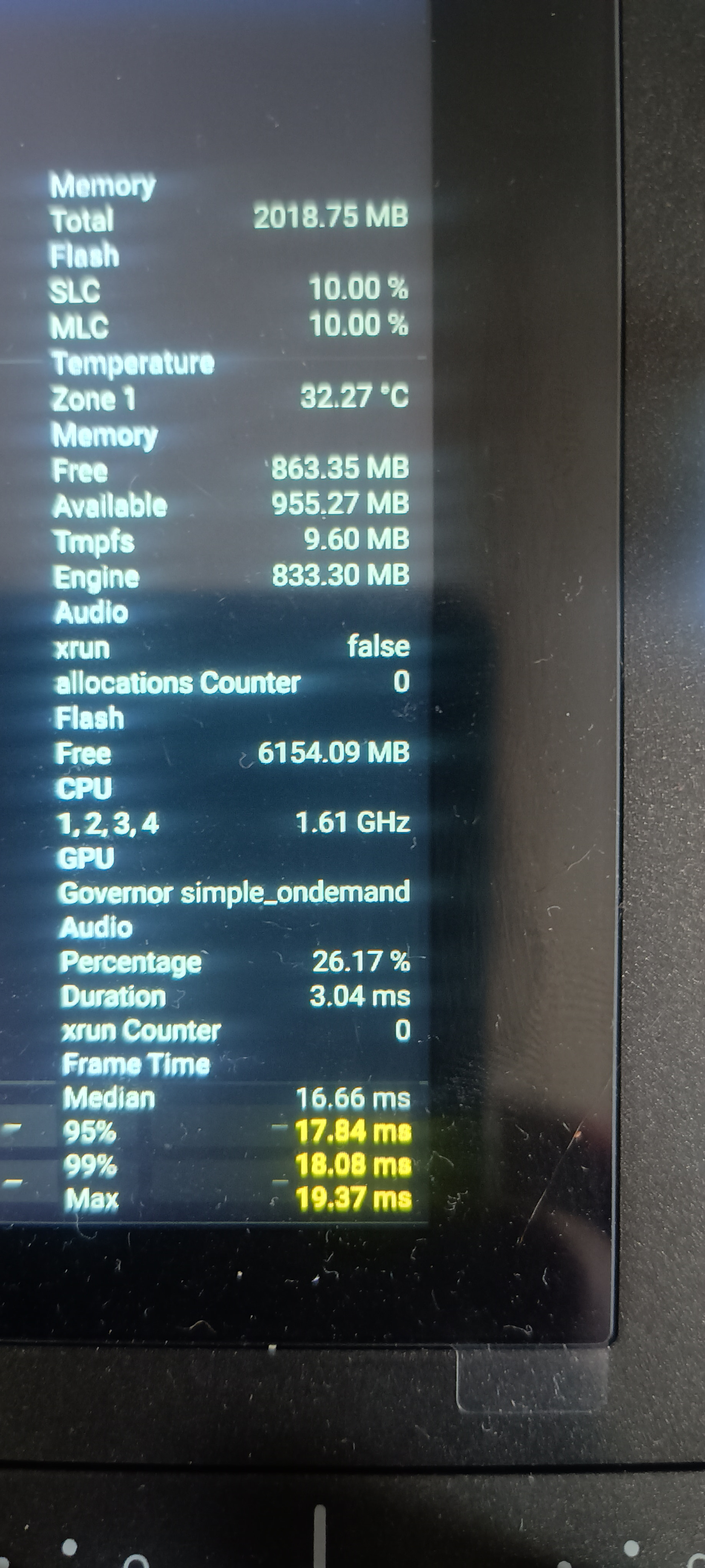
Later on when I was having the visual issue
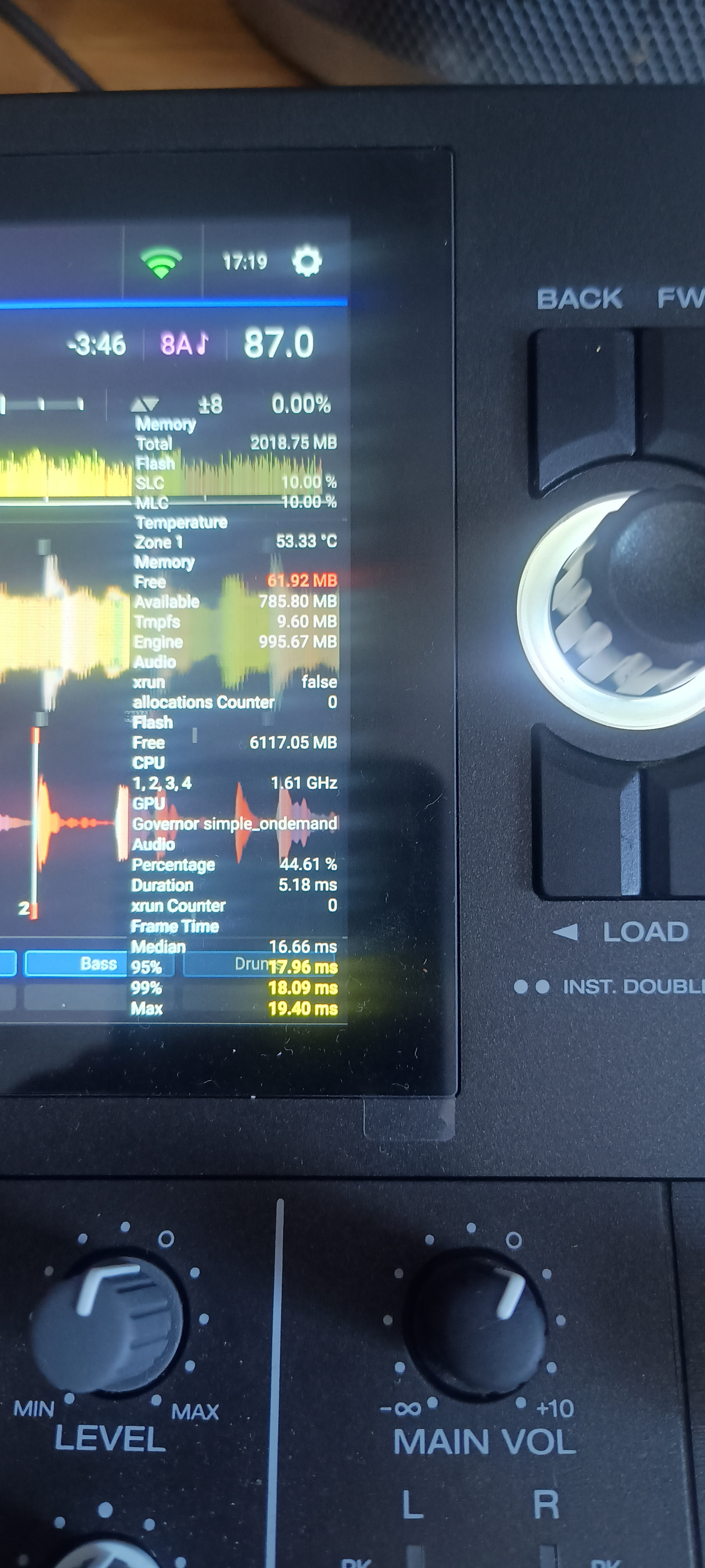
It doesn’t appear to be time related but number / size of tracks previously loaded (I loaded around 2 hours of music one after the other playing a few seconds of each track to recreate it). When this happens the touch screen also freezes at the same time but audio continues. Here I am looking at deck 1 whilst loading a track on deck 2.
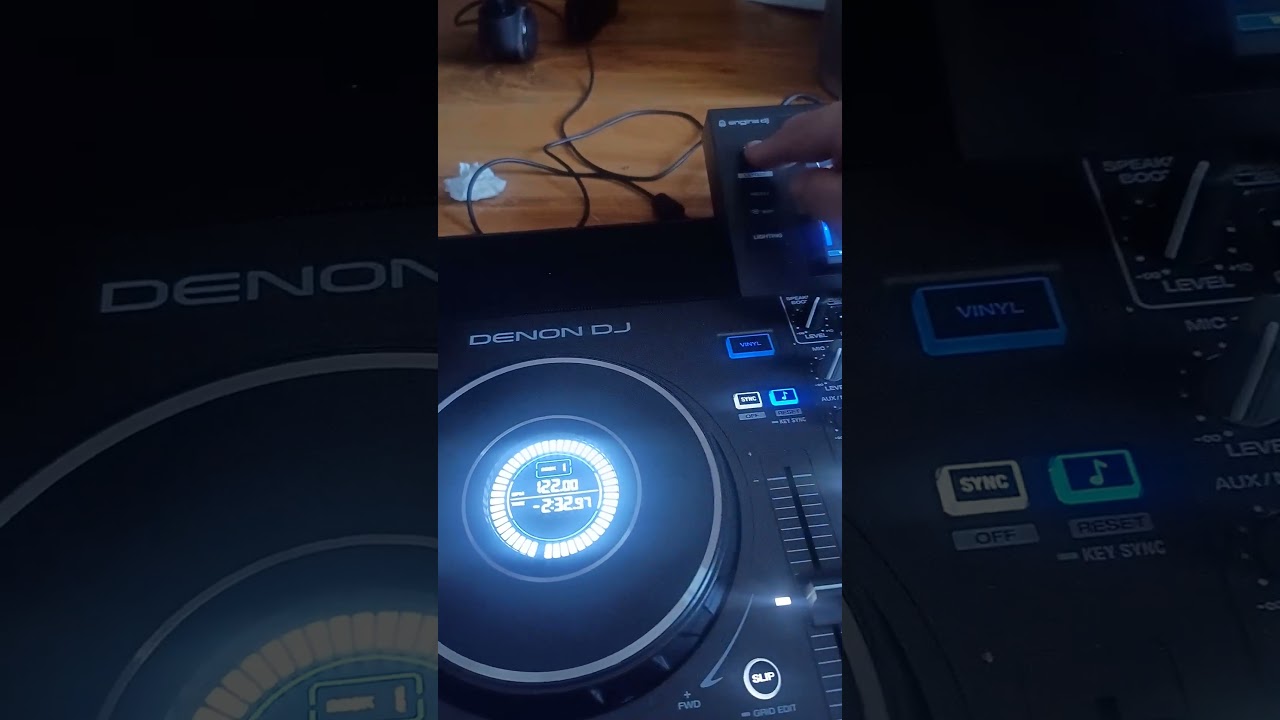
My library has been cleaned up and a new sync created to formatted drives. It happens on both my UGreen SSd and my SanDisk 256gb USB drive, all my music is generally 320kbps mp3s. I do also occasionally use music from Amazon Music if I don’t have it in my library.
The unit (correctly) prioritizes stable Audio-Output over UI smoothness, once it starts to run into bottlenecks. The 2GB RAM can be tight, especially on the 4ch AIO devices, I observed similar and even lower mem-values ditching into the red on my L4 and (sold) P4. But never any audio dropout.
UI and even the VU meters can freeze for a short moment, though. But they recover and continue.
Sorry i didn’t explain it correct, your first screenshot from debug probably shows no tracks loaded. I thought more like… load 4 tracks in the beginning and then compare the memory for e.g. leaks..
There was a struggle on prime4 a while ago on the prioritizin (audio droppouts), which has been fixed now.
This happened durin loading the cover art, the “ring indicator” got that kind of “mini freeze” too. The SC jog-display differs to the prime, it got timecode. Maybe there’s a need/chance to improve it?I haven’t checked how these rings acting after the update, but i guess the “stop” got majorly shrinked.
I used my prime4 just a few days ago for a longer session and the mainscreen-ui became every here n then a lil “laggy”. This behaviour has improved on EDJ5 in compare to 4 quiet a bit and with 5 it seems able to re-stabelize.
I’m afraid to say @Simonster , but @Skaratak is probably right about the limited system resources…I think these freezes won’t happen to devices with more computing power…
… like the new Prime4 G2. 
P.S.: That day has been about ~30 °C with no AC  I bet it will improve soon in winter, cause my room will have at least 10° less
 It may be also heat spikes limitin cpu… the hardware is really limited if considering the devices as a “pc” … no clue if cpu or ram
SC Live 4 user here, but not on 5.04 yet.
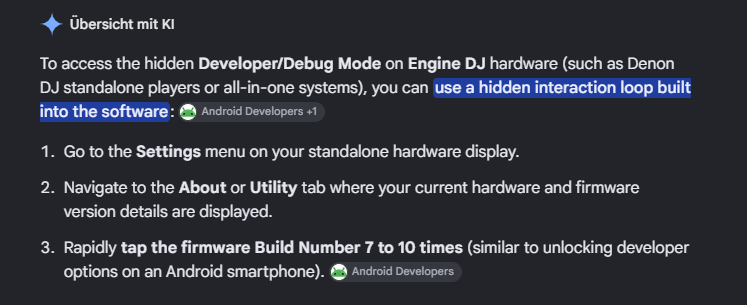
I wonder how you enable the debug mode on SC Live 4 shown in the pics above?
I tried searching the forum but to no avail. Or is it a new feature in 5.0x?
G’mornin @Pete_S ,
i failed to find the explanation and screenshots in an older thread, so i asked google for a quick instruction. I guess it explains it well:
If you put a lil effort in reading, you can find some screenshots and further instructions in here… Engine OS 5.0.x – Audio stutter and lag when loading tracks - #13 by U-w-B
Warning: It’s a big thread 
@Florian_Kunz Thanks, now it shows up!
I was using my sc live 4 yesterday i did two sets during the event first set was fine no issues second set i had issues with the screen freezing, when searching for songs the keyboard was not responding properly i had to re boot the unit 3 times in the end i had to cut my second set short due to the issue, the screen only seemed to start having this issue after i updated to 5.0.4 prior to that the issue was drifting waveforms I can see the screen issue is not a new thing i can’t readily see what Denon is doing about this as it needs addressing I can’t have this issue keep happening