Subject: Engine DJ 5.0.0 — Sync Manager does not create playlist folder structure on USB / SD drives (works on SSD)
SYSTEM CONFIGURATION
Engine DJ Desktop 5.0.0, Windows 10 running in Parallels Desktop on a Mac
Engine OS 5.0.3 on the player
Collection: 26,567 tracks (2384 hr 37 m)
Audio files on an external drive; Engine Library database in the Windows user Music folder
PROBLEM
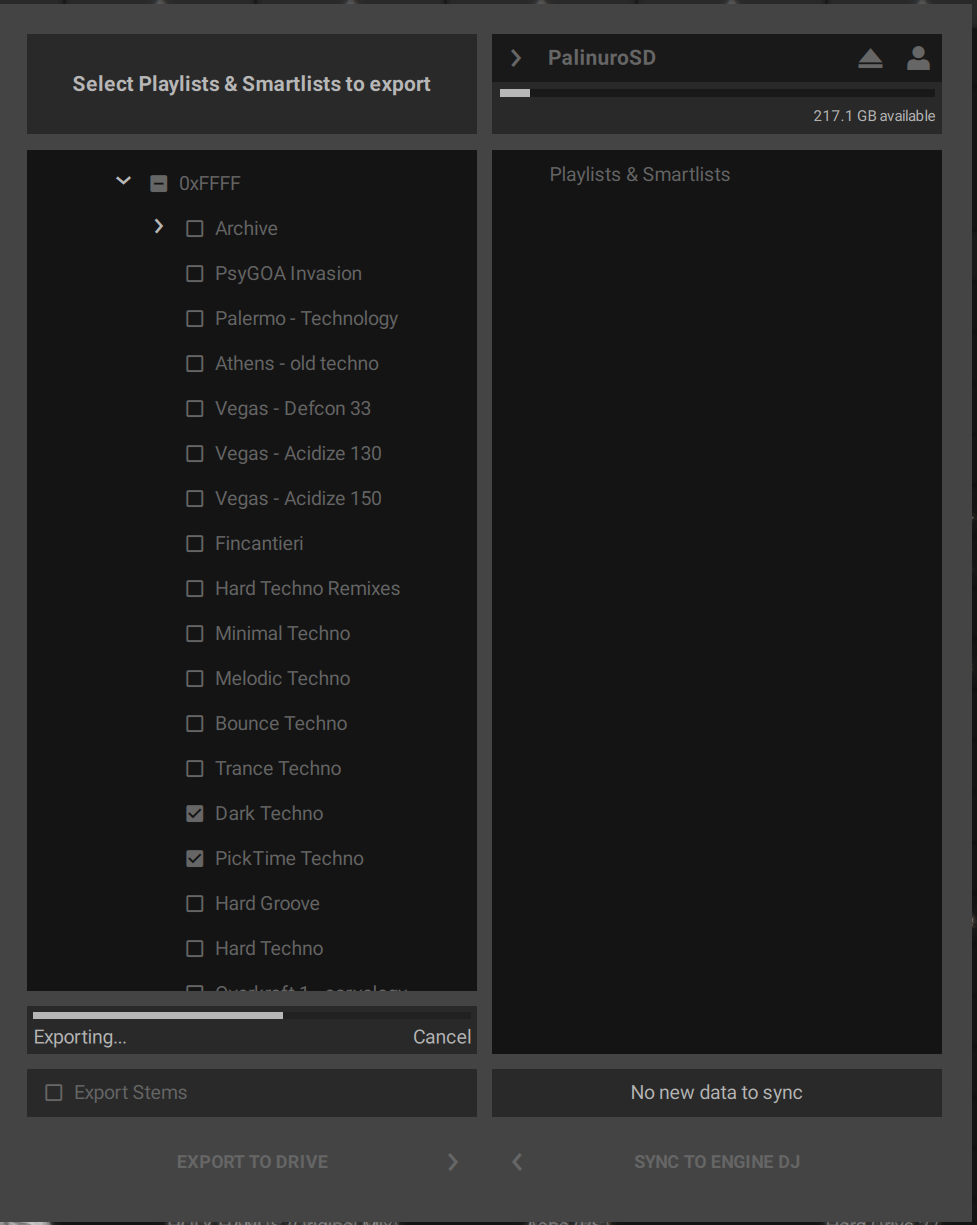
Since updating Engine DJ Desktop from 4.3.x to 5.0.0, Sync Manager no longer recreates the playlist folder structure on USB flash drives and SD cards. The audio files are copied to the drive correctly, but:
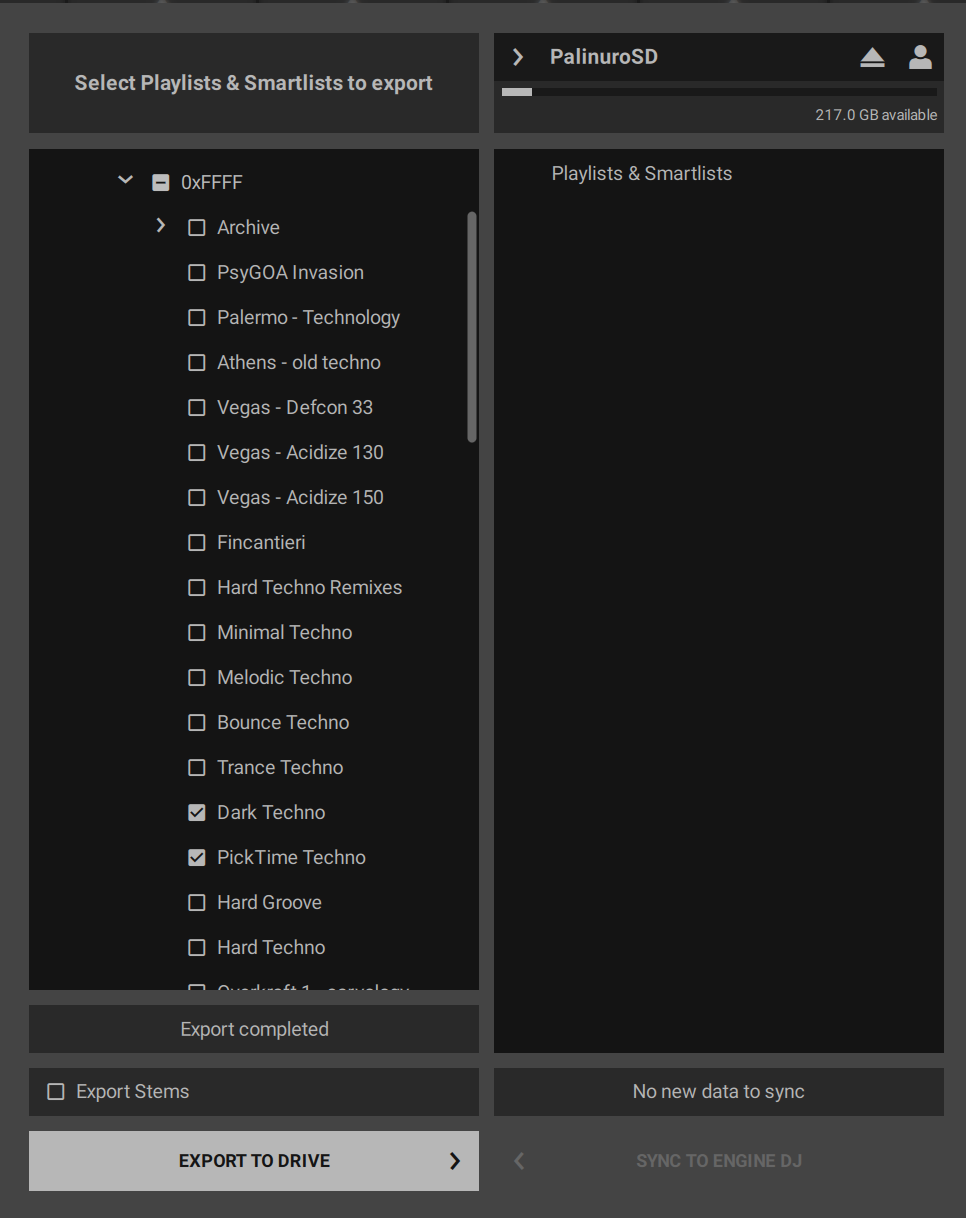
the right-hand pane of Sync Manager (drive contents) stays empty after the export, including after closing and reopening Engine DJ;
on the player, the exported tracks appear as one single flat list. The folder hierarchy (MASTER > DEEP APERO > DEEP 1 > DEEP 1/2025) is not present.
This worked correctly with the previous version.
EVIDENCE THAT DATA IS WRITTEN
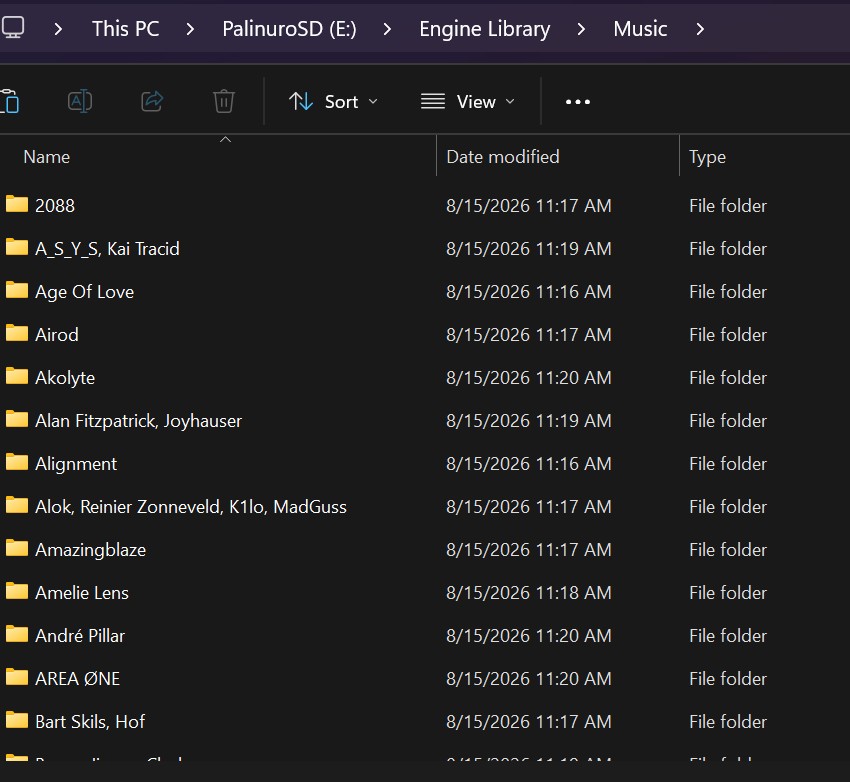
Before the export the drive showed 59.5 GB available. After exporting a 359 MB playlist, Windows reported 375 MB used and an “Engine Library” folder present on the drive with the correct timestamp. The status message reads “Export completed”.
WHAT WORKS
Exporting to an external SSD works correctly: the structure is created and the drive contents appear in the right-hand pane.
WHAT FAILS
USB flash drives and SD cards, on several different units.
STEPS ALREADY TRIED, ALL WITH THE SAME RESULT
Several different USB sticks and SD cards
Reformatted as exFAT with MBR scheme, both from Windows Disk Management and from macOS Disk Utility
Completely empty, freshly formatted drives, and drives already containing a library created with 4.3.x
Selecting a single playlist, and selecting an entire folder with a full checkmark
Uninstalling and reinstalling 5.0.0, with a reboot in between
Downgrading to Engine DJ Desktop 4.3.4: the problem persists there as well
Free space was never an issue (59 GB free against 359 MB exported)
ADDITIONAL DETAIL
On one drive the Sync Manager header displayed “-- MB available” instead of a capacity figure.
QUESTIONS
Is this a known issue in 5.0.0?
Is there a way to force Sync Manager to rebuild the database on the drive?
The problem persists after downgrading to 4.3.4, which suggests that something in the library or in the drive state was changed by 5.0.0 and is not reverted by installing the older version. Can you confirm whether this is the case, and how to reset it?
I can provide screenshots of every step described above.
your post made me curious. I checked my internal drive. It looks like you have described. EngineDJ Desktop is still synchin’ on a USB-Drive, but it already shows the same structure…
Hi, try taking a new USB stick, format it, then create a new test playlist, insert songs that are not yet in the collection and export the new playlist to the new USB, and check if the library export works again.
thank you for taking the time to actually test this on your own machine — much appreciated.
Two things I should have made clearer in my original post.
First: I run Engine DJ Desktop on Windows 10 inside Parallels Desktop on a Mac. You are on native Windows, so that is a significant difference between our setups and it may well be the key variable. To be clear though: I have been running Engine DJ in this exact Parallels setup for months with 4.3.x, preparing USB sticks and SD cards regularly with no issues at all. The problem appeared with the very first stick I prepared after updating to 5.0.0. Same machine, same virtual machine, same drives.
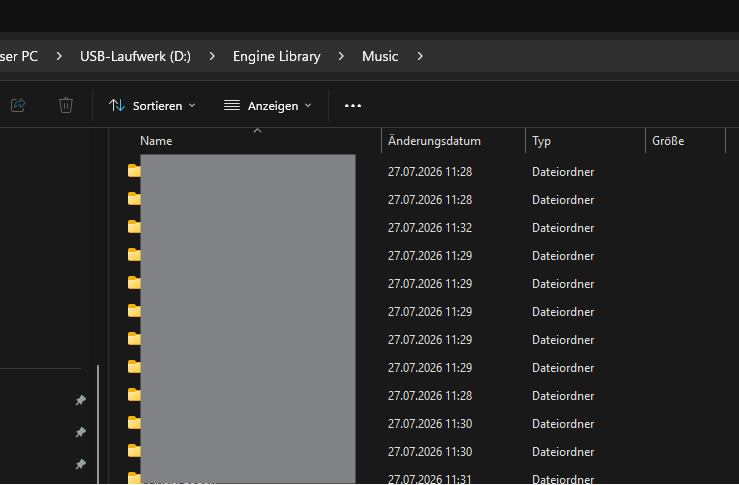
Second: the audio files do get written to my USB stick as well. The Music folder on the drive fills up correctly, just like in your screenshot, and Windows confirms the space used. What does not happen is the playlist hierarchy: after the export the right-hand pane of Sync Manager stays empty, and on the player the tracks show up as one flat list instead of the folder structure. So the problem is not the file copy, it is the playlist database on the drive.
On the rollback: your warning came too late for me, unfortunately, but you are right and I can confirm it from experience. Here is what I found, and it may be useful to others:
5.0.0 with a brand new library created from scratch, two test playlists, freshly formatted exFAT/MBR stick: export fails, no folder structure.
4.3.4 with a brand new library created from scratch, same two test playlists, same stick: export works, structure appears correctly.
4.3.4 with my original library that had previously been opened by 5.0.0: export fails, exactly as it did under 5.0.0.
The first two points matter because the library was brand new in both cases, so the library itself cannot be the cause. The only variable was the software version.
The third point is the one I would warn others about. Downgrading alone does not fix anything. Once 5.0.0 has touched the library, going back to 4.3.4 does not restore the previous behaviour. I had a zipped backup of my library, but it turned out it had already been opened by 5.0.0 before I zipped it, so it was affected too. My only way forward at this stage is to rebuild my playlists from scratch under 4.3.4.
Exports to an external SSD work correctly in both versions, which is what I am using to keep working for now.
If anyone else here runs Engine DJ inside Parallels or another virtual machine, I would be very interested to know whether you see the same behaviour after updating to 5.0.0.
I have an open ticket with support (822993). If anything useful comes back I will post it here.
Hi, thanks for the suggestion. I have already done exactly that.
I uninstalled Engine DJ, deleted every Engine Library folder from the computer,
from all USB sticks and from the external drives. I then reinstalled 5.0.0, so
the library was created completely from scratch. I imported tracks that had
never been in any collection before, created new test playlists with them, and
exported to a freshly formatted exFAT/MBR USB stick. The export failed in the
same way: audio files written to the drive, no playlist folder structure,
right-hand pane of Sync Manager empty.
I then repeated the identical procedure with 4.3.4 — brand new library, new
tracks, new playlists, same stick — and the export worked correctly.
So with a completely fresh library, fresh tracks and a fresh drive, 4.3.4 works
and 5.0.0 does not, on the same machine. One thing worth noting about my setup:
I run Engine DJ on Windows 10 inside Parallels Desktop on a Mac. Exports to an
external SSD work correctly in both versions — only USB sticks and SD cards fail.
… itz just been my lack of knowledge i thought you are running 2 independed OS-Installation… i wasn’t aware of “Parallels Desktop” is a virtualisation software for OSX or just haven’t read proper… I got more friction with Hyper-V, VirtualBox, VMware …
Why are you using Virtualisation this way? Did you virtualize an old PC of yours?
Couldn’t you export the data once from the VM and use the Mac version?
I’m really interested how the support answeres/reacts regarding the really special tec-setup…
Ntl, finger’s crossed you gonna soon find a way to use thumbdrives again…
Dear all,
I have the same issue on a Windows 10 machine. jus after upgrading from 4xxx to 5.xxx .
make me creasy because it appears just before a perfromance.
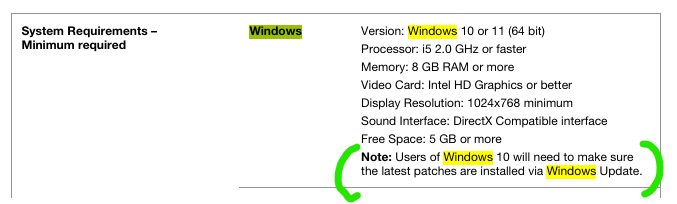
you probably don’t like the question, i dont like the question by myself… but have you done the latest updates on Windows 10? I know it sounds like a joke, but i just checked whether Win10 is still supported and found that note.
hello, i have a similar problem on engine 5.0.0 and all the several versions of my library on my SSD, usb drives and backup media are corrupted and not really usable. when i export to usb drives, playlists don’t get copied, when i try to use third party tools like mixo to convert from engine to rekordbox (mixo acts readonly and is not the cause of the issue) only few playlists (or none) are recognized.
my girlfriend lost all her playlists, and i’m up to loose mine.
we both do intensive use of cue points, and the real value of our entire collection hides in the cue points and in the manual beatgrid and bpm adjustments we did on our collection over the years, so we can’t just start over from scratch and we really need denon to get a sane approach to database handling (what about adopting the OneLibrary format instead of vibecoding their own?)
in addition to the export bugs, i have also noticed that sometimes the libraries from external media get properly unified in the main playlists view, while other times they get completely ignored. of course no errors are shown, no windows security alerts (permissions, security guards etc) show in the logs, and i have noticed the same behavior on the latest mac os as well.
as you can see from the screenshots attached. exporting to cleat external drives leads to no playlists exported, and previous libraries that were exported properly (playlists shown) don’t get merged into the unified library once plugged into another computer running engine 5.0.0.
also MIXO fails to parse the 70ish playlists of mine and only recognize 4 of them with just few tracks each.
we have also tried starting over with a clean library (this is how my girlfriend lost her collection):
fresh windows 11 installation done less than a month ago.
all systems updated properly performed.
engine 5.0.0 installed.
new m4a tracks downloaded.
m4a tracks added to new engine dj playlists.
few cue points added from the computer.
collection properly exported to an external 128gb usb drive.
few other cue points added from her denon live 2 running engine 5.0.3 first and 5.0.4 later.
cue points imported back into engine desktop.
few more tracks added.
new export to usb drive fails to add new playlists.
new export attempt starts randomly removing other playlists whose tracks received any sort of update (cue points, beatgrid alignment etc).
now the whole usb drive is empty (full of tracks with no playlists).
Thank you for posting all this detail — your case is extremely valuable, and I’m
sorry about your girlfriend’s collection.
The reason your report matters so much: I have an open ticket with Denon support
(822993) for exactly this issue, and their working hypothesis so far has been
that the cause is my environment, because I run Engine DJ on Windows 10 inside
Parallels Desktop on a Mac. Your setup rules that out completely. Clean Windows 11
installation, less than a month old, fully updated, no virtual machine, fresh
library, new tracks — and the same failure. Plus you’ve seen it on recent macOS
too. That points squarely at database handling in 5.0.0, not at anyone’s machine.
I have forwarded your report to my support contact. I would strongly encourage
you to open your own ticket as well, at support.enginedj.com — more independent
reports on the same defect carry far more weight than one.
When you do, I would emphasise the part about exports removing playlists that
were already on the drive whenever tracks receive updates. In my case exports
simply fail to write the playlist structure; in yours they actively destroy
existing data. That is a much more serious problem and users should be warned
about it.
For reference, my own findings, all on the same machine:
5.0.0, brand new library, new tracks never in any collection, freshly formatted
exFAT/MBR USB stick: audio files written, no playlist structure, right-hand
Sync Manager pane empty, PRIME GO shows a flat track list.
4.3.4, identical procedure, same stick: works correctly.
4.3.4 with a library that had previously been opened by 5.0.0: fails, exactly
as under 5.0.0.
That last point is worth knowing: rolling back to 4.3.4 does not undo the damage.
Once 5.0.0 has opened a library, that library stays broken even on the older
version. I lost my entire playlist structure that way, including a backup I had
zipped without realising 5.0.0 had already touched it.
For now I’m preparing my USB and SD media with rekordbox, which the PRIME GO
reads without issues. Not ideal, but it keeps me working.
i spent some proper time digging into the sqlite databases of my several libraries in their several broken conditions and spent some time trying to infer what was wrong with the new 3.0.2 database schema of engine 5.0.0.
The problem
Since updating to Engine DJ 5.0.0, exporting a library to a USB drive produces a drive with every track on it and zero playlists. The export finishes without any error, the players read the drive normally and the music is all there, but the playlist menu is empty.
The failure propagates. A drive written by the 5.0.0 export still holds your playlists and works on the players and in the desktop app, but if you later use that library as the source of another export (i.e. from another computer using the merged libraries feature that made me fall in love with engine), the new drive gets no playlists either. Once a library has been through the 5.0.0 export, every export derived from it loses the playlists. Downgrading to 4.x does not help, because 4.x cannot correctly process a library that was upgraded to the new database schema. Tracks and all their associated data export fine; only playlists are lost.
What the database shows
Engine DJ is proprietary (what a stupid choice), so I cannot read its code or contribute in any ways other than reverse engineering it, and i’m VERY bad at reverse engineering stuff, so everything that i tried to do was to play with the database files. Luckily enough they were not so stupid to encrypt or obscure the database format, which is luckily an unencrypted collection of SQLite files that simply happen to be overly complicated (overengineering? stratification of ideas over time? no shame in that). The “what” is verified fact and the “why” is deduction, since the export logic itself is not visible to me.
The library sits in Engine Library/Database2/. Playlist data lives only in the main file m.db; the companion files hm.db, sm.db, and stm.db hold history and streaming data and do not matter here. Two tables matter. Playlist holds the folder tree, with title, parentListId for nesting, nextListId for ordering, and two boolean flags named isPersisted and isExplicitlyExported. PlaylistEntity holds which tracks belong to which playlist.
I compared three databases: a healthy library that exports correctly, a 5.0.0-exported copy of that library which fails to export, and a broken export produced from a library in that failed state. The findings:
On broken exports the playlists were never written, which rules out deletion and file corruption. SQLite keeps a per-table insert counter called sqlite_sequence, created on the first insert into a table, and it survives row deletion and database compaction. The broken exports have no counter row for the playlist tables at all, zero reclaimable pages, and a clean integrity check. The export never executed a single playlist insert.
The database schema is identical between the healthy and broken databases, both at version 3.0.2. Whatever breaks the export is a difference in data, since the schema did not change.
The playlist data in the failed library is fully intact. I checked the tree structure and the track memberships down to the linked-list ordering, and everything is valid, which is why players and the desktop app read the library without complaints. The data is present and readable, and the 5.0.0 export simply does not emit it.
The 5.0.0 export zeroes the two flags on the copy it writes. Playlist IDs survive export unchanged, so every source row matches an exported row one to one
For my specific case, 128 playlists lost both flags, going from 1 to 0 while exporting from a healthy library migrated to 3.0.2 but still capable to export to new drives, resulting in a new exported library that was readable but could no longer export to new drives, and none went the other way. Tree structure and edit timestamps were untouched. The flags that survived on the exported copy belong to playlists created or edited on a player after the export, because the player sets them again.
Once the flags are gone, the export writes tracks only. The exact internal condition stays hidden in the proprietary code, and the failed library even kept two flagged root folders without recovering, so the condition is not a simple per-playlist filter. What I can say from experiment is that restoring the flags restores the export.
The fix
I patched two copies of a failed library and ran real 5.0.0 exports against them. The copy with the flags restored exported its playlists again. The second copy had additional changes on top and also worked, so the flags alone are the cause and the fix.
Some context on how I got here and what that means for you. I am a Linux user, and all of this research was done going back and forth between my Linux machine and Windows lab machines, because Engine DJ only runs on Windows and macOS. Denon should seriously consider releasing a native Linux client at this point. The fix itself is only a SQL query against the SQLite file, so any SQLite tool on any operating system can run it. I did my patching on Parrot Security with the sqlite3 command and sqlitebrowser. I have not run the Windows procedure end to end yet, since what I describe for Windows is a reconstruction of what I did on Linux. I will try to reproduce the exact steps on a Windows machine, but until I confirm them, treat that part as untested and take the precautions seriously.
The procedure: quit Engine DJ completely and make a backup copy of m.db. Open the file with your SQLite tool, run the query below, and save the changes. The file to edit is the library you export from. On Windows that is C:\Users\<you>\Music\Engine Library\Database2\m.db and on macOS it is ~/Music/Engine Library/Database2/m.db. For a drive library, edit <drive>/Engine Library/Database2/m.db.
But it works even if you apply the changes straight to the database in your USB drives, which makes much more sense since it’s external drives where the but mostly manifest itself.
UPDATE Playlist SET isPersisted = 1, isExplicitlyExported = 1;
Then launch Engine DJ, export again, and check the new drive:
SELECT COUNT(*) FROM Playlist;         -- 0 means the bug is still there, more than 0 means it worked
SELECT COUNT(*) FROM PlaylistEntity;
The query flags every playlist, which is deliberate: it satisfies whatever flag condition the export checks, without needing a healthy reference library to compare against, which most people do not have. The side effect is that every playlist shows as explicitly exported in the software, which was cosmetic in my testing.
Seeing so many previously deleted empty playlists popping up again in your collection will bring you back memories
If a 5.0.0 export already gave you a drive with no playlists, your source library is affected, so apply the fix to it and export again.
Most of us like to export to USB drives and use such USB drives as backups, counting on the old merged libraries feature to kick in and allow old data retrieval. I presume the change in behavior passed silently to the production version because engine devs never took that use case in consideration since engine already offers a backup feature, but unfortunately not everyone lives with only one computer, only one library and only one source of truth for the latest status of the music collection.
Limits of the fix
You cannot repair an already broken exported drive in place (the usb with no playlists can’t be fixed, only the library with playlists that can’t export its playlists can be fixed), because the playlists were never written to it. Fix the source library and re-export.
The fix holds on the source library, because the export strips the flags only on the copy it writes. Every drive written by 5.0.0 is itself poisoned as a future source, so if you ever export from such a drive, run the fix on it first.
Until Denon patches this, check the playlist count on every export before a gig.
i am still curious why several engine versions ago, all of either my cue points or my beat grids were shifted by some milliseconds to the left. now that i managed to recover my library (and even save my girlfriend’s one), i’m left with all my manually adjusted analysis data and all my cue points completely ruined. i can’t recollect when the shift bug was introduced, so i don’t know where to start to fix it, and as i mentioned before, the real value of my collection was not in the tracks and their order in playlist (that’s easy to re-download and restore into any software) but from all the years of metadata adjustment done on them (grid, cue points, saved loops etc).
maybe my adhd will trigger again and i’ll infer a fix from looking at the database, but i really hate SQL and i would love to waste my time doing other means of contributions.
i hope my previous research saves someone else as it saved me today
TL:DR
healthy library touches engine 5.0.0 and its schema gets updated. from now on everytime you export from this library to another drive, the isPersisted and isExplicitlyExported flags may get stripped away from the newly exported library.
from now on the exported playlists will sometimes show up on other computers. some other times they fail to merge and no playlist is unified (new computer, new engine software, usb connected with playlists inside, no playlists shown on engine, but playlists appear under the “drives” menu in the bottom left).
if you are lucky, and your defective second generation drive gets properly unified into the engine library, it won’t export, and any resulting export will result in a third generation of drives where the playlists don’t get exported at all, even if you properly select them in the export window and if all the tracks in such playlists get copied into the drive.
applying that query to the second generation drive will work as a nice workaround to make it merge into the unified library correctly when connected to any computer, and will make engine export it to other drives with all the playlist data properly populated

 i thought you are running 2 independed OS-Installation… i wasn’t aware of “Parallels Desktop” is a virtualisation software for OSX or just haven’t read proper… I got more friction with Hyper-V, VirtualBox, VMware …