As of today, I have tried to update my Prime 4 from 2.2.2 (I used it a long time ago, due to some difficulties…) to the latest 3.1.1. The update was successful through USB, but after the update was done, the screen freezes on the Wifi selection screen with the Engine OS logo.
Tried all of the versions since 2.2.2 through 3.1.1 without any success.
After going back to 2.2.2 everything worked fine.
So, last time I used it, unfortunately the left platter’s screen gave itself, and only shows whitescreen instead of logos, even when booting.
I have not cared much about it, since I don’t use it that much for logos, and the platter’s touch function worked fine.
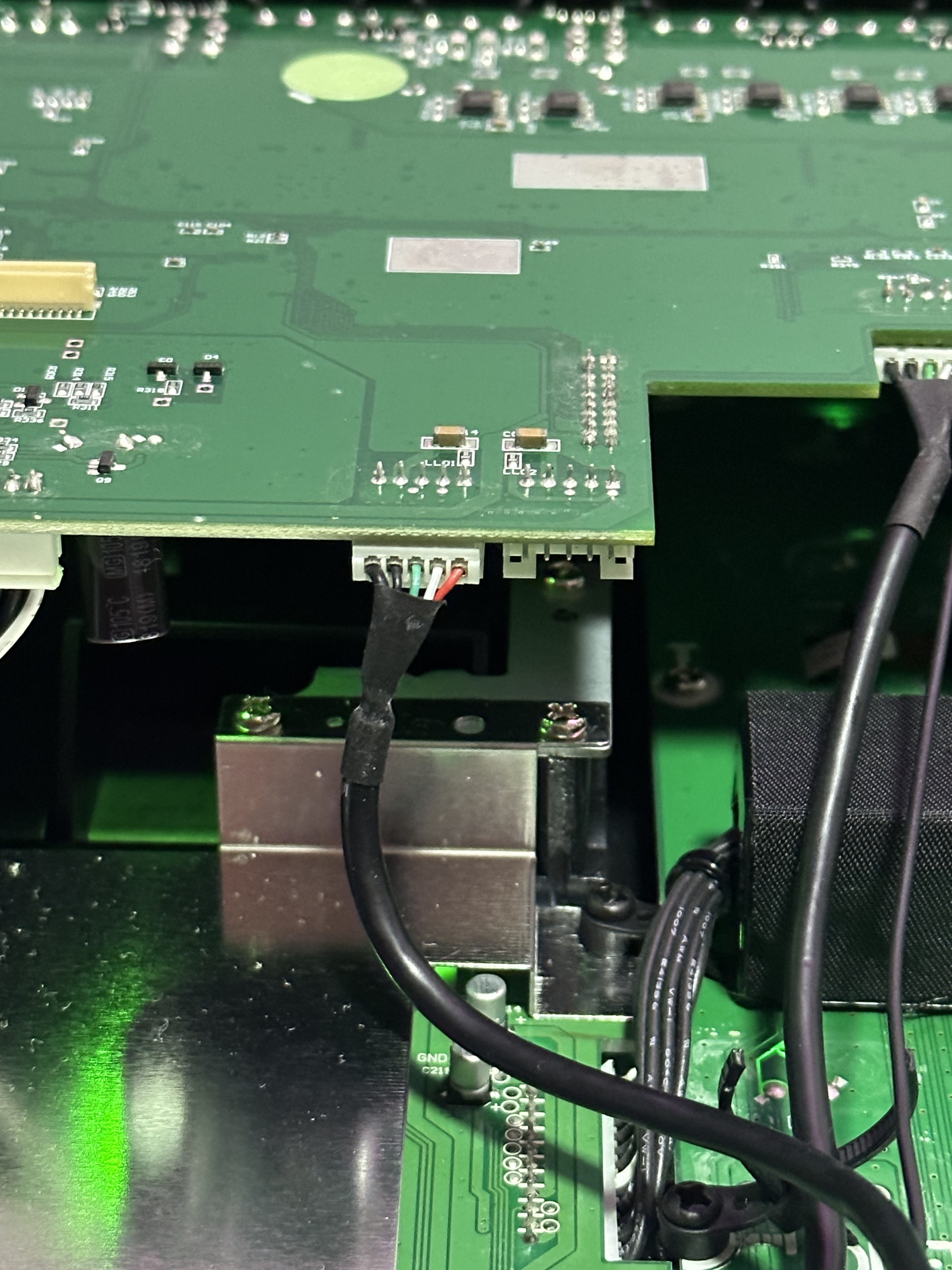
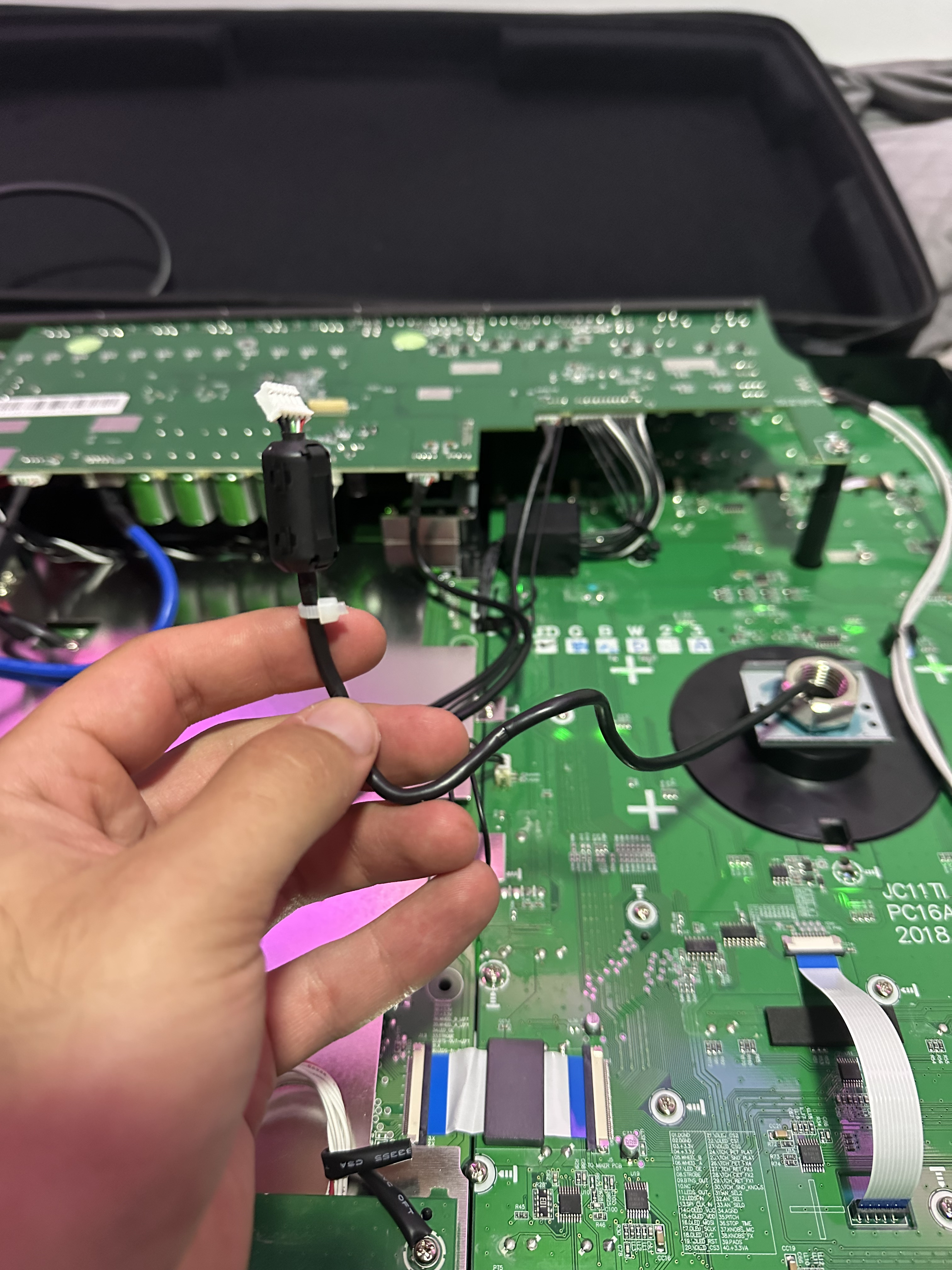
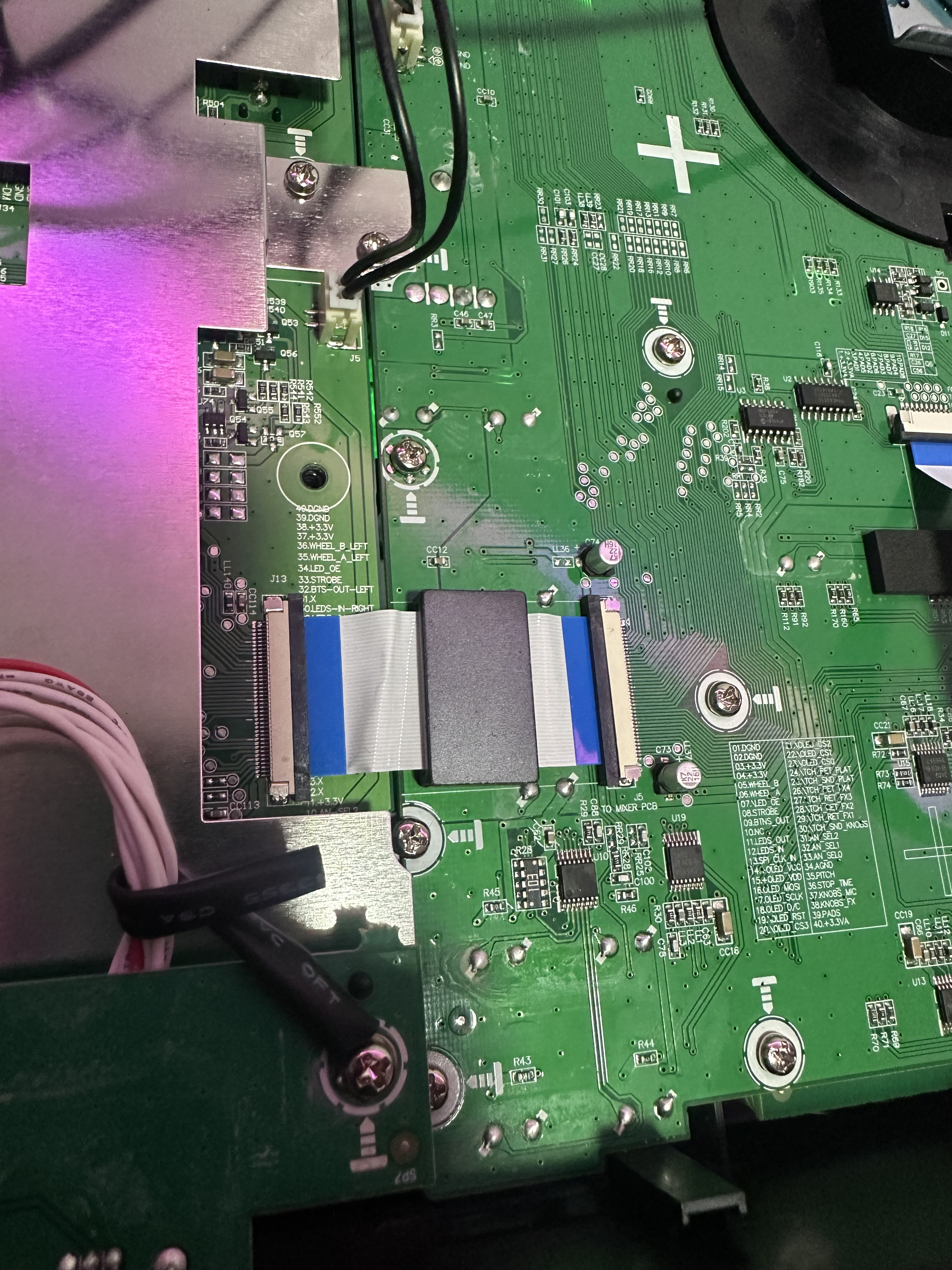
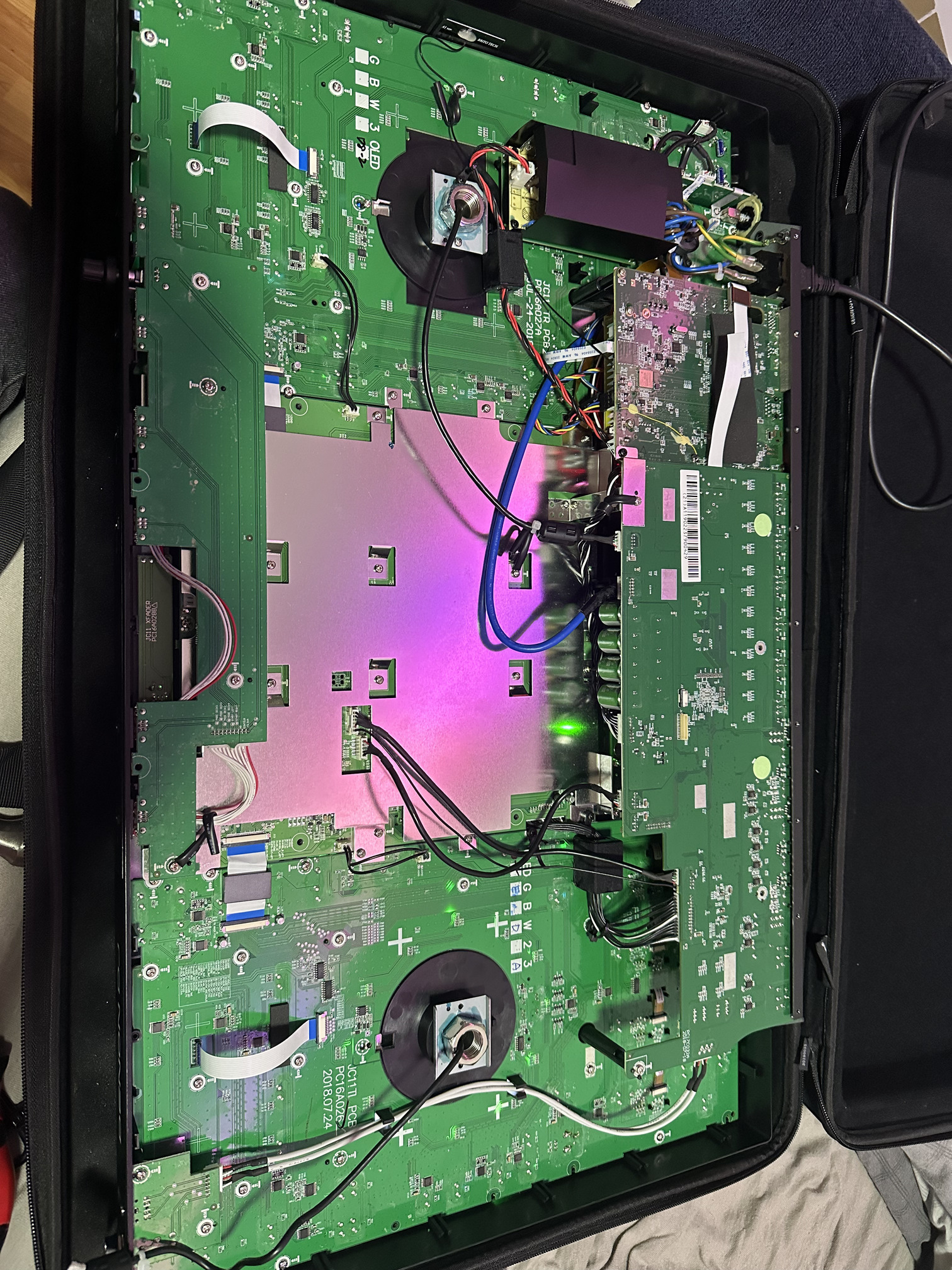
On my random thought I disassembled the controller, and found the cable that goes into the screen for the platter.
I have disconnected this cable, and since then controller is booting fine!
Anybody ran into this issue with the cable, and if so, how did you manage to repair it?
I have contacted the local support in my country (Hungary) and they charge 200$+ for the repair, but I think it is too much for it.
Is there any chance I can repair it for myself, or should I just leave the cable disconnected for future usage?
I worked as a repair tech in an IT shop, I think I could find my way around this, just checking if anyone run into this?
I have attached a few pics, so you can see which cable is the root of the problem.
If it’s open and broken, I’d suggest you get it sent to an authorised service centre.
If you’re not too fussed about getting it looked at by a service centre and are out of warranty (we’ll void now, as it’s been opened) I’d suggest plugging the left deck into the right decks connector and see if the fault follows the deck or stays with the same connector
Sounds like a long shot but there’s an issue that you may have inadvertently missed as it’s not well documented. Ignore if it’s not.
When you update from an Engine OS version that is lower (or much lower) it will do a controller update and/or screen update.
How it works is this:
Update to EOS software.
Pause/freeze on WiFi screen for a bit.
Reboot.
Update controller firmware.
Update screens firmware.
The issue you may have encounterd is that the controller and screen firmware comes after the Engine OS update. It starts applying once the WiFi screen appears so you just have to leave it for a few minutes. The Engine OS device will reboot again and you’ll see these modules update. This isn’t stated anywhere and I’ve been caught out a few times.
Try again but let it do its thing. There’s no indication it’s about to do the other updates after the main one but a telltale sign is the freezing on the WiFi screen.
I could be wrong but you just have to leave it to reboot again a few times and let it apply the other updates.
Also, going up a few smaller updates between can help rather than a big jump.
Ignore if it isn’t the issue. I’m just thinking out aloud as I’ve had similar before.