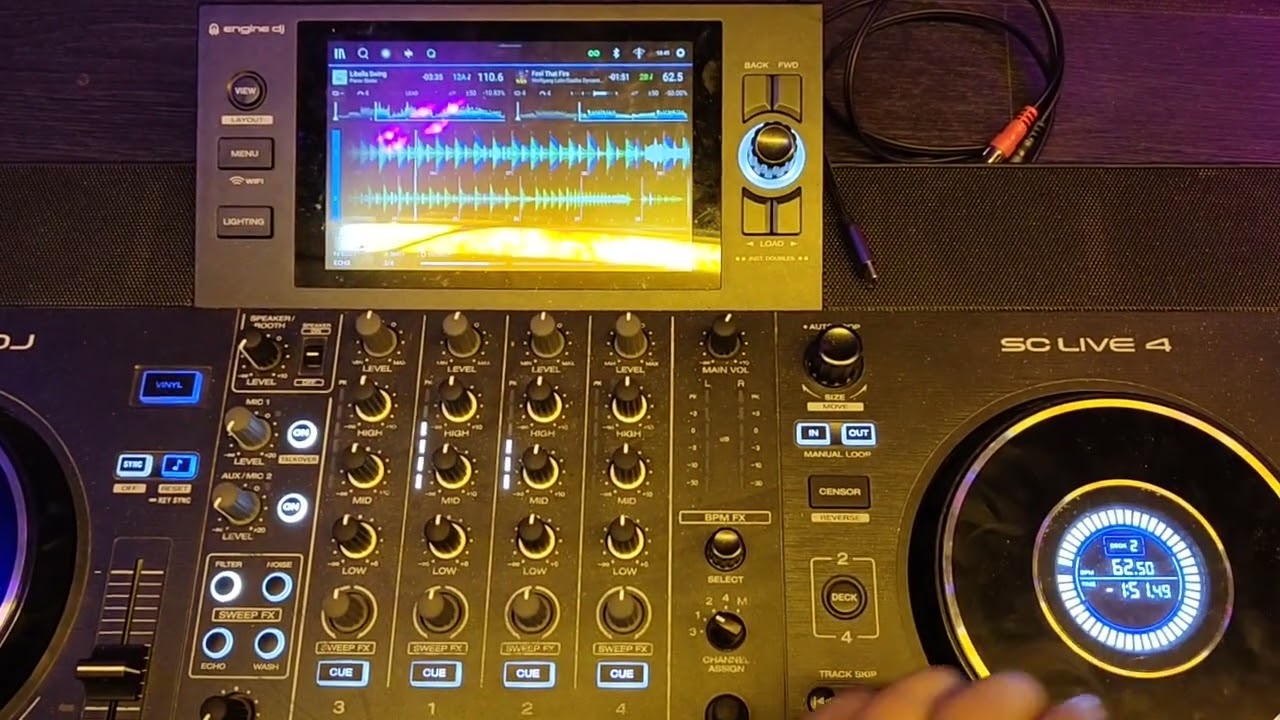
Changing the speed does not change the zoom of the right player. Instead, the waveform moves faster/slower.
Pressing “Beat jump” sets the zoom correctly.
Steps to reproduce: no idea
Changing the speed does not change the zoom of the right player. Instead, the waveform moves faster/slower.
Pressing “Beat jump” sets the zoom correctly.
Steps to reproduce: no idea
This bug is widely reported for the past…year or so (“waveforms not syncing” or similar).
But you are the only one that has done 2 things immediately:
For me this is just funny because it reminds me of atomixmp3, a software pre-dating VDJ that tought me visually the effect of increasing/decreasing pitch of a track.
Anyway, enough rambling - inMusic confirmed “they are working of a bug fix in one of upcoming releases”
This is a Critical bug. It has happened now every time I dj. After a few hours or so. It should be fixed immediatly. It would be unacceptable if it were to happen during a set.
It only ever effected channel 2. I have yet to confirm if playing on channel 4 could be a temporary workaround, if it were to happen during a set.
Noticed a link to this post on reddit https://www.reddit.com/r/DenonPrime/comments/1ssumxq/waveform_different_speed_even_though_same_bpm/
I’ve never seen this bug until my very first time using the prime 4+ in front of a live audience last weekend. Firmware 4.3.4. I’ve used the prime go a lot more (same firmware) and never seen the issue. Was a bit disorienting but managed to get through my set. Glad I know the workaround now!
I can’t replicate the issue on demand, and I’m curious… can anyone who can make it happen confirm v5.0.0 fixes it? All I could find in the notes that might be related is: