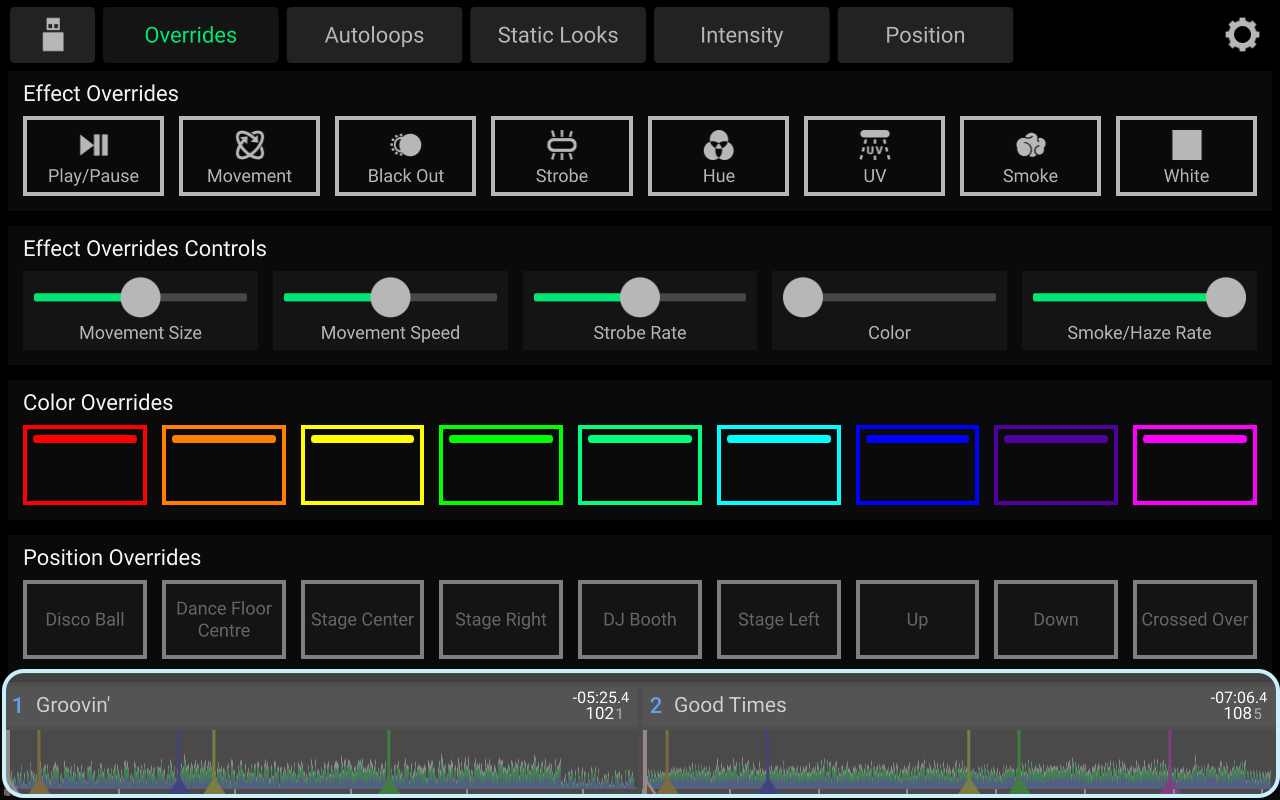
Hi, I’m using Prime Go and Engine Lightning. With the 4.1 update it seems like the layout was changed for the Lightning view: There’s not anymore a complete waveform preview at the bottom e.g. in the “Overrides” screen, but only a small play position indication and basic information for both tracks.
It has now become quite cumbersome to activate Lightning overrides at the right moment in a track. Despite all the great updates, this is quite a drawback to the previous versions.
Did I miss something and you can bring back the full track waveform via an option?
At least I didn’t find it. Or maybe in an update you could bring it back?
Hey everyone, I am facing the same issue for a while, but didn’t talk about it yet as I hoped this was just a temporary issue. I fully agree with DaveD, replacing those helpful waveforms (incl. cue-markers) with very basic time bars was a downgrade. I have a Control One unit, yes, but I still heavily rely on Engine Lighting and constantly switching between EL and Performance View is a PITA, especially since the P4/+ has no dedicated Lighting button, just that fragile and small View button.
Is this more of an issue for the Engine DJ or SoundSwitch department?