so it could be another bug?
I hope not ! 
What’s the best way to handle this—perhaps in a new thread?
I’ll open a ticket, I tested the same tracks that caused the problem, but it didn’t happen, same volume settings, oh I checked, the limiter in my prime 4 plus is deactivated! so I think it’s a new bug!!
Salute,
unfortunatly i can confirm the same behaviour. 4.3.4 was at least freezing the display, what i’ve been already quiet surprised about . With 5.0.1 I also get silence gap on the output during loading tracks.
Since i’ve especially went onto the Prime4+ in decembre 2025 to avoid this problem I’ve had with my NumarkNV with Serato… (Unreliable Output)…
I was really thinkin with my decision to go standaone, i get rid of all these matter.
Obviously I was wrong…
Has anyone of the ticket reporter got any feedback from Denon towards this?
It feels like buyin’ a VW in 2015…
Fortunately you can downgrade.
Communication of the EngineDJ dev team or pr persons would be appreciated though, (We are not at fault, the bug does not exist, lets not communicate out in the open , etc feels really like 2015!) Manage your community. We are all invested/involved in your product(s).
Same issue on my sc live 4, plus the multitouch screen funtion on the lightning are doesn’t work properly.
thx, for the hint! i ll keep it in mind. i already packed the prime n lc back into their boxes… iz been a bit demotivatin, so a.t.m. i aint havin the energy start fiddlin for previous versions…
i just hope there will be a quick fix or at least a statement like: use certain ssd
weird---- I had the same issue but only in headphones cue / main ( just after loading new track audio was droppped for aprx. 2-3 seconds)) main output was not affected.
Now, the issue is gone and I didn’t do anything besides chaning waveforms color to RGB
I am on 5.0.1 P4+
Moin and to whom it may concern
I want to make it brief as possible:
Same problem with Audio stutter (a minimal break, first I thought, it’s caused by an effect (FX …))
- Using P4 / P4+
- running 5.0.1
I recorded my test GiG with Audacity on a lap top, using output = “Booth” respectively “Zone”. The minimal drop outs are recorded as well and I think the drop outs are occuring randomly
I believe, the next update is in preparation 


Brgds BeatMaster
There’s been changes to StagelinQ in version 5.0. I suggest if you’re not using it and are having issues to turn it off and check if you’re still getting issues.
heija dj_remedy,
i’ve been motivated to fiddle around since i 've read ur post. i did not reset+flash… i expected this process to happened successfully.
i ran a rescan,cleanup in engine dj and have formated the ssd within the prime.
At first sight i thought “Hey only CUE laggin” im back onto 4.3.4 lvl..
Then i’ve tried to stress the device a lil.
I set 2 channel synched on double drop, whilst runnin them i turned CUE off.
I heavily used the Next-Button on a 3rd deck.
The gap on the MAIN still occurs.
Maybe u double check on ur device…
Still… happy frydae
So you’re saying that you managed to reproduce the same problem on 4.3.4 too?
No. I haven’t downgraded back. I left the update (5.0.1). I just thought it feels like 4.3.4 like only display n cue (freezes) affected by loadin until i did what i tried to describe above…
sorry i aint native english speaker 
The idea was like follows: If dj_remedy cant reproduce, he/she may be lucky and i will do the steps with factory reset as well. If he/she can reproduce what i did, it creates awareness..
Currently i’m not dependent in a professional way on it… So iz not stressing too hard…
plus imagine i go back onto 4.3.4 and it can be replicated in a even lower frequency… nono i dont dare ^^… (since evo 980 are affected too)
i ll patient n soon i ll be happy.
I have actually already tried all of that. Support merely suggested that I try reinstalling the firmware—which I did—and I tested the result:
- It stutters.
- Factory reset.
- It stutters. Not always immediately, but inevitably.
Support has now escalated the issue to their “experts.” I would absolutely not go live with version 5.0.x. I was not offered an option to roll back.
This is now my second weekend with the XDJ-AZ. I am slowly getting used to this “tank.”
Thank you a lot. I consider this almost as a first official statement <3
Can you perform this test if you have images in the tags of your audio files? First, perform a factory reset, then clean your library using EDJ Desktop Library Optimization → Run Cleanup. Next, instead of displaying the album art for your audio files, create and place a PNG logo with a maximum resolution of 600x600 in the engine_library folder. Then, disable the RGB waveform and switch to Tri-Band mode to perform this test. Now, test the behavior of your players to see if there is an audio problem. If everything works smoothly, then perform a test with the RGB waveform. Remember to zoom out on the waveform; the more you zoom in, the more it appears to flicker.
But the most important thing is to eliminate the audio problem. The reason I suggest this is because I don’t have this kind of problem with my three players.
Personally, I don’t use the album art for my audio files; I’ve deleted them all and replaced them with a logo.
It’s worth noting that Engine DJ now stores the images in a folder named “artwork” and also has a folder named “Overviewdata” containing the RGB waveforms. This could potentially create an overload in the database, causing a slight overload on the cache memory.
I would also add that you should carefully consider the recommendations in the user manual, even if it means exceeding those recommendations to achieve the best hardware performance. For example: don’t use storage larger than 1TB, don’t exceed 100,000 audio files (personally, I don’t recommend exceeding 50,000 files, and even better, keep it well below that), and use the exFAT format.
Prime players only have 2GB of RAM and a quad-core processor from before 2017. The more information you feed them, the slower they become: image tags (not exceeding 600x600 pixels), Hotcues, Loops, RGB waveforms, Stems, audio file formats and encoding quality, streaming files… Many factors can reduce player performance.
Thanks for this Info. I was watching also threads on facebook on this and… oh boi… they acting naughty…
Since I’ve seen/known about the DebugWindow from AdvancedMenu i was already suspecting some “pc” in it. No “seperate” devices itself on the channels… it could be anything IRQs or whatever bus blockin the OS
The problem occurs also to users with small libraries and fast SSD.
Regarding the old hardware… I think its not on the endusers responsibilty to think one minute on it. Rocket flyin with weaker hardware…
So if images are the reason, it should be handled by the provided software…
They claim the device to be able to deliver a certain functionality… I bought it cause of it..
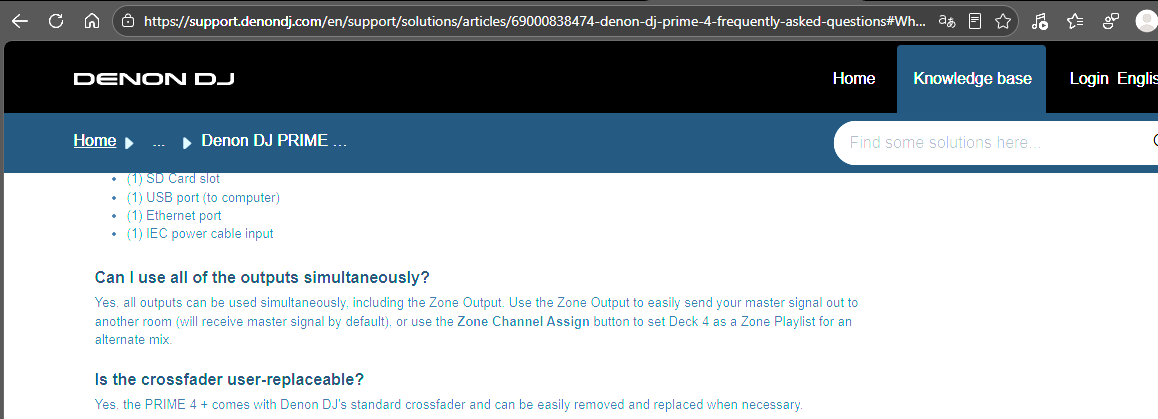
it says you can play all of them, i expect loading without effects on output at least.
I don’t wanna vibe bad, just hoping it ll be no problem in the near future anymore.
Since I heared “experts are now on it”
Personally, I don’t use the album art for my audio files; I’ve deleted them all and replaced them with a logo.
What would be a valid way to replace the album art when the resolution of the files is randomly way to high on some tracks? I would think of something like:
- Replacing the album art of the tracks with a 3rd party tool (with the real picture or with a logo, doesn’t matter)
- delete all the files in the (new) Engine album art folder
- re-analyze for missing data
- Files should be re-hashed, database should be re-populated with correct filesnames
Did anyone take exactly this approach and can confirm this is the way to go?
In Germany, the term “expert” certainly doesn’t have a good reputation.
Just a little joke—even if the situation isn’t really anything to laugh about.