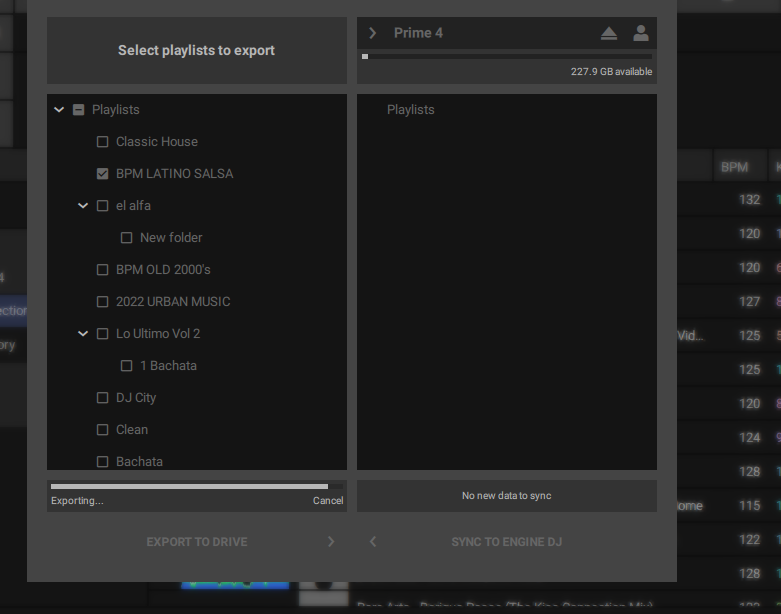
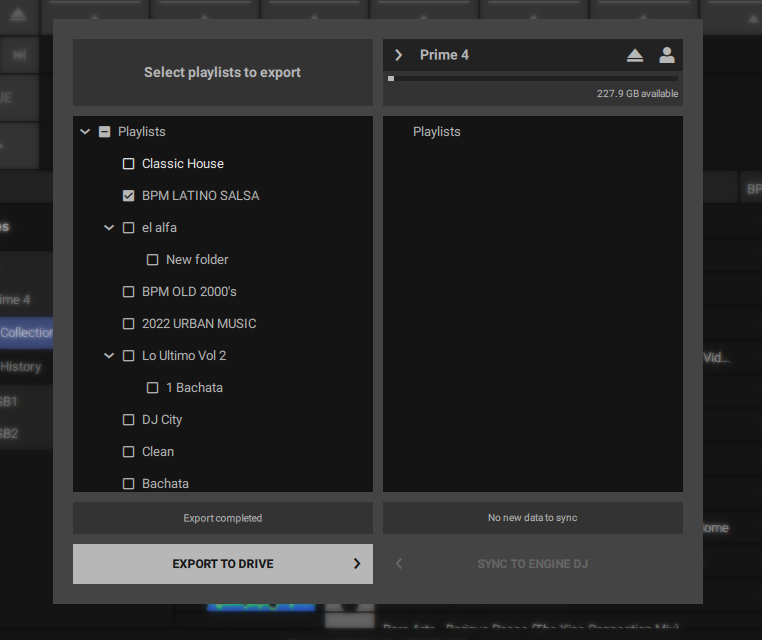
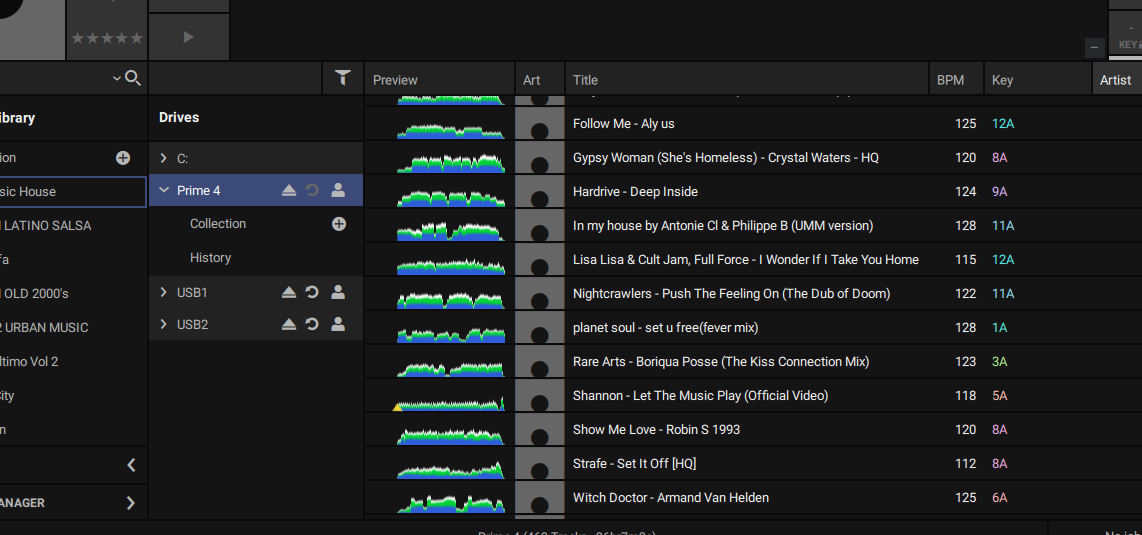
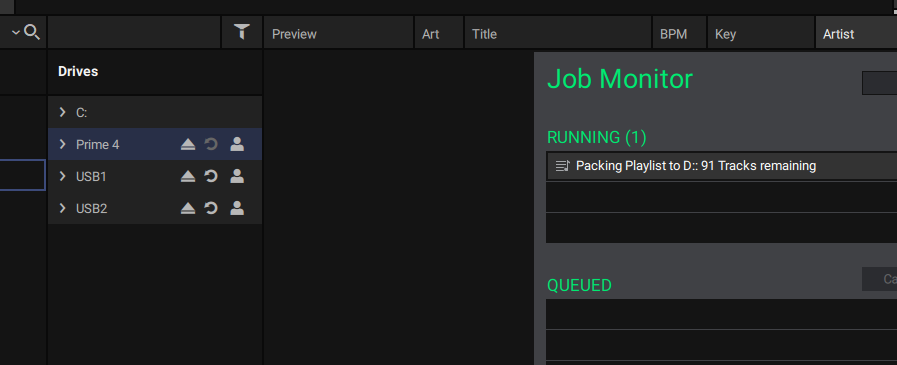
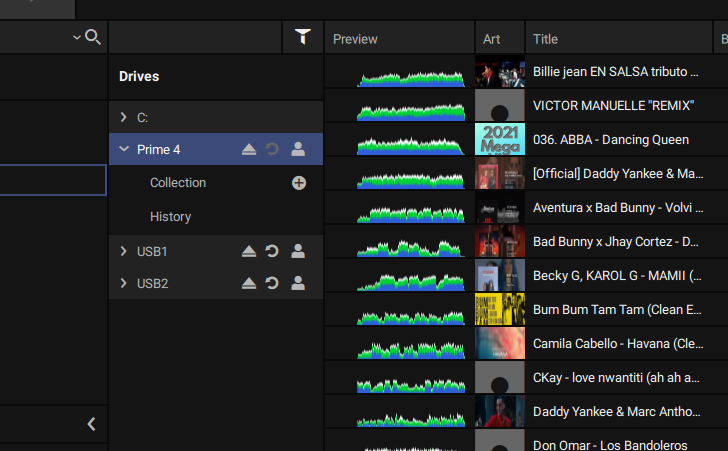
You’re saying no playlists are visible that used to be visible? Is everything set up correctly on the desktop app?
I can only suggest formatting the SSD and re-exporting the collection as it looks to be a DB issue on the device itself.
You’re saying no playlists are visible that used to be visible? Is everything set up correctly on the desktop app?
I can only suggest formatting the SSD and re-exporting the collection as it looks to be a DB issue on the device itself.
always remember that, importantly, when you go back to the previous firmware you must always do it on both sides: PC AND P4! then run a PC registry cleaner (there may have been problems with all these version and downgrade steps!) when you format, do you do it in EXFAT? have you tried on the P4, to upgrade firmware from pendrive? (much more reliable than ever at a hardware technical level)… if you go back to the previous version it MUST ABSOLUTELY work AS GOOD BEFORE! what you sent in the picture…is typical of the mistake it makes to me too, BUT ONLY IF I SWITCH TO THE NEW FIRMWARE 3.1.0 !! otherwise if you go back, everything will work again as before!!
I did went back on both PC and P4. I did format to exfat,
Ok I just discovered something and please excuse me if I sound dumb Im new to this stand alone stuff…lol I have a 500GB internal SSD and 2 usb drives on the top port. I exported the same music folder to the usb and it work. I should I do on the internal because it shows the issue is with the internal.
I did it twice…loaded 3.1.0 , made various tests, sync , etc etc…and it didn’t go well…so then I did the downgrade to the previous 3.0.1 , but be careful! ! uninstalling from the PC, the old version 3.1.0 , (cleaning the registry of the directory C:\ as a precaution) , and installing the old 3.0.1 !! have you tried to do this?
in fact, it seems that other users work on external ssds, and make the new firmware work with the P4, in this way (with internal ssds it doesn’t work for me and gives the same error as yours) I don’t trust working with external ssds during my nights!! I repeat, I prefer to wait, soon, for Denon to come out, with a new firmware, which will correct this serious software problem!! much more reliable than doing these little games of format or external ssd! you can wait, the world won’t end if we keep working with the old reliable and stable and more reliable version!!
Tbh, I think 3.0 had more people with problems after release. The same responses even, solution to revert to stable 2.4.
Prime4 got the most changes of all devices this time around, but to my knowledge non of the testers came across the issue stated above. I’ll tag some peeps in the meantime.
I just did some testing on my end.
SDCard formatted in exfat
Music in D drive, windows PC
TEST A
created a db with engine 2.4,
exported a playlist to sd card
exit engine dj
uninstalled 2.4 and installed 3.1
made some extra playlist in 3.1
synced it with no issues to the sd card that was initially created with 2.4
TEST B
In Both Scenarios
I was able to sync following updating to 3.1
could it be some kind of permissions issue?
Yeah I think they’ll want to gather the databases eventually.
I didn’t do anything special.
I even added hotcues etc half way through the testing just to agitate the syncing process…no issues at all.
I wonder if any of the folks having issues have used third party tools on their library. Last time we had this…remember.
Im just trying to work out why it wouldn’t sync anything at all, as if something is blocking that action somehow. It’s definitely strange.
Well I copy and paste the engine folder from my usb on to my SSD and it worked with 1 folder. Im trying with a big folder now. over 14,000 songs lets see if it works. Will keep you posted
If I decide to write, it is to be able to help other people who read the thread, which is what almost all of us usually do, try to help, that the advice is not useful to you, it seems respectable to me, but you do not need to expose your personal problems nor disrespect.
What I explained is what has worked for me, perhaps it is the fault of the translator, or that you have not understood it as I wanted to explain it.
I do not understand what is the problem of formatting the internal HDD of the prime4, if you have your correct collection you export it again and that’s it (it takes a while, but you can leave the pc working while you watch a movie or whatever you want) You don’t lose any songs !
I’ve tested again and it exports correctly, so I don’t know what your problem is, but of course, it doesn’t improve with an attitude that is not respectful, maybe you should do things more calmly, format, export using the Sync manager, just a list to test, then close and do it again with two, if you have problems replace the Engine folder of your internal HDD in the prime 4 with the one you have on your pc, you shouldn’t have a problem … remember to restart correctly after each change
my P4 has been working perfectly for 4 years, always updated by usb pen drive!! my pc is perfect win 10 " NO THIRD PARTY SOFTWARE as someone is writing" !! I point out that I lost my career (due to covid a few years ago), and before that I was a project manager at HP, (I worked for 40 years) so I think I know some software! if I write that nothing syncs after the new update, I don’t understand why some of you don’t believe! however there is no problem, I am working very well with the previous software, I have already spoken to someone from the forum, here, that I know, and he assured me, that there are many people who, like me, have this problem, and that the same It happened before, years ago, with an old update, Denon, then it fixed the bug the same way, so I’ll wait for this to be processed by Denon! Thank you !
I’m glad for your long career and experience, but I’m sure we’ll all be more helpful here if we try to find the problems, and let @denon take care of finding solutions if there are any.
Is there something that you have or do differently, because if it doesn’t happen to me, it’s for something, don’t you think? Perhaps before it didn’t fail you because they have been changing the structure of the program for a long time with a view to the future and it may be that this is what is affecting you now and you did not realize it before.
Could you record a video of the whole process step by step? do it with a single list, maybe that way we can see something, even if it seems obvious to you, we may do something different and the way to use the Sync manager is different or who knows…
Lot of time I do the following:
If use external SSD: (nowadays I do this, as it is more easy to keep synced everything)
If use internal SSD:
After this it can syncronize vice-versa. Maybe the ‘version’ file have some different info.
other expert denon users are writing to me privately…and they all agree with me!! Dear friend!! they are having these problems i am demonstrating and now in here is another user ( [Olwin_Ortiz ) who just proved you the same, with screeshots of him!! why do you still want to say the opposite and not agree with me? when I say that it is better to give the floor to expert software engineers like Denon as I have already repeated several times? and I close it here!!