# Wheres the hamster switch. How do you reverse scratch on the X1800?
**URL:** https://community.enginedj.com/t/wheres-the-hamster-switch-how-do-you-reverse-scratch-on-the-x1800/21922
**Category:** Mixers
**Tags:** scratch, feature-request
**Created:** [May 4, 2020, 5:59pm UTC](https://community.enginedj.com/t/wheres-the-hamster-switch-how-do-you-reverse-scratch-on-the-x1800/21922 "2020-05-04T17:59:31Z")
**Posts on this page:** 3
**Page:** 1
### Author:  [@4theloveofVinyl](https://community.enginedj.com/u/4theloveofVinyl)
#### Post date: [May 4, 2020, 5:59pm UTC](https://community.enginedj.com/t/wheres-the-hamster-switch-how-do-you-reverse-scratch-on-the-x1800/21922/1 "2020-05-04T17:59:32Z")
Pre purchase question: Is there a fader reverse function (hamster switch) on this mixer? I can’t seem to find it on the manual. The mixer definitely seems to had room for it under or near the fader Countour knob area and cross fader customizations . Is this achieved by the A/B Thru select switches under each channel fader or some other way? 😳
---
### Author:  [@mufasa](https://community.enginedj.com/u/mufasa)
#### Post date: [May 4, 2020, 6:00pm UTC](https://community.enginedj.com/t/wheres-the-hamster-switch-how-do-you-reverse-scratch-on-the-x1800/21922/2 "2020-05-04T18:00:42Z")
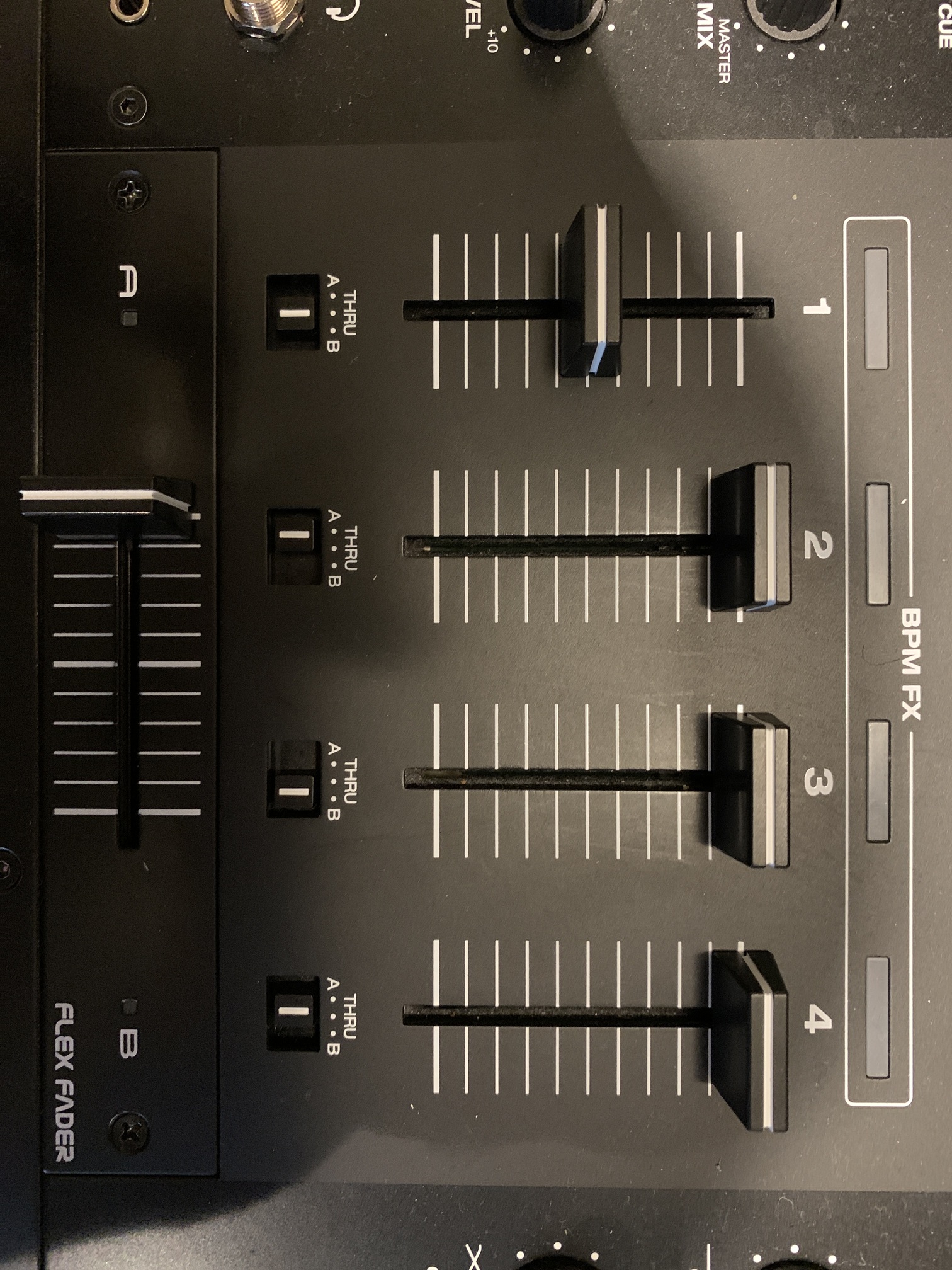
On the faceplate.
Club mixer standard.
---
### Author:  [@NoiseRiser](https://community.enginedj.com/u/NoiseRiser)
#### Post date: [May 4, 2020, 7:40pm UTC](https://community.enginedj.com/t/wheres-the-hamster-switch-how-do-you-reverse-scratch-on-the-x1800/21922/3 "2020-05-04T19:40:04Z")
Hello, When Your work flow is channel 1 left deck, channel 2 right deck, just assign them across to the crossfader and You have Your hamster. Example: channel 1 crossfader B, channel 2 crossfader A.