# MX5001TB hard drive corrupted after little use
**URL:** https://community.enginedj.com/t/mx5001tb-hard-drive-corrupted-after-little-use/30830
**Category:** Standalone Controllers
**Tags:** engine-os, prime4
**Created:** [March 20, 2021, 2:21pm UTC](https://community.enginedj.com/t/mx5001tb-hard-drive-corrupted-after-little-use/30830 "2021-03-20T14:21:29Z")
**Posts on this page:** 9
**Page:** 1
### Author:  [@SoundFish](https://community.enginedj.com/u/SoundFish)
#### Post date: [March 20, 2021, 2:21pm UTC](https://community.enginedj.com/t/mx5001tb-hard-drive-corrupted-after-little-use/30830/1 "2021-03-20T14:21:29Z")
Is there a common cause for the hard drive to corrupt and require reformatting? I just got mine, have about 30 tracks in it and just tried to copy a group of 10 analysed tracks in the laptop via engine prime from my USB stick to my hard drive. It looked like they transferred over and then i switched it to standalone mode, but when i checked the playlist it was empty.
Upon attempting again it now says the hard drive is corrupted and needs to be reformatted.
When i go back to standalone all the tracks are still there from all the other playlists.
Would could be the cause of this?
I’ve tried restarting Engine Prime on the laptop but the issue doesn’t change it’s saying I need to reformat the hard drive.
---
### Author:  [@mufasa](https://community.enginedj.com/u/mufasa)
#### Post date: [March 20, 2021, 3:31pm UTC](https://community.enginedj.com/t/mx5001tb-hard-drive-corrupted-after-little-use/30830/2 "2021-03-20T15:31:30Z")
> [@SoundFish](#):
>
> it’s saying I need to reformat the hard drive.
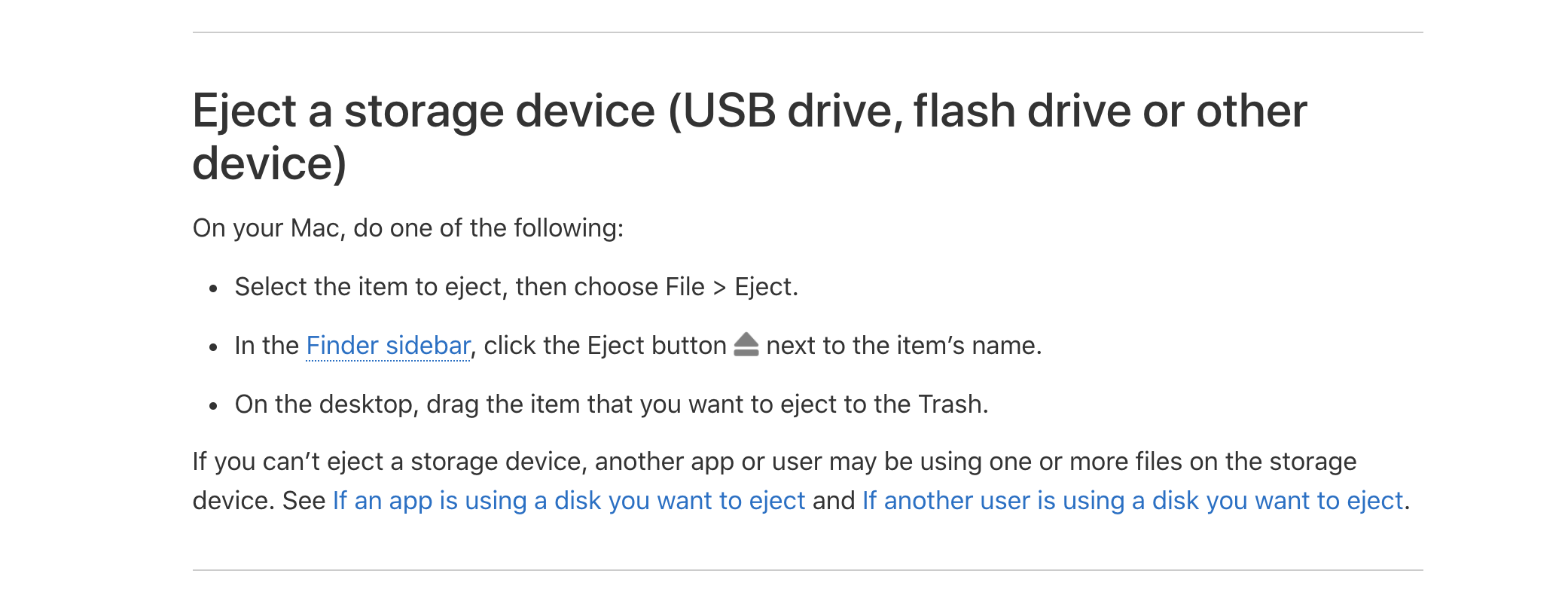
Did you unmount/eject the MX5001TB on the computer before switching to standalone?
---
### Author:  [@SoundFish](https://community.enginedj.com/u/SoundFish)
#### Post date: [March 20, 2021, 4:50pm UTC](https://community.enginedj.com/t/mx5001tb-hard-drive-corrupted-after-little-use/30830/3 "2021-03-20T16:50:07Z")
maybe not, how do you do that? Do you just close down Engine Prime software or is there another way to eject it?
Do you think this is what’s caused it to corrupt?
---
### Author:  [@mufasa](https://community.enginedj.com/u/mufasa)
#### Post date: [March 20, 2021, 5:56pm UTC](https://community.enginedj.com/t/mx5001tb-hard-drive-corrupted-after-little-use/30830/4 "2021-03-20T17:56:41Z")
> [@SoundFish](#):
>
> Do you think this is what’s caused it to corrupt?
There are numerous reports of corruption happening if the drive was not ejected prior to switching to standalone. It is just one of those peculiarities to be very mindful off.
> [@SoundFish](#):
>
> maybe not, how do you do that? Do you just close down Engine Prime software or is there another way to eject it?
You can eject in Engine Prime before closing Engine Prime
or
[Safely remove hardware in Windows - Microsoft Support](https://support.microsoft.com/en-us/windows/safely-remove-hardware-in-windows-10-1ee6677d-4e6c-4359-efca-fd44b9cec369#:~:text=Scroll%20to%20Windows%20Explorer%3A%20Safely,device%2C%20and%20click%20Remove%20device).
The installed Sata drive workflow is not my cup of tea. I prefer USB SSD/Drive to use with the Prime hardware
---
### Author:  [@PKtheDJ](https://community.enginedj.com/u/PKtheDJ)
#### Post date: [March 20, 2021, 6:45pm UTC](https://community.enginedj.com/t/mx5001tb-hard-drive-corrupted-after-little-use/30830/5 "2021-03-20T18:45:51Z")
> [@SoundFish](#):
>
> it now says the hard drive is corrupted
No it doesn’t. The message states that the **database** is corrupt. It then recommends reformatting the drive, which isn’t actually necessary, because the problem is with the database, not the drive.
**Denon really should change this message** because so many people either misread it or misinterpret it.
It’s been mentioned here many times, after many posts like yours.
---
### Author:  [@mufasa](https://community.enginedj.com/u/mufasa)
#### Post date: [March 20, 2021, 6:58pm UTC](https://community.enginedj.com/t/mx5001tb-hard-drive-corrupted-after-little-use/30830/6 "2021-03-20T18:58:13Z")
> [@PKtheDJ](#):
>
> **Denon really should change this message** because so many people either misread it or misinterpret it.
>
> It’s been mentioned here many times, after many posts like yours.
Maybe they also need to add a automated eject check box in the Sync Manager.
Eg Start Sync, Safely eject drive after Sync (YES) or (NO)
---
### Author:  [@SoundFish](https://community.enginedj.com/u/SoundFish)
#### Post date: [March 20, 2021, 8:09pm UTC](https://community.enginedj.com/t/mx5001tb-hard-drive-corrupted-after-little-use/30830/7 "2021-03-20T20:09:02Z")
So do I need to reformat the hard drive to fix the problem?
---
### Author:  [@mufasa](https://community.enginedj.com/u/mufasa)
#### Post date: [March 20, 2021, 8:32pm UTC](https://community.enginedj.com/t/mx5001tb-hard-drive-corrupted-after-little-use/30830/8 "2021-03-20T20:32:42Z")
> [@Database Corrupt Error Message](https://community.enginedj.com/t/database-corrupt-error-message/14024/19):
>
> Hi, For repair corrupt database, follow this procedure : PFD File with each screen : [Corrupt database.pdf](https://community.enginedj.com/uploads/short-url/2fs7QmUX4qVIBAPk60kl9y4nAZC.pdf) (507.4 KB) Copy All files from the « Engine Library » on your computer Download [https://sqlitebrowser.org/](https://sqlitebrowser.org/) Install The software Open Database corrupt (Often : M.DB and P.DB) Select Tool / Integrity Check Select OK Error appears : It’s necessary to make a new database Export Database to SQL File Select All and Save Save the SQL File Database Exported Clos…
have a look
Also if you can upload your logs
> [@Corrupt Database Help - Database and Log File Upload](https://community.enginedj.com/t/corrupt-database-help-database-and-log-file-upload/24076):
>
> Hi Everyone, If you are currently experiencing database corruption, please follow the steps below to provide us with your database and log files. This process takes a just few minutes and is really helpful to our development team. As always we appreciate your support and assistance! Database Files Navigate to the folder directory below: Windows: C: \> Users \> currentuser \> Music \> Engine Library macOS: Macintosh HD \> Users \> currentuser \> Music \> Engine Library Select all of the .db a…
---
### Author:  [@Graham.O](https://community.enginedj.com/u/Graham.O)
#### Post date: [April 18, 2021, 2:29pm UTC](https://community.enginedj.com/t/mx5001tb-hard-drive-corrupted-after-little-use/30830/9 "2021-04-18T14:29:27Z")
> [@mufasa](#):
>
> need
No,
I move the old database in the engine directory (by security) and copy the clean database.
I make always an copy of the “clean” database. It’s more simple.