# Engine Library Database: Album Art Hash
**URL:** https://community.enginedj.com/t/engine-library-database-album-art-hash/59189
**Category:** Engine DJ (Mac & PC)
**Created:** [October 9, 2024, 2:55am UTC](https://community.enginedj.com/t/engine-library-database-album-art-hash/59189 "2024-10-09T02:55:19Z")
**Posts on this page:** 5
**Page:** 1
### Author:  [@DeathCamel57](https://community.enginedj.com/u/DeathCamel57)
#### Post date: [October 9, 2024, 2:55am UTC](https://community.enginedj.com/t/engine-library-database-album-art-hash/59189/1 "2024-10-09T02:55:19Z")
Does anyone know how the Engine DJ/Engine OS database’s `m.db` `albumArt.hash` gets generated?
I know it’s SHA-1 with some sort of wonkiness to it (taking the PNG data from the other column, and SHA-1 doesn’t generate a matching hash).
Asking because I would love to help out with another DJ software project to add better support for exporting to Engine DJ/Engine OS.
---
### Author:  [@MrWilks](https://community.enginedj.com/u/MrWilks)
#### Post date: [October 9, 2024, 6:48am UTC](https://community.enginedj.com/t/engine-library-database-album-art-hash/59189/2 "2024-10-09T06:48:44Z")
@djliquidice will be your fountain of knowledge here.
---
### Author:  [@djliquidice](https://community.enginedj.com/u/djliquidice)
#### Post date: [October 9, 2024, 3:57pm UTC](https://community.enginedj.com/t/engine-library-database-album-art-hash/59189/3 "2024-10-09T15:57:45Z")
Thank you for the tag @MrWilks \<3. This is something i’ve honestly been meaning to look into.
## Short answer
I don’t know how they calculate the SHA1 and I can verify your findings. A simple `sha1sum ` doesn’t produce the same value as what’s in `AlbumArt.hash`.
## Long Answer
- Images are all stored in raw PNG format in `AlbumArt.albumArt`
- All album art are all scaled to (max) 256x256 pixels
- Images may be salted _or_ the SHA1 may be calculated somewhere in the pipeline from extracting the source image from the audio metadata before it’s stored in the DB
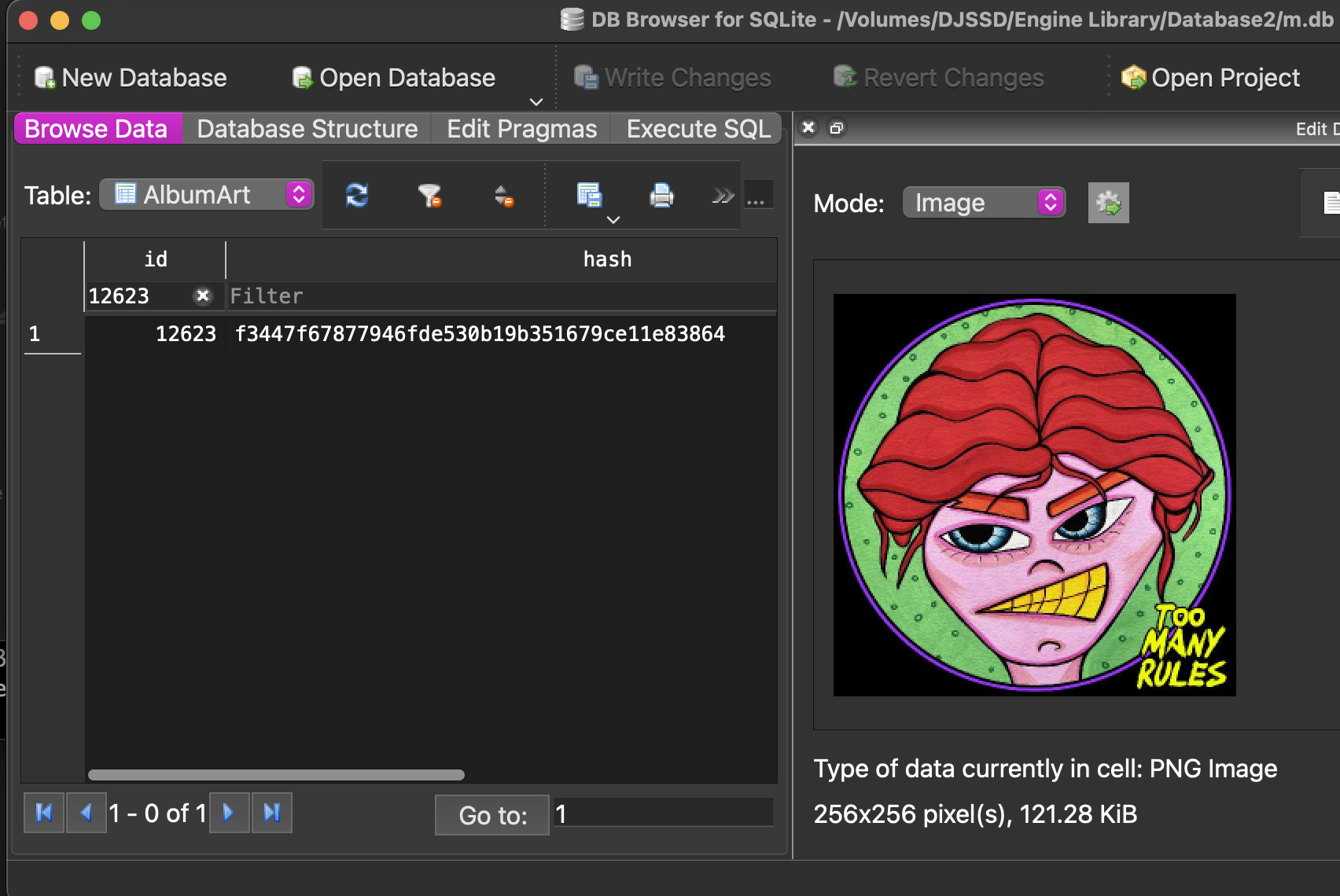
Using `exiftool` and `ffmpeg`, one can extract images from files:
```auto
ffmpeg -hide_banner -loglevel error -y -i INPUT_FILE_HERE -an -vcodec copy OUTPUT_FILE_HERE
```
or
```auto
exiftool -Picture INPUT_FILE_HERE -b > OUTPUT_FILE_HERE
```
Running `sha1` against both tools nets the same result, telling me that the extract works well. I also added the extract of a target album art image directly from the database `blob` and even tried to use `ffmpeg` to resize the image to a png file and got different results. (i’m not sure what PNG settings are used to resize fwiw).
```auto
user@CommanderKeen:x$ sha1sum from*
439d586667e14887f730cd34b2cd7fde6cdc2189 from-db.png
319454523f3d77b2aebf4d9ba543c64ee0fa9c0a from-exiftool.jpg
319454523f3d77b2aebf4d9ba543c64ee0fa9c0a from-ffmpeg.jpg
96aef873f12e55447650d700f65437b37bdd34de from-ffmpeg.png
```
@DeathCamel57 , one thing to think about is that `Engine OS` likely does not care about the how the SHA1 is calculated, but `Engine DJ` does, because it’s responsible for importing data. So… your tool likely can do what it wants to do and just use the raw SHA1 value from the extracted image of a song and put that in the table. Worse case scenario, a database has a some duplicate image records. Doesn’t seem to be a huge deal for most users with small collections.
If you do come up with the answer, please share =)
---
### Author:  [@uklotzde](https://community.enginedj.com/u/uklotzde)
#### Post date: [May 25, 2025, 3:26pm UTC](https://community.enginedj.com/t/engine-library-database-album-art-hash/59189/4 "2025-05-25T15:26:25Z")
Engine DJ will probably never recalculate the `hash` from the content of the `albumArt` column. It only needs to be calculated for newly imported cover art from track files.
Maybe even the original image is used as the input for the hash and not the resized PNG image that is stored in the database? Very likely, if you consider the use case. But I couldn’t confirm it. Applying various hash algorithms to the original image data didn’t result in a match.
Leaving the original hash unmodified ensures that the same image (re-)imported from new/updated tracks results in the same hash and the corresponding album art is reused as expected. Even if the image data in the `albumArt` column has been replaced behind the scenes, e.g. PNG by JPEG.
This applies to existing entries. Unfortunately, adding new entries without reverse-engineering the internal algorithm will cause duplication of album art data in the database. Or hash collisions in the worst case.
---
### Author:  [@djliquidice](https://community.enginedj.com/u/djliquidice)
#### Post date: [May 25, 2025, 3:29pm UTC](https://community.enginedj.com/t/engine-library-database-album-art-hash/59189/5 "2025-05-25T15:29:08Z")
Really well thought out dude. Nicely done! \<3