# Cannot change the beatgrid within SC6000 players
**URL:** https://community.enginedj.com/t/cannot-change-the-beatgrid-within-sc6000-players/43608
**Category:** Engine DJ (Mac & PC)
**Tags:** beat-grid, bug-report, sc6000, engine-dj
**Created:** [August 8, 2022, 9:34am UTC](https://community.enginedj.com/t/cannot-change-the-beatgrid-within-sc6000-players/43608 "2022-08-08T09:34:41Z")
**Posts on this page:** 4
**Page:** 2
### Author:  [@Marek\_Reuter](https://community.enginedj.com/u/Marek_Reuter)
#### Post date: [August 13, 2022, 1:32pm UTC](https://community.enginedj.com/t/cannot-change-the-beatgrid-within-sc6000-players/43608/21 "2022-08-13T13:32:39Z")
> [@mufasa](#):
>
> Wait a minute. How do you access beatgrid edit menu?
>
> Which second page are you referring to? Move cues?
I access the menu by pressing shift and the scroll button. This brings me to the ‘first’ page (where no buttons are working). On that page, when I hold the scroll button I get to ‘the second page’ I was referring to. And on that second page I am able to move the grid.
> [@KevinBasher](#):
>
> That sounds strange. I had that with a couple of tracks before. But certainly not with all. Did you try another thumb drive with a few of your tracks?
So far I didn’t, no. But that it also happens to my Tidal tracks lets me think that it has nothing to do with the drive. Anyways, I will try to do it at some point (waiting for a new USSB) and be sure to report back here.
---
### Author:  [@mufasa](https://community.enginedj.com/u/mufasa)
#### Post date: [August 13, 2022, 2:14pm UTC](https://community.enginedj.com/t/cannot-change-the-beatgrid-within-sc6000-players/43608/22 "2022-08-13T14:14:37Z")
> [@Marek\_Reuter](#):
>
> access the menu by pressing shift and the scroll button
Shift + Hold down SELECT/ZOOM knob = Shift HOT CUES
Hold down SELECT/ZOOM button knob = Grid Edit
> [@Marek\_Reuter](#):
>
> (where no buttons are working)
if the buttons light up as green when pressing it, look at any hot cues you have set and you will see the them moving. This function is to correct CUE shifts that could happen when other libraries eg Traktor, rekordbox, Serato are imported to Engine.
Stop pressing SHIFT.
[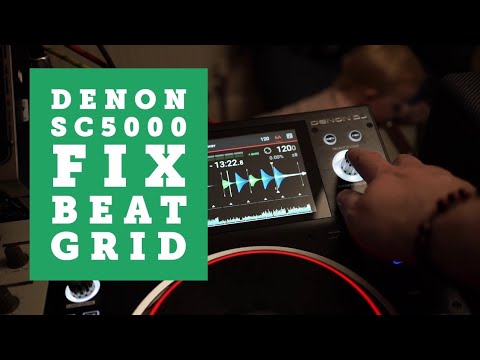 ](https://www.youtube.com/watch?v=o8j6f2z2XfY)
---
### Author:  [@Marek\_Reuter](https://community.enginedj.com/u/Marek_Reuter)
#### Post date: [August 13, 2022, 2:58pm UTC](https://community.enginedj.com/t/cannot-change-the-beatgrid-within-sc6000-players/43608/23 "2022-08-13T14:58:59Z")
Oh damn. Now I feel really bad. Sorry, I was not even aware that there is a move cue-point function (which is awesome). I just intuitively assumed this was a beat grid menu as I associated the symbols with a beat grid menu.
Sorry for unnecessarily taking up so much of your time by stupidly missing this. Anyways, your help is highly appreciated, mate!
---
### Author:  [@KevinBasher](https://community.enginedj.com/u/KevinBasher)
#### Post date: [August 13, 2022, 3:47pm UTC](https://community.enginedj.com/t/cannot-change-the-beatgrid-within-sc6000-players/43608/24 "2022-08-13T15:47:25Z")
Glad it’s no broken software or hardware on your end!
The hot cue shift mode is really cool. If your grid is off and you correct it on the player, you can move **all hot cues at once** to re-align them with the grid.
That’s a feature that (sadly) isn’t even present in Engine DJ.
[Previous page](https://community.enginedj.com/t/cannot-change-the-beatgrid-within-sc6000-players/43608.md?page=1)